...

World Tech View

Best 1440p OLED Gaming Monitor

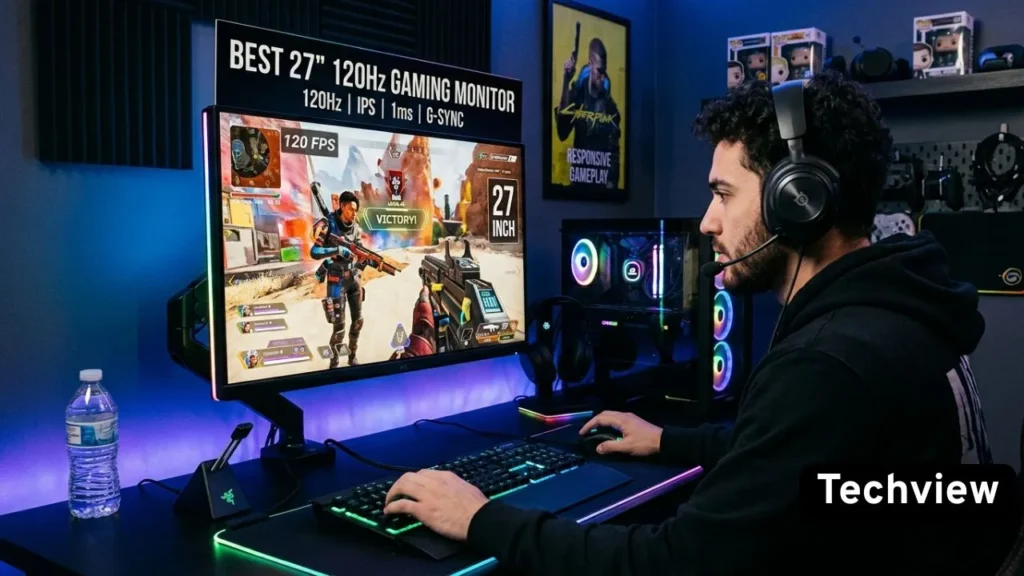
Best 27 Inch 120Hz Gaming Monitors

10 Best 27 Inch 120Hz Gaming Monitors: Top Picks for 2026

Not long ago, a solid 27 inch gaming monitor with a smooth refresh rate and a sharp image cost a lot of money. That’s changed. The market in 2026 is packed with 27-inch monitors hitting 120Hz and beyond — many at prices that would have seemed impossible just a few years ago. But here’s the problem: too many choices make picking the right one genuinely confusing. Fast IPS or VA? 1080p or 1440p? FreeSync or G-Sync? And which brands actually back up their specs with real-world performance? This guide cuts through the noise. We’ve narrowed it down to the 10 best 27 inch 120Hz gaming monitors available right now — picked for performance, reliability, and value. Whether you’re gaming on a budget or looking for something close to premium without breaking the bank, there’s a solid option here for you. Why 27 Inches and 120Hz is the Sweet Spot in 2026 Before jumping into the list, it’s worth explaining why this particular combination makes so much sense for most gamers. 27 inches gives you enough screen to feel genuinely immersed without needing to move your head to track action across the display. It’s the size that works whether you’re sitting close at a desk or slightly further back on a couch setup. 120Hz — or anything in the 120Hz–165Hz range — is where smooth motion becomes actually noticeable. Going from 60Hz to 120Hz is a dramatic, immediately visible upgrade. Gaming feels more responsive, tracking moving targets becomes easier, and the whole experience just feels cleaner. For console gamers especially, 120Hz is also the sweet spot since the PS5 and Xbox Series X both cap out at 120Hz for high-performance titles. 10 Best 27 Inch 120Hz Gaming Monitors Put the two together, and you have a monitor that covers gaming, productivity, and content consumption well — without the premium price tag of high-refresh OLED or 4K panels. 1. LG 27GP850-B UltraGear If there’s one monitor that keeps coming up in every serious recommendation list, it’s the LG 27GP850-B. LG built this one with a Nano IPS panel, which is a step above standard IPS in terms of color accuracy and vibrancy. The 1440p resolution at 27 inches looks genuinely sharp — not just decent, actually sharp — and it pairs with a 165Hz refresh rate (comfortably exceeding the 120Hz threshold with room to spare). The 1ms response time is real here, not a marketing trick. Motion is clean, and ghosting is minimal even in fast-paced games. Both NVIDIA G-Sync Compatible and AMD FreeSync Premium are supported, so it plays nicely regardless of which GPU you’re running. The stand is worth mentioning too — height adjustment, tilt, swivel, and pivot are all there. That kind of ergonomic flexibility is often missing from budget monitors, but LG included it here without compromise. Pros: Nano IPS panel with excellent color and wide viewing angles 1ms response time with clean motion handling 165Hz refresh rate — well above the 120Hz baseline Full ergonomic stand with height, tilt, pivot, and swivel Compatible with both AMD FreeSync and NVIDIA G-Sync Cons: HDR performance is decent but not exceptional IPS glow is visible in dark room conditions Why Buy This Monitor: This is the all-rounder that covers everything without being weak in any one area. If you want one monitor that handles competitive gaming, everyday use, and some content creation work, the LG 27GP850-B does all three confidently. 2. ASUS TUF Gaming VG27AQ ASUS built the VG27AQ as a proper 1440p gaming monitor without the flagship price. The IPS panel runs at 165Hz natively and delivers accurate, consistent colors across wide viewing angles. ELMB Sync is the standout feature here — it lets you run motion blur reduction and adaptive sync simultaneously, which not every monitor at this level supports. The build is solid and feels premium for the price. The stand is fully adjustable, and the OSD is easy to navigate. Input lag stays low, and G-Sync Compatible certification means NVIDIA users get tear-free gameplay without paying extra for a G-Sync module. HDR10 is on board, though, like most monitors in this range, it performs better as a content-viewing feature than as a true HDR display experience. Pros: ELMB Sync allows motion blur reduction alongside adaptive sync 165Hz IPS panel with accurate colors G-Sync Compatible and AMD FreeSync support Strong build quality with a fully adjustable stand Solid 1440p sharpness at 27 inches Cons: HDR implementation is basic rather than impressive Stands have been flagged by some users for minor wobble Why Buy This Monitor: The ELMB Sync feature alone sets this apart from many similarly priced monitors. If motion clarity is a priority — especially for competitive shooters — the VG27AQ gives you a meaningful advantage over standard 120Hz monitors. 3. Dell S2722DGM Dell’s S2722DGM takes a different approach. Where most monitors in this guide use IPS panels, this one goes with VA — and that choice pays off in one specific way: contrast. VA panels produce noticeably deeper blacks than IPS, which matters a lot if you play games with dark environments or watch movies in a dimmed room. The 165Hz refresh rate keeps it firmly in the smooth gaming category, and the 2ms response time is competitive for a VA panel. The 1440p resolution looks great on a 27-inch screen, and the curved design (1500R) adds a subtle sense of depth to the image that flat monitors don’t replicate. It’s not the pick for color-critical work — VA panels can shift colors at extreme viewing angles — but for gaming in a dedicated setup, it punches well above its price. Pros: VA panel with deep blacks and excellent contrast 165Hz refresh rate for smooth gameplay 1500R curve adds immersion for gaming AMD FreeSync Premium support Very strong value for a curved 1440p monitor Cons: Color accuracy at extreme angles drops off compared to IPS Not ideal for professional color work Why Buy This Monitor: If dark-room gaming is your thing — horror titles,

10 Best 27 Inch 120Hz Gaming Monitors: Top Picks for 2026 Read More »

Gadget, , ,
10 Best Gaming Monitors for Xbox

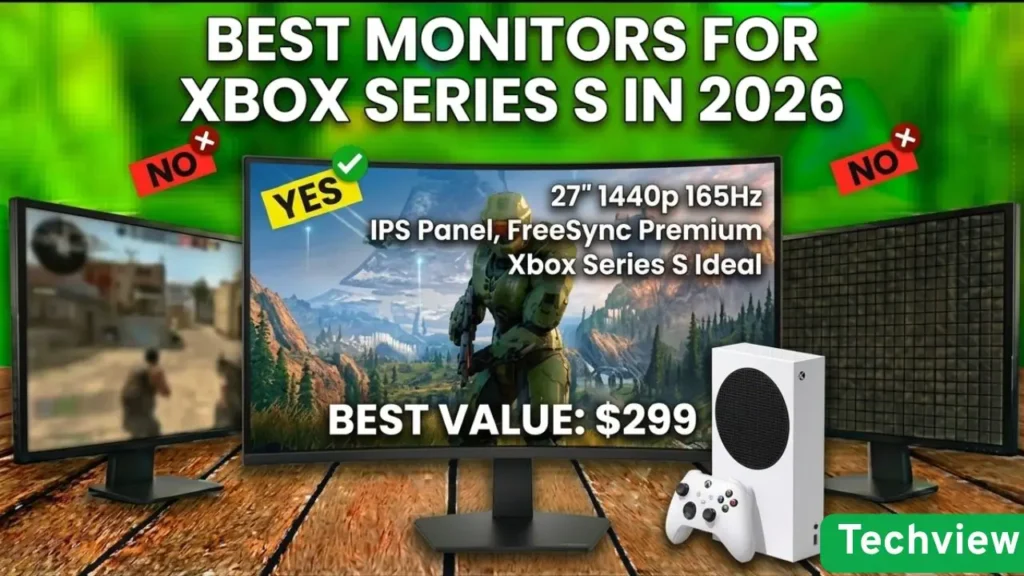
10 Best Gaming Monitors for Xbox in 2026

Finding the best gaming monitors for Xbox is no longer just about picking a screen; it is about unlocking the full potential of your console. It depends on what screen you have: the mighty Xbox Series X or the small Series S, because it is what will determine how smooth your movements will be and how detailed the worlds will be. The leap to OLED and Mini-LED in 2026 has changed gamers’ expectations of their systems, bringing darker blacks and unmatched response times that a traditional TV can never match. Here, we have assembled the top 10 monitors from brands such as ASUS, Dell, LG, and Acer, which are among the world’s leading brands. These have been chosen for their support of 4K resolution, high refresh rates over HDMI 2.1, and HDR. Whether it is a tournament-winning eSports game or an open-world RPG that adds to the depth of the game, these monitors will be able to render each frame with surgical precision to provide you with a competitive advantage and a visual spectacle each time you turn on your Xbox. Why You Need a Dedicated Gaming Monitor for Your Xbox An Xbox Series X can also output 4K at 120Hz, but to actually view it, you need an HDMI 2.1 bandwidth monitor. A typical office monitor or an older television causes the screen to start tearing and input lag to be extremely high, and can be the difference between victory and defeat in a fast-paced first-person shooter. A gaming monitor has a Game Mode that bypasses intensive image processing, displaying your controller’s inputs on the screen immediately. Moreover, features such as Variable Refresh Rate (VRR) and Auto Low Latency Mode (ALLM) are common on the best gaming monitors for Xbox. These technologies synchronize the monitor’s refresh rate with the console’s output, preventing stuttering. All of these technical benefits, paired with the higher color quality of OLED or the high brightness of Mini-LED, make playing a game more like living one.   1. ASUS ROG Swift OLED PG32UCDM The ASUS ROG Swift OLED PG32UCDM is arguably the king of the “best gaming monitor for Xbox” category. Featuring a 32-inch 4K QD-OLED panel with a staggering 240Hz refresh rate, it provides the most vibrant colors and deepest blacks available today. For Xbox Series X players, HDMI 2.1 means you get flawless 4K at 120Hz. Its 0.03ms response time is virtually instantaneous, making motion blur a thing of the past. The custom heatsink keeps the OLED panel cool, significantly extending its lifespan compared to standard monitors. Pros: Breathtaking 4K QD-OLED visual quality. Ultra-fast 0.03ms response time for zero lag. Full HDMI 2.1 support for Xbox Series X. Exceptional HDR performance with deep blacks. Premium build quality with an integrated heatsink. Cons: Very expensive compared to IPS alternatives. Risk of OLED burn-in over long-term static use. Why should you buy this monitor? You want the absolute best visual experience available. You play a mix of competitive shooters and cinematic RPGs. You need a monitor that handles both PC and Xbox perfectly. You value perfect contrast and “true black” levels. You want a future-proof display that will last for years. Summary: This is the gold standard for high-end gaming. If your budget allows, the PG32UCDM offers a visual experience that makes every Xbox game look like a cinematic masterpiece. 2. GIGABYTE MO32U (32″ QD-OLED) The GIGABYTE MO32U is a 32-inch QD-OLED monitor that is powerful enough to keep gamers engrossed. It has 4K resolution and a native high frame rate, making it a perfect match for the Xbox Series X’s hardware. The QD-OLED technology also offers a wider color gamut and higher brightness than conventional OLEDs, with HDR content delivering sparkling detail. It also has tactical game support such as Black Equalizer and Crosshair overlays to put you at an edge during a dark gameplay environment. Pros: Superior color vibrance thanks to QD-OLED. Large 32-inch screen for a theater-like feel. A KVM switch for easy switching between the Xbox and the PC. Excellent motion handling with no ghosting. Sleek, modern design with a sturdy stand. Cons: Occupies significant desk space. Internal speakers are average at best. Why should you buy this monitor? You prefer a larger screen size for immersive gaming. You need accurate colors for both gaming and creative work. You want the latest QD-OLED technology at a competitive price. You frequently switch between multiple gaming devices. You play games with high-quality HDR environments. Summary: The GIGABYTE MO32U is a versatile giant. It balances professional-grade color accuracy with elite gaming specs, making it a top-tier companion for any Xbox setup. 3. Dell Alienware AW2725QF Alienware has always been associated with the gaming industry, and the AW2725QF is no exception. It is a 27-inch 4K monitor with speed focus and clarity. Although it is slightly smaller than the 32-inch monsters, it has a higher pixel density, and games appear amazingly clear. It is constructed using a high-quality panel, which supports Dolby Vision, which is an infrequent yet terrific attribute among gamers of Xbox. The company is the focal point of any gaming room with its iconic design, the legendary 3, and the ability to individually adjust the RGB lights. Pros: Incredible pixel density and image sharpness. Support for Dolby Vision HDR. Fast refresh rate and low input lag. Iconic Alienware aesthetics and RGB lighting. Excellent ergonomic adjustments (tilt, swivel, height). Cons: 27 inches might feel small for some 4K enthusiasts. The stand takes up a bit of depth on the desk. Why should you buy this monitor? You want a sharp, compact 4K display. You are a fan of the Alienware ecosystem and design. You want a monitor that supports Dolby Vision for Xbox. You have limited desk space but don’t want to sacrifice specs. You play competitive games where every millisecond counts. Summary: The Alienware AW2725QF is a refined gaming machine. It’s perfect for the “pro” gamer who wants high-end features in a more manageable 27-inch form factor. 4. ASUS ROG Swift

10 Best Gaming Monitors for Xbox in 2026 Read More »

Blog, Gadget, , ,
How to Choose a Monitor for Gaming

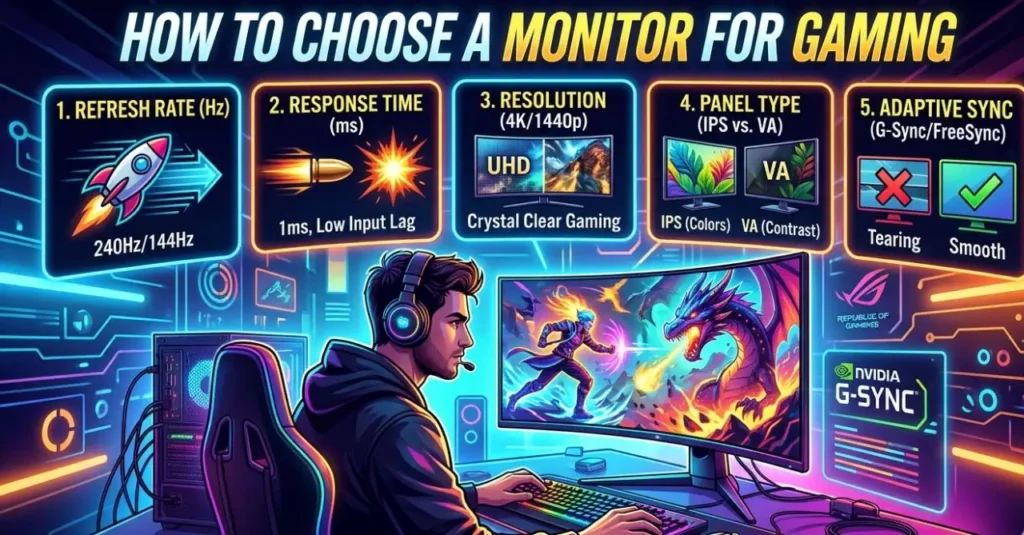
How to Choose a Monitor for Gaming: A Complete Buying Guide (2026)

Buying a gaming monitor in 2026 is both exciting and overwhelming. Walk into any electronics store or browse Amazon for five minutes, and you’ll find hundreds of options — all throwing specs at you like refresh rates, panel types, resolution tiers, and response times. Most of it looks the same at first glance. But here’s the thing: the wrong monitor can genuinely hold your gaming back. And the right one can completely transform how games feel and look. This guide breaks everything down in plain English — no fluff, no jargon overload. By the end, you’ll know exactly what to look for and what to skip. How to Choose a Monitor for Gaming: Let’s Discuss Start With Your PC or Console Setup Before you look at a single monitor spec, check what you’re actually running games on. Your GPU (graphics card) and CPU set the ceiling for what any monitor can do for you. If your PC averages around 100 frames per second in the games you play, buying a 360Hz monitor won’t make gameplay smoother — it’ll just expose instability. A monitor never fixes performance problems. It shows them more clearly. So first, run a few of your regular games and check your real-world FPS using a tool like MSI Afterburner or the in-game counter. Then build your monitor choice around that number. For console gamers: The PS5 and Xbox Series X both cap out at 120fps, so anything above 144Hz is more than enough for you. Focus your budget on resolution, panel quality, and HDMI 2.1 support instead. Refresh Rate: The Spec That Changes How Games Feel The refresh rate is measured in Hz and indicates how many times per second your screen updates the image. This is the first spec that directly impacts how smooth gameplay feels. 60Hz — The Old Standard At 60Hz, mouse movement feels slightly sluggish, and fast motion in shooters or racing games looks blurry. It’s still playable, but in 2026, 60Hz is no longer a gaming standard — it’s a limitation. Once you game on something higher, going back feels like a handicap. 144Hz to 180Hz — The Sweet Spot This is where most gamers should land. The jump from 60Hz to 144Hz is immediately noticeable to essentially everyone on the first day. Games feel crisp, responsive, and smooth. Camera pans look clean instead of choppy. In 2026, most new gaming monitors — even budget ones — ship at 165Hz or 180Hz by default. If you’re buying today and settling for plain 144Hz, you’re already one generation behind. The good news is that modern mid-range GPUs can comfortably hit 120–180fps at 1080p or 1440p in most games, so this range is very practical. 240Hz and Above — For Competitive Players At 240Hz and beyond, the benefits get narrower. These refresh rates are designed for competitive players grinding games like CS2, Valorant, or Apex Legends, where every millisecond counts. If your PC can consistently push 240+ FPS in those titles, you’ll feel the difference. But here’s the honest truth: if your system dips to 90fps on a 240Hz monitor, you’re still only seeing 90 new frames per second. Higher refresh rates reward consistency, not just raw numbers. For most people — especially those who play a mix of story games, shooters, and RPGs — 165-180Hz is the right choice. Resolution: Match It to Your Screen Size and GPU Resolution determines how sharp and detailed everything looks. But it also directly multiplies the work your GPU has to do. Picking the wrong resolution for your hardware leads to constant performance compromises. 1080p (Full HD — 1920×1080) 1080p is still completely valid in 2026, especially for competitive gaming. If you’re playing fast-paced shooters and want the highest possible refresh rate without killing your GPU, 1080p is the practical choice. It’s cheap to run, and at 24 inches, it looks perfectly sharp. Where 1080p falls apart: anything larger than 24–25 inches. On a 32-inch screen, 1080p can look noticeably soft around text and edges. 1440p (QHD — 2560×1440) This is the mainstream sweet spot for gaming in 2026. The jump from 1080p to 1440p on a 27-inch monitor is a visible sharpness upgrade that no in-game graphics setting can replicate. Colors look richer, distant objects are sharper, and the overall image feels more immersive. A mid-range GPU like the RTX 4070 or RX 7800 XT can handle 1440p at high settings in most games. If you’re gaming on a 27-inch monitor and can afford a decent GPU, this is the resolution to target. 4K (UHD — 3840×2160) 4K looks jaw-dropping, especially in open-world games and cinematics. But running 4K well requires serious GPU power. If you try to push 4K without a high-end GPU like an RTX 4080 or better, you’ll end up dropping graphics settings just to hit acceptable frame rates — which defeats the purpose. Also worth noting: 4K on a 24-inch screen is often overkill. The human eye can’t resolve that level of pixel density at a normal desk distance. 4K makes the most sense at 32 inches and above. Panel Type: The Biggest Factor in Image Quality and Feel The panel is the actual display technology behind the glass. It affects color accuracy, contrast, motion clarity, and viewing angles. This is one of the most important decisions you’ll make. IPS — The All-Rounder IPS (In-Plane Switching) panels are the safest choice for most gamers. They offer accurate, vibrant colors, wide viewing angles, and fast enough response times for competitive play. Modern IPS monitors reach 165Hz–240Hz and beyond. If you’re not sure what to buy and want a monitor that handles games, movies, and productivity equally well, go for an IPS. It’s the most reliable category across the board. VA — Best Contrast on a Budget VA (Vertical Alignment) panels offer deeper blacks and better contrast than IPS, which makes dark scenes in horror games or space settings look genuinely dramatic. They’re usually cheaper too. The trade-off is motion performance. In fast

How to Choose a Monitor for Gaming: A Complete Buying Guide (2026) Read More »

Technology, , , ,
Best Cheap 4K Monitor for Gaming

The Top 7 Best Cheap 4K Monitor for Gaming That Deliver Amazing Performance

Gaming in 4K no longer requires an extremely expensive monitor. Over the last couple of years, numerous brands have introduced affordable 4K gaming monitor that offer sharp visuals, seamless refresh rates, and good gameplay. When you are on a tight budget but still want ultra-clear graphics, the right monitor can make a significant difference. This guide discusses the most recommended cheap 4K monitor to use in gaming that are capable of good performance, convenient gaming functions, and stable constructions. These monitors are high resolution, good refresh rates, and are contemporary, connected to ensure that you can play the game in an immersive way without stretching your budget. How to Choose the Best Cheap 4K Monitor for Gaming Finding a budget 4K gaming monitor is not only about price. Other significant characteristics include refresh rate, response time, panel quality, and adaptive sync, which enhance the gaming experience. For playing, a decent gaming monitor must provide smooth motion, low input lag and accurate color to make every scene appear well-defined and responsive. Connection and compatibility are other important factors that also affect gameplay. A large number of cheaper 4K monitors can now support HDR, have USB-C connections, support G-Sync, and offer high refresh rates. These features can enhance the gaming experience and ensure your monitor is compatible with modern gaming computers and consoles. 1. GIGABYTE M27UP – 27″ SS IPS Gaming Monitor (UHD 3840×2160, 160Hz) The GIGABYTE M27UP is one of the strongest options if you want a powerful yet affordable 4K gaming monitor. It has a 27-inch SuperSpeed IPS screen with clear details and rich colors. This monitor has a high refresh rate of 160Hz which makes the games run smoothly even when it comes to intense action scenes. Adaptive sync support and fast response times will be valued by gamers, as they will help remove screen tearing. The monitor too incorporates contemporary connectivity and gaming-oriented features that enhance the overall performance. This makes it an excellent option because it has a good balance of resolution, refresh rate and quality of the panels, which makes it ideal to those players that do not want to spend too much on achieving smooth 4K gaming experience. Pros Cons Why You Should Buy This Monitor Product Summary:The GIGABYTE M27UP offers a rare mix of 4K resolution and 160Hz refresh rate at a relatively affordable price. It is an excellent choice for gamers who want smooth gameplay and clear visuals. This is the most powerful gaming monitor at this price, and we keep this in the place of these 7 monitors. The first four monitors are the most powerful and will provide a high-quality gaming experience. You can choose anyone from these.  2. ASUS TUF Gaming VG27UQ1A – 27” 4K HDR Monitor (160Hz, 1ms) ASUS TUF Gaming VG27UQ1A targets gamers who are concerned with durability and good gaming performance. This 27-inch display delivers a crisp 4K gaming monitor,UHD resolution with a flicker-free 160Hz refresh rate and a 1ms response time for competitive gaming. It has an HDR capability that boosts brightness and contrast, making games look more dynamic. ASUS also has adaptive sync technology to minimize tearing of screens and enhance smoothness. The monitor’s high-quality build and gaming-oriented features make it a viable option for players who want high performance without paying a high price. Pros Cons Why You Should Buy This Monitor Product Summary: The ASUS TUF VG27UQ1A is made to provide smooth gameplay. It will provide you with the best gaming experiences at this price segment and it is designed with speed, durability, and 4K clarity, making it a solid budget option for gamers who want a reliable high-refresh display. 3. Samsung 27” Odyssey G7 (G70D) 4K UHD IPS 144Hz Gaming Monitor The Odyssey G7 (G70D) is a high-level 4K gaming monitor which usually gets competitive prices. The 4K UHD IPS panel that it has provides its display with amazing color accuracy and image quality, which makes games appear amazingly detailed. The refresh rate and response time of the monitor are 144Hz and 1ms respectively, which provides good motion and rapid response during the active gameplay. G-Sync compatibility is also featured in Samsung, which contributes to the reduction of stuttering and screen tearing. It is both game and daily-life-friendly as it is designed in the modern fashion and equipped with smart functions. Pros Cons Why You Should Buy This Monitor Product Summary: The Samsung Odyssey G7 is a powerful monitor in this cheap budget segment. It will deliver high-quality visuals and next-level gameplay which make it the best affordable 4k gaming monitor from a well-known brand.  4. ASUS ROG Strix XG27UCS – 27” 4K HDR400 USB-C Gaming Monitor The ASUS ROG Strix XG27UCS brings premium gaming features to a more affordable category. The 4K gaming monitor HDR400 display delivers clear images and sufficient brightness, and the games are bright and vivid. The monitor also supports USB-C connectivity, providing flexibility for modern devices and laptops. ASUS incorporates gaming improvements, such as adaptive sync and fast response times, to ensure smooth, responsive game mechanics. With a stylish ROG design and practical features, this monitor is an appropriate choice for gamers who require performance and flexibility. Pros Cons Why You Should Buy This Monitor Product Summary: The ASUS ROG Strix XG27UCS monitor is designed for smooth gaming performance, and it offers sharp visuals, modern connectivity and the high quality gaming experiences. It has a high-resolution 4 K display that delivers smooth visuals with great detail.  5. Dell 27 Plus 4K Monitor – S2725QS Dell S2725QS is a basic and practical 4K gaming monitor that can be used in gaming and daily life. Its 27 inch IPS display panel offers high quality images and proper colors, which make games appear detailed and natural. Its refresh rate can also be counted as 120Hz though this is more focused on productivity rather than competitive gaming but still provides into smoother movement compared to monitors with a 60Hz refresh rate. The quality of display and stability of the build

The Top 7 Best Cheap 4K Monitor for Gaming That Deliver Amazing Performance Read More »

Blog, Gadget, ,
Best 1440p 240Hz Gaming Monitor

Best 1440p 240Hz Gaming Monitor in 2026 – Top 5 Picks for Smooth and Stunning Gameplay

Introduction: To have a very smooth gameplay and at the same time a clear visual display, then a smart choice would be to select the best 1440p 240Hz gaming monitor. These monitors represent the optimal compromise of high refresh and clear sharpness, and hence competitive gaming and immersive entertainment. No matter what type of game you play, be it FPS, racing, or a story-based game, a good 1440p 240Hz monitor is going to make it come to a new level.  It is in this guide that we have chosen some of the best models that provide speed, color accuracy and great performance to gamers who are interested in the best value and quality of the image. Therefore, be aware of the best 1440p gaming monitor to use in your gaming system.  The reason a Best 1440p 240Hz Gaming Monitor is ideal in Competitive gamers. The top 1440 best 240Hz gaming monitor is ideal for competitive gamers since it will provide them with high-speed and clarity during any match. The 240Hz refresh rate provides ultra-smooth motion and quicker response to the motion as this enables the player to respond effectively in fast gameplay. Meanwhile, the 1440p resolution offers clear and bright images, and thus, it is easier to see the enemies and trace the motions. This is what makes competitive gamers truly competitive, be it in playing FPS, esports, or a fast-paced multiplayer game, because of the high refresh rate and clear picture quality. 1. LG 27GX704A-B 27-inch Gaming Monitor LG 27GX704A-B is a very strong gaming monitor designed with ease and speed in its operation. It has a 240Hz refresh rate that provides smooth gaming with the least motion blur and is ideal in competitive gaming. The QHD display is 27 inches with sharp images and vivid colors which makes it better for gaming and watching the media. It also has a smooth design and an adjustable stand to enable one to have prolonged gaming time. On the whole, this monitor is a good combination of performance and quality that can be used by serious gamers. Panel Type OLED Display Size 27-inch Resolution  (2650×1440) pixles Refresh Rate 240Hz Response Time 0.03ms Adaptive Sync NVIDIA G-Sync Compatible, AMD FreeSync Premium Pro HDR Support HDR10 Connectivity/Ports 2x HDMI 2.11x DisplayPort 2.1x USB 3.0 Downstream1x 4-Pole Headphone Out Brightness 275 Color Gamut and Accuracy DCI-P3 98.5% (CIE1976) Contrast Ratio 1500000:1 Pixel Pitch 0.2292 x 0.2292 Pros: Cons: Who Should Buy This Monitor: This OLED monitor is fantastic to customers who use Windows, and the colors are rich and can be seen with the perfect black feature without being fake. They have a sharp picture image that meets or surpasses expectations and they like the display quality with one of them commenting that it makes games sick on it. 2. AOC Gaming Q27G41ZE 27-inch The AOC Gaming Q27G41ZE is a 1440p 240Hz gaming monitor at a low price and offers remarkable performance. It has a good response and gameplay that is easy to play and therefore, it would suit competitive gamers. The display offers adequate colors and vivid details in games and entertainment. Its slimness and firmness of its stand allow it to fit any gaming setup. It offers good performance and value at a price to gamers who do not have to spend too much on buying it but want high performance. Panel Type IPS Display Size 27 inch Resolution  (2560×1440) pixels Refresh Rate 240Hz Response Time 0.3ms MPRT Adaptive Sync G-Sync Compatible HDR Support HDR10 Connectivity/Ports 1 x HDMI 2.0, 1 x Display Port Brightness 300 Color Gamut and Accuracy sRGB Contrast Ratio 1000:1 Pixel Pitch 0.2331 mm $\times$ 0.2331 mm Pros: Cons: Who Should Buy This Monitor: This monitor is a great gaming display for customers with beautiful HDR images, high contrast and excellent color accuracy and near-perfect blacks. They believe it to be pocket-friendly. The refresh rate is viewed both positively and negatively – on the one hand, it is stated that the 240Hz performance is stunning, and, on the other, VRR flickering is observed in certain scenes. 3. ASUS ROG Swift OLED PG27UCDM – 240Hz ASUS ROG Swift OLED PG27UCDM has beautiful OLED images and is a high-end gaming monitor. It has been available in rich black levels, rich colors and has ultra-fast response time. The refresh rate is 240Hz, providing a high-quality motion and responsiveness and ideal in terms of high-quality gaming. It offers a high gaming experience due to its high design and features. This is an ideal monitor for individuals who play games and need the highest quality display and performance. Panel Type QD-OLED Display Size 27 inch Resolution  (‎3840 x 2160) Pixels Refresh Rate 240Hz Response Time 0.03ms Adaptive Sync G-SYNC Compatible HDR Support Dolby Vision support, VESA DisplayHDR 400 Connectivity/Ports 1x DisplayPort 2.12x HDMI 2.11x USB-C (DP Alt Mode)3x USB 3.2 Gen 1 Type-A1x USB-B Brightness 1,000 nits Color Gamut and Accuracy sRGB Contrast Ratio 1,500,000:1 Pixel Pitch 0.155 mm Pros: Cons: Who Should Buy This Monitor: This monitor is a great gaming monitor that customers can be proud of, as it works quite well and is amazingly suitable for playing games, with its sharp resolution and stunning 144Hz refresh rate. They love the value it brings, considering that one of the customers has remarked that it is the best quality at the cost and that they like its appearance with games looking and feeling fabulous. The quality of the colors also get mixed reviews, where some comment that they are good whereas others comment that they are bad.  4. Alienware AW2723DF Gaming Monitor fluid gameplay that has high refresh rate and responsiveness. The accuracy of the colors is also impressive and games appear vivid and crisp. It is a stylish and well-built device that would be a great addition to any game setup. The monitor can provide a stable gaming experience of high-quality performance and image quality. Panel Type Fast IPS Display Size 27-inch Resolution  (2560 x 1440) Refresh Rate 240Hz  Response Time

Best 1440p 240Hz Gaming Monitor in 2026 – Top 5 Picks for Smooth and Stunning Gameplay Read More »

Blog, Gadget, , , , ,
amazon best sellers gaming monitor

Amazon Best Sellers Gaming Monitor – Top 20 Monitors Gamers Love in 2026

Introduction If you are searching for the Amazon best sellers gaming monitor, you are not alone. The current gamers seek a monitor capable of providing them with a smooth gameplay, a clear display and a performance that they can rely on without paying more money than is required. The monitors that Amazon offers at the top of its sales tend to be distinguished by all of them being remarkably high refresh rates, sharp resolution, high-quality construction, and highly rated by users. Regardless of whether you are playing competitive FPS games, playing a title that focuses more on the story, or simply need a display with a high response rate to get the work done and enjoy games, the right gaming monitor can make everything entirely different. In this guide, we are going to discuss 20 of the most popular and the best selling gaming monitors on Amazon, beginning with the more expensive and high-quality ones and then moving to the cheaper ones. Why Amazon Best Sellers Gaming Monitors Are Popular When individuals are researching the Amazon best sellers gaming monitor, they typically desire something they already know and trusted by thousands of customers. These monitors are becoming popular due to their good performance, good durability and good feedbacks. The majority of the top selling gaming monitors have such specifications as high refresh rate, low response time, curved screen, and sharp resolutions such as Full HD, QHD and even 4K. These attributes enable the game players to experience a more fluid movement, sharper colors and reduced screen tearing when in the middle of the intense play. They are available in many monitors that are reviewed and tested by various individuals and therefore, buyers have more confidence in using one of them. 1. Samsung 27-inch Odyssey OLED G5 (G50SF) QHD & QD-OLED Gaming Monitor, 180Hz The Samsung Odyssey OLED G5 (G50SF) is a gaming monitor that stands out among the best sellers on Amazon. It will have a great QD-OLED panel, which delivers rich blacks, vivid colors, and excellent contrast. The monitor has a 180Hz refresh rate, which provides incredibly smooth gameplay, making it perfect for competitive gamers. The 27-inch QHD resolution offers clear images and maintains performance in balance with current-day gaming systems. Samsung made this monitor for gamers who prefer a high-quality visual experience, fast responsiveness, and immersive gameplay. Whether playing fast shooters or an open-world game, the Odyssey OLED G5 makes the game look colorful and smooth. Key Features • Price: $482 +-• Rating: 4.5 2. SAMSUNG 32″ Odyssey G55C Series QHD Curved Gaming Monitor Samsung Odyssey G55C is a curved gaming monitor that will help you get more immersed in your gaming. Its 1000R curved screen wraps around your field of view, making the game more immersive and comfortable during long sessions. The QHD resolution provides a sharper image and enables textures and environments to appear crisper than on standard Full HD screens. The device is a fine option among gamers who prefer big screens and rich visuals. The curvy form and smooth refresh performance also ensure that the motion remains smooth in action scenes. Altogether, the Odyssey G55C is a well-balanced model in terms of size, display, and gaming capabilities. Key Features • Price: $278+-• Rating: 4.4 3. SAMSUNG 32″ UJ59 Series 4K UHD Computer Monitor The Samsung UJ59 Series 4K monitor is aimed at users seeking very sharp images. This display has a 3840 2160 resolution, which is four times the detail of Full HD. It is helpful in gaming and as well as in productivity like work like editing, designing, and viewing high resolution contents. The 32 inch screen is very spacious and it can be used to create a more movie-theater gaming experience. Despite being more resolution-oriented than extreme refresh rates, the monitor still delivers smooth images and rich color. It is a good option amongst gamers that like high detail and screen space.  Key Features • Price: $286+- • Rating: 4.1 4. LG 32GS60QC-B Ultragear 32-inch Curved Gaming Monitor LG Ultragear 32GS60QC-B is a gaming monitor with high power and immersion. The game play is exceptionally smooth and responsive with its huge 32-inch curved screen and the 180Hz refresh rate. The QHD resolution provides high-quality images without heavy requirements of your gaming devices. The Ultragear line of LG products is familiar to gamers as a steady performer and a high-quality visual image. The monitor is ideal to those players who like playing fast action games yet would also like a larger monitor with which they can get more immersive with. Key Features • Price: $250+-• Rating: 4.5 5. Dell 27 Plus 4K Monitor – S2725QS The Dell S2725QS has a beautiful 4K resolution with a sleek and contemporary look. This is an ideal monitor where clarity and proper color representation are required by gamers and other professionals. The refresh rate of 120Hz gives a more flowing movement than the normal monitors, which makes the games and videos become more flowing. Dell has a long reputation of making good quality displays of high-quality construction. The S2725QS is particularly benefiting to an individual who requires a monitor that is not only effective in gaming, but in productivity as well. Key Features • Price: $239+-• Rating: 4.4 6. Dell 27 Plus 4K USB-C Monitor – S2725QC The Dell 27 Plus S2725QC is a good balance between appearance and performance because of the gorgeous pictures and the quality work of the monitor. The 27-inch 4K UHD screen displays clear details and rich colors, and everything, be it games or movies, will look incredible. The IPS panel technology gives it a wide viewing range, thus maintaining the image in one way or other even at a different position. The monitor is perfect for individuals who want a screen that can be used for both gaming and productivity. The 120Hz refresh rate can help reduce the effects of motion blur, which makes the image in the game and video viewing smoother. The Dell S2725QS is a good product

Amazon Best Sellers Gaming Monitor – Top 20 Monitors Gamers Love in 2026 Read More »

Blog, Gadget, , ,
Best 2K Monitors for Gaming with 1440p

10 Best 2K Monitors for Gaming with 1440p QHD 

10 Best 2K Monitors for Gaming with 1440p QHD  If you are looking for the best 2K gaming monitor, you are in the right place, as selecting a high-quality gaming monitor is not easy. In this post, we will help you choose the best resolution gaming monitor to set up a top-tier gaming setup for better performance. Do you able to choose a good 1440p Gaming Monitor for you gaming setup then you will get an amazing feel while gaming.  Here we will discuss the top 10 best gaming high resulation monitor of different and high-value brands’ monitors which will give you the real feel. We selected top best gaming monitor which can provide you like AAA, enjoy higher FPS, and many high-quality gaming experiences with high refresh rate from 165 to 480Hz refresh rate that will give you high-speed gaming experiences. So read the post to the end.  1. Asus ROG Swift PG27AQDP, the best 2K Gaming Monitor The Asus ROG Swift PG27AQDP is a gaming 27-inch monitor with an OLED panel of high quality with high-resolution QHD (2560×1440) and is designed to be able to play at higher gaming speeds. It is also equipped with a high-performance 480Hz refresh rate and lag-free gaming and thus the fast flick shots and tracking become more natural when playing with your friends and in competitive gaming.  This screen is configured to allow a high level of clarity in motion and it can be well used with advanced GPUs in order to play competitively in the FPS genre and high-quality gaming. With this premium ROG build quality, its strong color tuning, and smooth adaptive sync support make your setup easier. This monitor is made for players who want sharp 2K visuals with the fastest refresh possible.   Pros Cons Who should buy this monitor? This monitor has some new AI Assistant that provides dynamic AI Crosshair, AI Shadow Boost, AI Sniper, AI Visual, and MOBA Map Helper functions for improved gaming experiences that’why you can get the monitor.  2. Sony Inzone M10S (480Hz) – Best 2K Gaming Monitor for Competitive Speed Sony Inzone M10S is a high-performance 27-inch 1440p gaming monitor that is built to play games at a high level. It has a very high refresh rate of 480Hz, an OLED panel and it supports adaptive sync performance and high motion handling of fast-moving games. The 2K QHD resolution provides both sharper images compared to 1080p with a high FPS gaming capability, which is an intelligent compromise in esports. The Inzone M10S is a good choice with its clean design of Sony and quick response performance, which is speed-first gaming with crisp visuals. ✅ Pros Cons Who should buy this monitor? 3. AOC Q27G4XN 27-inch Gaming Monitor – Best Budget 2K Gaming Monitor The AOC Q27G4XN is a well-priced 27-inch 2K QHD (2560 x 1440) gaming monitor designed to play comfortably on a daily basis. It delivers a higher resolution than 1080p, offering clearer text, sharper edges, and greater depth in modern-day games. It is constructed with a gaming-oriented design, good refresh rate and low-latency responsiveness to play in a casual competitive game. This AOC model is a good choice if you want a budget-friendly 1440p monitor with a smooth gaming feel and a clean, usable screen size for work and gaming. It has a 180Hz refresh rate fast response speed. It supports FreeSync VRR and G-SYNC for better performance.  Pros Cons Who should buy this monitor? 4. Acer Nitro 27″ WQHD 2K Gaming IPS 180Hz Gaming Monitor  The Acer Nitro 27-inch WQHD IPS gaming monitor is a quality all-around monitor that provides clear images and easy functionality. It has a resolution of 2560×1440 pixels which provides a clear image with more details than the 1080p and the IPS panel provides better colors and a wide viewing range. It is an excellent option when a player wants to have both competitive and story-driven gaming since it has a good balance of clarity, refresh performance, and comfort in everyday use. Other products that are offered by Acer Nitro monitors include gamer-friendly tuning and solid build quality in their price range. It has a 180Hz Refresh rate 0.5ms response time.  Pros Cons Who should buy this monitor 5. AOC Gaming Q27G41ZE 27-inch QHD IPS Gaming Monitor – Best Affordable IPS 2K Monitor One of the powerful 27-inch QHD IPS gaming monitors is the AOC Q27G41ZE which is designed to be used by gamers desiring high-resolution and pure colors. The 1440p display is better with modern games at least as far as detail is concerned and the IPS panel ensures that all images remain brighter and uniform on the screen. It is also suitable for an esports and a racing game as it provides 240Hz, overclock 260Hz smooth refresh, 0.3ms performance with fast-paced gaming, thus a good combination, both as a competitive and non-competitive player. This model is a smart choice in case you are interested in a clean 2K monitor, with IPS clarity, and good value. Pros Cons Who should buy this monitor? 6. INNOCN 27-inch Gaming Monitor 2K QHD 240Hz – Best 2K 240Hz Monitor The INNOCN 27-inch 2K QHD 240Hz gaming monitor is aimed at gamers who would like a high refresh speed but do not want to spend a lot of money as they would on a premium flagship. The refresh rate of 240Hz refresh rate creates the impression that movement is highly responsive and smooth to look at, particularly in competitive games such as Valorant and Call of Duty. The resolution of 2560×1440 pixels makes its image sharp and clean, which is ideal for super gamers who desire a better resolution but require higher FPS performance than 1080p. It is a good option for quick gaming with a good price-to-performance bargain. Pros Cons Who should buy this monitor? 7. SAMSUNG 32-Inch Odyssey G50D Series QHD Fast IPS – Best 32-Inch 2K Monitor The Samsung Odyssey G50D 32-inch fits perfectly for customers who would like to have a larger size

10 Best 2K Monitors for Gaming with 1440p QHD  Read More »

Blog, Gadget, , , , ,
Best 1440p OLED Gaming Monitor

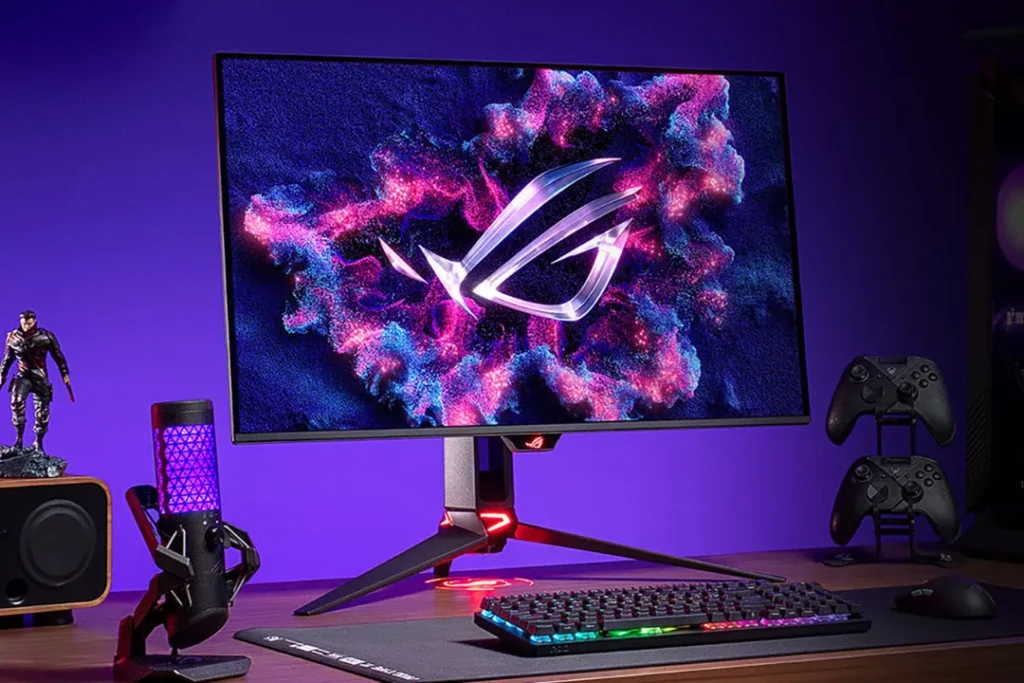
Best 1440p OLED Gaming Monitor in 2026: Top Picks & Review

Are you looking for a smooth gaming monitor? Then you can choose the Best 1440p OLED Gaming Monitor which will provide you with smooth, clear and high-quality visuals while gaming and streaming. OLED technology usually delivers good color, perfect blacks, incredible contrast with ultra-fast response time which is why professional gamers choose this monitor for their gaming setup.  In this post, we will discuss some of the best OLED gaming monitors that will be your best choice, and it will give you smooth gameplay, sharp visuals, and immersive performance for both competitive and story-based gaming. Here you will get a high refresh rate from a 240Hz OLED display or a next-gen 360Hz–480Hz monitor, for the next-level gaming. Explore all the monitors below. 1. ASUS ROG Swift PG27AQDP (480Hz) The ASUS ROG Swift PG27AQDP is among the quickest OLED gaming monitors that have ever been published. It has an amazing 27-inch 1440p OLED display with a brilliant 480 Hz refresh rate that is aimed at esports and competitive gaming. This monitor provides extremely smooth motion, almost instant response time, and rich contrast that are synonymous with OLED panels. It is compatible with G-Sync and AMD FreeSync Premium of tear-free gaming. HDR performance, rich colors, and ROG gaming features define this monitor with the target audience being high-end gamers who want the best of speed and graphics in a single display. Panel Type OLED Display Size 27-inch Resolution  ‎2560×1440 Pixels Refresh Rate 480 Hz Response Time 0.03ms Adaptive Sync G-SYNC Compatible HDR Support Supports HDR10 Aspect Ratio 16:9 Display Color 1073.7M Brightness 1,300 Connectivity/Ports DisplayPort 1.4 DSC x 1HDMI (v2.1) x 2Earphone jack: YesUSB Hub:  2x USB 3.2 Gen 1 Type-A Contrast Ratio 1,500,000:1 Pixel Pitch 0.229mm Pros: Cons: Who should buy this monitor: 2. ASUS ROG Strix OLED XG27ACDNG (360Hz) The ASUS ROG Strix OLED XG27ACDNG provides the ideal speed-to-visual-quality ratio. It is a 27-inch 1440p OLED gaming monitor with a 360 Hz refresh rate and an incredibly fast response time to play competitive games. OLED panel offers blacks, rich colors and good HDR display. This monitor is the best to use in both a competitive and an immersive gaming setup with the adaptive sync support, low input lag, and high-quality ROG design. Panel Type QD-OLED Display Size 26.5-inch Resolution  2560×1440 Pixels Refresh Rate 360Hz Response Time 0.03ms(GTG) Adaptive Sync FreeSync Premium Pro & G-SYNC Compatible HDR Support HDR10 Aspect Ratio 16:9 Display Color 1073.7M Brightness 1,000 Connectivity/Ports DisplayPort 1.4 DSC x 1HDMI (v2.1) x 2USB-C x 1 (DP Alt Mode)Earphone jack: YesUSB Hub: USB 3.2 Gen 1USB-C Power Delivery: 90W Contrast Ratio Pixel Pitch 0.229mm Pros: Cons: Who should buy this monitor: 3. Alienware AW2725DF Best 1440p OLED Gaming Monitor The Alienware AW2725DF is a 27-inch 1440p OLED gaming monitor available to serious gamers. It has a high 360 HZ refresh rate QD-OLED display which provides unbelievable color accuracy and deep contrast. The response time is very fast and this makes the games smooth and with no blur. It makes this monitor worth the long gaming hours because of the high-quality construction, smooth look, and cooling technology used by Alienware. It is also compatible with adaptive sync and has HDR that can enhance a more immersive gaming experience. Panel Type QD-OLED Display Size 27-inch Resolution  2560 x 1440 Pixels Refresh Rate 360 Hz Response Time 0.03Ms Adaptive Sync AMD FreeSync Premium Pro + VESA HDR Support Aspect Ratio 16:9 Display Color 1.07 Billion Brightness 1000 Connectivity/Ports 2 x DP 1.4 (HDCP 1.4 & 2.3)1 x HDMI 2.1 (HDCP 1.4 & 2.3)1 x USB 3.2 Gen 12 x USB 3.2 Gen 11 x USB 3.2 Gen 11 x USB 3.2 Gen 1 Contrast Ratio 1.5 million:1 Pixel Pitch 0.2292 mm x 0.2292mm Pros: Cons: Who should buy this monitor: 4. MSI MPG 271QRX QD-OLED The MSI MPG 271QRX is a 1440p QD-OLED gaming monitor that is among the most popular. It is equipped with 27 inch OLED display, a 360 Hz refresh rate and a very rapid response time. The monitor provides rich color, contrast and a smooth performance both in games and in content creation. It also has HDMI 2.1, DisplayHDR capability, and MSI game features, making it a future-ready display in both PC and console gaming. It has a smooth look and a narrow frame, which is ideal for contemporary gaming systems. Panel Type QD-OLED Display Size 27-inch Resolution  2560×1440 Pixels Refresh Rate 360Hz Response Time 0.03ms (GtG) Adaptive Sync AMD FreeSync™ Premium Pro HDR Support DisplayHDR True Black 400 Aspect Ratio 16:9 Display Color 1.07B Brightness 250 nits Connectivity/Ports 1 x DisplayPort 1.4a2 x HDMI 2.1 (WQHD@360Hz)1 x Type-c (DP alt.) w/PD 90W2 x USB 2.0 Type-A1 x USB 2.0 Type-B Contrast Ratio 1500000:1 Pixel Pitch 0.2292(H) x 0.2292(V) Pros: Cons: Who should buy this monitor: 5. LG 27GS95QE (27-inch, 1440p, 240Hz) The LG 27GS95QE is a balanced OLED gaming monitor featuring a 27 inch 1440p display screen and a 240 refresh rate. It produces rich blacks, quick response and rich colors which make games appear gorgeous. The monitor fits G-Sync and FreeSync to provide a smoother and smoother gameplay, as well as HDMI 2.1 ports that allow the use of a console. The OLED technology LG uses makes its models provide the best contrast and immersive experience in both entertainment and gaming. Panel Type OLED Display Size 27-inch Resolution  2560×1440 Pixels Refresh Rate 240Hz Response Time 0.03ms (GtG at Faster) Adaptive Sync G-SYNC Compatible and AMD FreeSync Premium Pro HDR Support VESA DisplayHDR Aspect Ratio 16:9 Display Color 1.07B Brightness 1300 Connectivity/Ports HDMI 2.1 DisplayPort Contrast Ratio 1.5M:1 Pixel Pitch 0.2292 x 0.2292 Pros: Cons: Who should buy this monitor: 6. Gigabyte MO27Q28G The Gigabyte MO27Q28G is a contemporary 27-inch 1440p OLED gaming monitor which is aimed at efficient and immersive gaming. It has a high refresh rate OLED display, a rapid response rate and outstanding color decoding. It is an excellent gaming monitor and also for everyday use. Having a smooth design, narrow bezels and

Best 1440p OLED Gaming Monitor in 2026: Top Picks & Review Read More »

Blog, Gadget, , ,
Seraphinite AcceleratorOptimized by Seraphinite Accelerator
Turns on site high speed to be attractive for people and search engines.