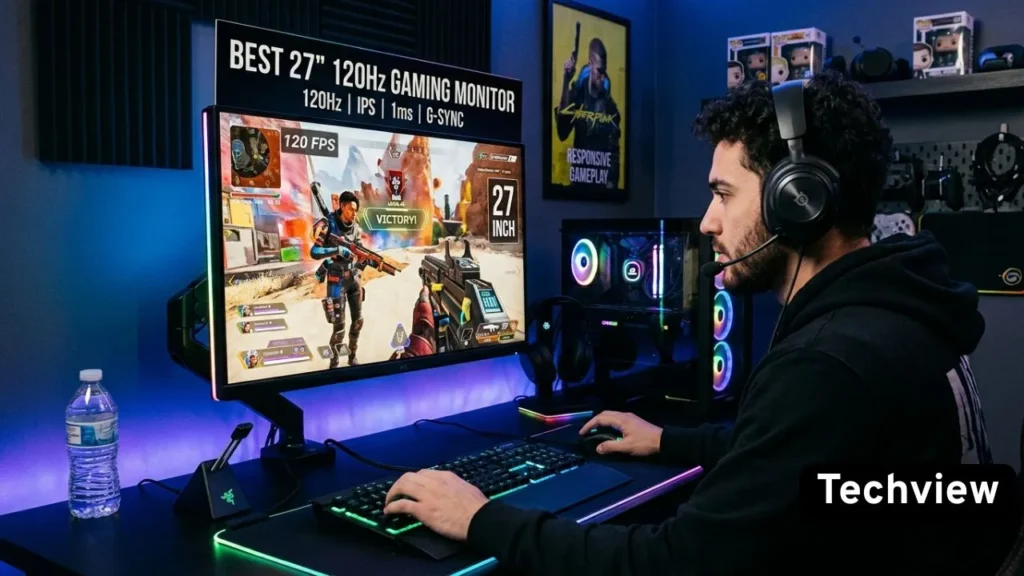
Not long ago, a solid 27 inch gaming monitor with a smooth refresh rate and a sharp image cost a lot of money. That’s changed. The market in 2026 is packed with 27-inch monitors hitting 120Hz and beyond — many at prices that would have seemed impossible just a few years ago.
But here’s the problem: too many choices make picking the right one genuinely confusing. Fast IPS or VA? 1080p or 1440p? FreeSync or G-Sync? And which brands actually back up their specs with real-world performance?
This guide cuts through the noise. We’ve narrowed it down to the 10 best 27 inch 120Hz gaming monitors available right now — picked for performance, reliability, and value. Whether you’re gaming on a budget or looking for something close to premium without breaking the bank, there’s a solid option here for you.
Why 27 Inches and 120Hz is the Sweet Spot in 2026
Before jumping into the list, it’s worth explaining why this particular combination makes so much sense for most gamers.
27 inches gives you enough screen to feel genuinely immersed without needing to move your head to track action across the display. It’s the size that works whether you’re sitting close at a desk or slightly further back on a couch setup.
120Hz — or anything in the 120Hz–165Hz range — is where smooth motion becomes actually noticeable. Going from 60Hz to 120Hz is a dramatic, immediately visible upgrade. Gaming feels more responsive, tracking moving targets becomes easier, and the whole experience just feels cleaner. For console gamers especially, 120Hz is also the sweet spot since the PS5 and Xbox Series X both cap out at 120Hz for high-performance titles.
10 Best 27 Inch 120Hz Gaming Monitors
Put the two together, and you have a monitor that covers gaming, productivity, and content consumption well — without the premium price tag of high-refresh OLED or 4K panels.
1. LG 27GP850-B UltraGear
If there’s one monitor that keeps coming up in every serious recommendation list, it’s the LG 27GP850-B. LG built this one with a Nano IPS panel, which is a step above standard IPS in terms of color accuracy and vibrancy. The 1440p resolution at 27 inches looks genuinely sharp — not just decent, actually sharp — and it pairs with a 165Hz refresh rate (comfortably exceeding the 120Hz threshold with room to spare).
The 1ms response time is real here, not a marketing trick. Motion is clean, and ghosting is minimal even in fast-paced games. Both NVIDIA G-Sync Compatible and AMD FreeSync Premium are supported, so it plays nicely regardless of which GPU you’re running.
The stand is worth mentioning too — height adjustment, tilt, swivel, and pivot are all there. That kind of ergonomic flexibility is often missing from budget monitors, but LG included it here without compromise.
Pros:
- Nano IPS panel with excellent color and wide viewing angles
- 1ms response time with clean motion handling
- 165Hz refresh rate — well above the 120Hz baseline
- Full ergonomic stand with height, tilt, pivot, and swivel
- Compatible with both AMD FreeSync and NVIDIA G-Sync
Cons:
- HDR performance is decent but not exceptional
- IPS glow is visible in dark room conditions
Why Buy This Monitor: This is the all-rounder that covers everything without being weak in any one area. If you want one monitor that handles competitive gaming, everyday use, and some content creation work, the LG 27GP850-B does all three confidently.
2. ASUS TUF Gaming VG27AQ
ASUS built the VG27AQ as a proper 1440p gaming monitor without the flagship price. The IPS panel runs at 165Hz natively and delivers accurate, consistent colors across wide viewing angles. ELMB Sync is the standout feature here — it lets you run motion blur reduction and adaptive sync simultaneously, which not every monitor at this level supports.
The build is solid and feels premium for the price. The stand is fully adjustable, and the OSD is easy to navigate. Input lag stays low, and G-Sync Compatible certification means NVIDIA users get tear-free gameplay without paying extra for a G-Sync module.
HDR10 is on board, though, like most monitors in this range, it performs better as a content-viewing feature than as a true HDR display experience.
Pros:
- ELMB Sync allows motion blur reduction alongside adaptive sync
- 165Hz IPS panel with accurate colors
- G-Sync Compatible and AMD FreeSync support
- Strong build quality with a fully adjustable stand
- Solid 1440p sharpness at 27 inches
Cons:
- HDR implementation is basic rather than impressive
- Stands have been flagged by some users for minor wobble
Why Buy This Monitor: The ELMB Sync feature alone sets this apart from many similarly priced monitors. If motion clarity is a priority — especially for competitive shooters — the VG27AQ gives you a meaningful advantage over standard 120Hz monitors.
3. Dell S2722DGM
Dell’s S2722DGM takes a different approach. Where most monitors in this guide use IPS panels, this one goes with VA — and that choice pays off in one specific way: contrast. VA panels produce noticeably deeper blacks than IPS, which matters a lot if you play games with dark environments or watch movies in a dimmed room.
The 165Hz refresh rate keeps it firmly in the smooth gaming category, and the 2ms response time is competitive for a VA panel. The 1440p resolution looks great on a 27-inch screen, and the curved design (1500R) adds a subtle sense of depth to the image that flat monitors don’t replicate.
It’s not the pick for color-critical work — VA panels can shift colors at extreme viewing angles — but for gaming in a dedicated setup, it punches well above its price.
Pros:
- VA panel with deep blacks and excellent contrast
- 165Hz refresh rate for smooth gameplay
- 1500R curve adds immersion for gaming
- AMD FreeSync Premium support
- Very strong value for a curved 1440p monitor
Cons:
- Color accuracy at extreme angles drops off compared to IPS
- Not ideal for professional color work
Why Buy This Monitor: If dark-room gaming is your thing — horror titles, atmospheric RPGs, cinematic single-player games — the deep contrast of the VA panel makes a real difference that IPS panels simply can’t match at this price.
4. AOC Q27G2S
AOC has quietly become one of the most reliable value monitor brands, and the Q27G2S is a good example of why. It runs a 1440p IPS panel at 165Hz with a 1ms GtG response time. The build is clean and frameless on three sides, which works well for multi-monitor setups or just keeping the desk aesthetic minimal.
AMD FreeSync Premium is supported, and it’s also G-Sync Compatible, so NVIDIA users aren’t left out. The stand covers height, tilt, swivel, and pivot — all four — which is genuinely rare at this price point.
Colors come out accurate and punchy without needing calibration. Out of the box, it’s a ready-to-play experience with no fuss.
Pros:
- 1440p IPS panel with accurate colors and fast response
- Frameless three-sided design
- Full ergonomic stand with all four adjustments
- G-Sync Compatible and FreeSync Premium support
- Solid build quality for the price
Cons:
- Brightness could be higher for very bright rooms
- HDR support is basic
Why Buy This Monitor: The Q27G2S is the monitor you buy when you want quality without drama. No gimmicks, no marketing fluff — just a well-built 1440p 165Hz IPS screen that performs exactly as advertised.
5. Gigabyte M27Q X
Gigabyte put something genuinely interesting in the M27Q X: a built-in KVM switch. That lets you share a single keyboard and mouse between two computers with a single button press — useful if you run a gaming PC alongside a work laptop and want a clean desk without extra peripherals.
Beyond that headline feature, the specs hold up. A 240Hz IPS panel at 1440p (well above 120Hz), 92% DCI-P3 color coverage, USB-C connectivity with 15W charging, and G-Sync Compatible certification. For the price, the color performance rivals monitors that cost significantly more.
The stand is fully adjustable, and the image quality out of the box is better than expected. It’s one of those rare monitors where the features list and the real-world experience actually match each other.
Pros:
- Built-in KVM switch for managing two devices
- 240Hz refresh rate with excellent IPS color accuracy
- 92% DCI-P3 color coverage is exceptional at this level
- USB-C with power delivery
- G-Sync Compatible and FreeSync support
Cons:
- KVM setup can take some time to configure initially
- Stand design is functional but not the most elegant
Why Buy This Monitor: The KVM switch makes this a uniquely practical choice for anyone running a dual-setup. Combine that with strong color performance and a 240Hz panel, and the M27Q X offers real value that goes beyond the spec sheet.
6. MSI Optix MAG274QRF
MSI’s Optix MAG274QRF is built around a Rapid IPS panel — a panel type that combines the color strengths of IPS with faster pixel response times. The result is 1ms GtG response at 165Hz, with color accuracy that holds up for both gaming and light creative work.
Night Vision mode is a practical addition for competitive players — it lifts shadow detail in dark areas of the screen without overexposing bright regions, making it easier to spot enemies in shadowed environments. The OSD is well-organized and easy to control via the rear joystick.
The stand is fully adjustable, build quality feels solid throughout, and AMD FreeSync Premium plus G-Sync Compatible certifications cover both GPU camps.
Pros:
- Rapid IPS panel with 1ms response and vibrant colors
- Night Vision mode useful for competitive gaming
- 165Hz refresh rate with adaptive sync support
- Intuitive joystick OSD navigation
- Fully adjustable ergonomic stand
Cons:
- RGB lighting on the back might not appeal to everyone
- Backlight bleed can show up in dark corner areas
Why Buy This Monitor: The Night Vision feature is more useful than it sounds. For competitive players who spend time in games with dark maps — tactical shooters, horror games — that extra shadow visibility is a legitimate gameplay advantage.
7. Acer Nitro XV272U V3
Acer’s Nitro line has always occupied a reliable middle ground between budget and premium, and the XV272U V3 carries that tradition forward. A 1440p IPS panel running at 170Hz (above the 120Hz mark with comfortable headroom), 1ms VRB response time, and solid color reproduction make this a strong all-round performer.
AMD FreeSync Premium is on board, and the G-Sync Compatible certification means NVIDIA users are covered too. The design is clean without being flashy, and the stand handles height, tilt, and swivel — though pivot to portrait isn’t included, which is worth knowing if that matters to your setup.
The brightness reaches a solid 400 nits, making it usable in brighter rooms where some IPS panels start to wash out.
Pros:
- 170Hz IPS panel with 1ms response
- 400 nits brightness handles well-lit rooms
- G-Sync Compatible and FreeSync Premium support
- Clean design without unnecessary RGB
- Strong 1440p image quality at 27 inches
Cons:
- No pivot to portrait mode
- Stand height range is a bit limited
Why Buy This Monitor: The Nitro XV272U V3 is a safe, solid choice. It doesn’t try to be anything revolutionary, but it delivers dependable 1440p gaming performance with enough brightness to work well regardless of room lighting.
8. BenQ MOBIUZ EX2710Q
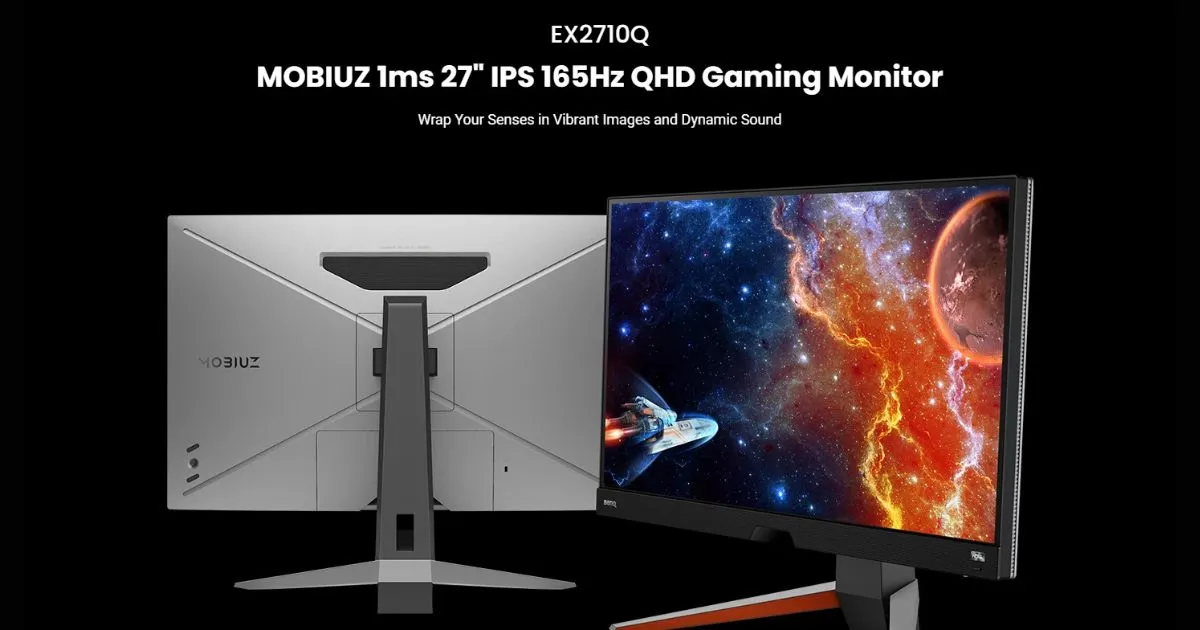
BenQ built the MOBIUZ EX2710Q with entertainment as well as gaming in mind. The 1440p IPS panel runs at 165Hz, and the HDRi technology — BenQ’s own approach to HDR enhancement — uses a built-in sensor to adjust color and contrast based on ambient lighting conditions. It’s not gimmicky; it actually makes a visible difference in how the image adapts between day and night use.
The 2.1-channel built-in speaker system is genuinely one of the better built-in audio setups found in a gaming monitor, which matters for anyone who doesn’t want external speakers cluttering the desk. treVolo audio tech adds a small but noticeable improvement to sound quality compared to typical monitor speakers.
FreeSync Premium and G-Sync Compatible are both supported, and the fully adjustable stand rounds out a package that’s well thought-out from top to bottom.
Pros:
- HDRi technology adapts display to ambient lighting
- Built-in 2.1-channel treVolo speakers are genuinely good
- 165Hz IPS panel with accurate colors
- FreeSync Premium and G-Sync Compatible
- Eye-care features reduce fatigue during long sessions
Cons:
- Slightly higher price than comparable monitors without speakers
- HDRi mode may not suit users who prefer manual calibration
Why Buy This Monitor: The MOBIUZ EX2710Q is the pick for gamers who want a complete desk setup without external speakers. The audio quality is genuinely above what you’d expect from built-in monitor speakers, and the display quality holds up alongside the competition.
9. ViewSonic XG2705-2K
ViewSonic doesn’t always get the recognition it deserves in gaming monitor discussions, but the XG2705-2K earns its place on this list. A 1440p IPS panel at 144Hz (solid 120Hz+ performance), 1ms response time, FreeSync Premium support, and a clean frameless design come together in a monitor that just works — without any obvious weak spots.
The stand includes height, tilt, and swivel adjustment, and VESA 100x100mm mounting is available for monitor arm users. The OSD is simple and effective. The image quality is accurate and pleasant out of the box — skin tones look natural, games look vibrant without being oversaturated.
It’s a no-drama monitor in the best possible sense: plug it in, set it up in five minutes, and get on with gaming.
Pros:
- 1440p IPS panel with accurate, natural colors
- 144Hz refresh rate with 1ms response
- FreeSync Premium support
- Frameless design on three sides
- Competitive pricing with strong build quality
Cons:
- No G-Sync Compatible certification
- Stand lacks pivot to portrait mode
Why Buy This Monitor: The XG2705-2K is the quiet achiever on this list. It won’t win spec wars against 165Hz or 240Hz competitors, but its image quality and reliability make it a genuinely satisfying long-term purchase, especially for AMD GPU users.
10. Philips 27M1N3200Z
Philips rounds out this list with a monitor that covers 120Hz+ gaming at an accessible price without sacrificing too much on quality. The 1080p IPS panel runs at 165Hz with a 1ms MPRT response, which keeps motion clean and input lag low. While 1080p at 27 inches is a step down in sharpness from 1440p, it’s still perfectly watchable, and the lower resolution means even mid-range GPUs can push high frame rates comfortably.
AMD FreeSync Premium and G-Sync Compatible certifications are both present. The design is neat and minimal, with thin bezels on three sides. The stand covers tilt and height adjustment, making it easy to find a comfortable viewing position. Flicker-free and Low Blue Light tech are included for long session comfort.
For gamers on a tighter budget who need consistent 120Hz+ performance, this Philips delivers the essentials reliably.
Pros:
- 165Hz IPS panel accessible to mid-range GPUs
- FreeSync Premium and G-Sync Compatible
- Clean three-sided frameless design
- Flicker-free and low blue light for eye comfort
- Strong value at the entry-level price point
Cons:
- 1080p resolution at 27 inches isn’t as sharp as 1440p
- Stand lacks swivel and pivot adjustments
Why Buy This Monitor: If budget is the primary concern but you still want a genuine 120Hz+ IPS gaming experience, the Philips 27M1N3200Z gets you there without cutting corners on the things that matter most for gaming.
What to Look for in a 27-Inch 120Hz Gaming Monitor
Buying a monitor is more personal than most hardware decisions. The specs that matter depend heavily on how you game and what you play.
Panel Type is the first decision. IPS panels give you the best balance of color accuracy, viewing angles, and response time — they’re the safe choice for most gamers. VA panels sacrifice some color consistency at angles but offer significantly deeper blacks and higher native contrast, which is valuable in dark-room setups. TN panels are mostly irrelevant in 2026; IPS Fast panels have made them redundant.
Resolution at 27 inches makes a meaningful difference. 1440p looks noticeably sharper than 1080p at this screen size. If your GPU can handle it — an RTX 3060 or RX 6600 XT or better — 1440p is worth the upgrade. If you’re running older or lower-end hardware, 1080p still games well at 120Hz.
Refresh Rate in this guide runs from 120Hz up to 240Hz. More Hz is always better for smoothness, but going from 60Hz to 120Hz is a much bigger jump than going from 165Hz to 240Hz. Either way, anything at 120Hz or above puts you in a completely different class compared to standard 60Hz monitors.
Adaptive Sync matters for tear-free gaming. FreeSync and G-Sync Compatible cover the bases for both AMD and NVIDIA. G-Sync module monitors exist but carry a premium that’s hard to justify when Compatible certification delivers the same experience in practice.
Ergonomics are worth checking before you buy. A monitor you can’t adjust comfortably gets annoying quickly. Height adjustment, tilt, and swivel should all be present at a minimum. Pivot to portrait is a bonus for multi-use setups.
Conclusion: Which One Is Right for You?
The 27-inch 120Hz gaming monitor market has never been better. Whether you’re a competitive player who cares most about response times and refresh rates, a cinematic gamer who wants deep contrast and vibrant color, or someone who needs a versatile display for both gaming and work — there’s a strong option on this list.
For most gamers, the LG 27GP850-B is the safest all-round choice — strong in every area, weak in none. If you want better contrast for dark-room gaming, the Dell S2722DGM and its VA panel is the move. If a KVM switch for dual setups appeals to you, the Gigabyte M27Q X is hard to beat. And if you’re watching budget closely, the Philips 27M1N3200Z delivers the 120Hz experience without unnecessary extras.
Whatever you pick from this list, you’re getting a monitor that makes a genuine, noticeable difference coming from 60Hz — and that upgrade, more than anything else, is what makes 27-inch 120Hz gaming monitors worth every bit of the investment.