World Tech View

Md Joynal Hossain

Md Joynal Hossain is a content writer at World Tech View, covering technology and gadgets. He previously worked as a content writer at an IT company, where he wrote about tech topics and consumer gadgets. At World Tech View, he writes buying guides and reviews to help readers choose the right gaming monitors and tech products.

Best Gaming Monitor 2026: Top 10 Picks for Every Budget and Playstyle

Finding the right gaming monitor can make or break your setup. Whether you’re chasing frames in competitive shooters or soaking in the scenery of open-world adventures, the display you choose matters more than most people think. In 2026, the monitor market is absolutely stacked with options — from blazing-fast OLED panels to massive ultrawide screens and wallet-friendly picks that still punch above their weight. This guide breaks down the ten best gaming monitors you can buy right now in the USA. We’ve done the legwork, checked the specs, and tested the hype so you don’t have to. What to Look for in a Gaming Monitor in 2026 Before we dive into the list, here’s a quick rundown of what actually matters when shopping for a gaming monitor: 1. Alienware AW2725DF — Best Overall Gaming Monitor Screen Size: 26.7 inches | Resolution: QHD 2560×1440 | Panel: QD-OLED | Refresh Rate: 360Hz | Response Time: 0.03ms | Sync: G-Sync Compatible + FreeSync Premium Pro | HDR: VESA DisplayHDR True Black 400 The Alienware AW2725DF is the monitor most gamers should be eyeing in 2026. It packs a 26.7-inch QD-OLED panel at 2560×1440, hits a buttery-smooth 360Hz refresh rate, and covers 99.3% of the DCI-P3 color space. Dell’s official specs confirm a 0.03ms gray-to-gray response time and a three-year warranty that even covers OLED burn-in — something you don’t see every day. Pros: Cons: No built-in speakers HDMI limited to 144Hz (DisplayPort needed for full 360Hz) SDR brightness caps around 250 nits Who Should Buy This: Summary: The AW2725DF hits the sweet spot between price, performance, and picture quality. It’s not the cheapest 1440p OLED out there, but it’s the most well-rounded. If you want one monitor that does it all — fast esports, gorgeous RPGs, and daily productivity — this is it. 2. ASUS ROG Swift PG27AQDP — Best Premium / Fastest OLED Screen Size: 27 inches | Resolution: QHD 2560×1440 | Panel: WOLED (MLA+) | Refresh Rate: 480Hz | Response Time: 0.03ms | Sync: FreeSync Premium Pro + G-Sync Compatible | HDR: VESA DisplayHDR 400 True Black If raw speed is what you’re after, the ASUS ROG Swift PG27AQDP is the fastest OLED gaming monitor money can buy. This 27-inch WOLED beast runs at a staggering 480Hz with a 0.03ms response time. It uses LG’s improved RGWB subpixel layout, so text looks cleaner than older OLED panels. DisplayNinja’s testing confirmed it hits up to 1300 nits peak brightness in small HDR windows and supports ELMB (Black Frame Insertion) up to 240Hz for even sharper motion. Pros: Cons: Who Should Buy This: Summary: The PG27AQDP is overkill for most people — and that’s exactly why it’s awesome. If you’ve got the GPU horsepower and the competitive drive to match, this monitor will give you every edge imaginable. 3. Samsung Odyssey OLED G8 (G80SD) — Best 4K OLED Screen Size: 32 inches | Resolution: 4K UHD 3840×2160 | Panel: QD-OLED | Refresh Rate: 240Hz | Response Time: 0.03ms | Sync: FreeSync Premium Pro + G-Sync Compatible | HDR: HDR10+ Gaming Samsung’s Odyssey OLED G8 is the 4K OLED monitor that makes jaws drop. This 32-inch QD-OLED panel delivers 4K resolution at 240Hz with a 0.03ms response time. TFTCentral’s review highlighted its custom matte anti-glare coating, integrated Smart TV functions, and peak brightness hitting around 1000 nits in HDR. It’s a monitor that doubles as a media hub. Pros: Cons: Who Should Buy This: Summary: The G80SD isn’t just a gaming monitor — it’s an entertainment center. If you want one screen that handles PC gaming, console gaming, and Netflix binges, this Samsung delivers. 4. LG UltraGear 27GX790A — Best for Competitive Esports Screen Size: 26.5 inches | Resolution: QHD 2560×1440 | Panel: WOLED (MLA+) | Refresh Rate: 480Hz | Response Time: 0.03ms | Sync: FreeSync Premium Pro + G-Sync Compatible | HDR: VESA DisplayHDR 400 True Black LG’s own 480Hz WOLED offering, the 27GX790A, is a direct competitor to the ASUS PG27AQDP. It features a 26.5-inch WOLED panel at 1440p, DisplayPort 2.1 (UHBR13.5 at 54Gbps), and hardware-level calibration via LG’s True Color Pro software. TFTCentral noted it uses the latest MLA+ panel technology and offers excellent text rendering — a big deal for gamers who also work on their monitor. Pros: Cons: Who Should Buy This: Summary: The 27GX790A is LG’s answer to the fastest monitors on the market. It’s built for players who demand every competitive edge while still caring about day-to-day usability. 5. Dell Alienware AW2725Q — Best 4K for Consoles & PC Screen Size: 27 inches | Resolution: 4K UHD 3840×2160 | Panel: QD-OLED | Refresh Rate: 240Hz | Response Time: 0.03ms | Sync: G-Sync Compatible + FreeSync Premium Pro | HDR: Dolby Vision + VESA DisplayHDR True Black 400 The AW2725Q is Alienware’s first 27-inch 4K QD-OLED, and it packs the highest pixel density of any QD-OLED monitor at 166 PPI. Dell’s official product page confirms Dolby Vision support, HDMI 2.1 for native 4K 120Hz HDR on consoles, and a three-year burn-in warranty. The Times of India review called it the cheapest 4K QD-OLED in its class, making it a standout value. Pros: Cons: Who Should Buy This: Summary: The AW2725Q proves that 4K OLED doesn’t have to mean a giant 32-inch screen. At 27 inches, it’s incredibly sharp and fits more desks while still delivering everything console and PC gamers need. 6. ASUS ROG Strix XG32UCWMG — Best 32″ 4K OLED Screen Size: 31.5 inches | Resolution: 4K UHD 3840×2160 / 1080p 480Hz (Dual Mode) | Panel: WOLED (MLA+) with TrueBlack Glossy | Refresh Rate: 240Hz (480Hz at 1080p) | Response Time: 0.03ms | Sync: FreeSync Premium Pro + G-Sync Compatible | HDR: HDR10 + VESA DisplayHDR True Black 400 The ASUS ROG Strix XG32UCWMG is a do-it-all 32-inch WOLED monitor with a killer trick up its sleeve: dual mode. You get 4K at 240Hz for cinematic gaming, or you can drop to 1080p and crank the refresh rate to 480Hz for competitive play. TFTCentral’s review praised

Best Gaming Monitor 2026: Top 10 Picks for Every Budget and Playstyle Read More »

Blog
Best Gaming Monitors Under $500

10 Best Gaming Monitors Under $500 in 2026: Tested & Ranked for Every Type of Gamer

Finding a great gaming monitor without breaking the bank has never been easier — but with so many options flooding the market, knowing which one is actually worth your money can feel overwhelming. Whether you’re grinding ranked matches, exploring massive open worlds, or doing a bit of both, the right monitor makes a massive difference in your experience. In this guide, we’ve put together the 10 best gaming monitors under $500 for 2026. We’ve done the research so you don’t have to — pulling from trusted review sites, official manufacturer pages, and real-world user feedback to give you an honest, no-fluff breakdown of each pick. What to Look for in a Gaming Monitor Under $500 Before diving into the list, here’s a quick overview of what actually matters when shopping in this price range. You’ll want to focus on panel type (IPS for color and viewing angles, VA for contrast, OLED for the best of everything), refresh rate (144Hz is the baseline, but 165Hz–240Hz+ is better), and resolution (1080p, 1440p, or 4K depending on your GPU). Response time, sync technology (G-Sync or FreeSync), and HDR support are also key factors. At under $500, you can now get surprisingly premium specs — including OLED panels — that were reserved for $800+ monitors just a couple of years ago. 🥇 1. LG 27G850A-B — Best 4K Gaming Monitor Under $500 Screen Size: 27 inches | Resolution: 4K UHD 3840×2160 | Panel: Nano IPS Black | Refresh Rate: 240Hz (Dual Mode: 480Hz at 1080p) | Response Time: 1ms (GtG) | Sync: G-Sync Compatible + FreeSync Premium Pro | HDR: DisplayHDR 600 The LG 27G850A-B is a genuinely groundbreaking monitor — it’s the world’s first 27-inch LCD panel to combine 4K resolution with a 240Hz refresh rate. Built on LG’s Nano IPS Black panel technology, it delivers a 2000:1 contrast ratio, which is significantly better than standard IPS panels. The unique Dual Mode feature lets you switch between 4K at 240Hz or 1080p at 480Hz, giving competitive players incredible flexibility. With 99% DCI-P3 coverage, DisplayHDR 600 certification, and hardware calibration support, this monitor punches well above its price class. Pros: Cons: Who Should Buy This: Summary: The LG 27G850A-B is one of the most technically impressive LCD gaming monitors ever made. If you want razor-sharp 4K visuals with a blazing-fast 240Hz refresh rate and the flexibility of Dual Mode, this is your pick. It’s not perfect for HDR enthusiasts, but as an SDR powerhouse, it’s truly exceptional. 🥈 2. LG 27GP83B-B — Best All-Around Gaming Monitor Under $500 Screen Size: 27 inches | Resolution: QHD 2560×1440 | Panel: Nano IPS | Refresh Rate: 165Hz | Response Time: 1ms (GtG) | Sync: G-Sync Compatible + FreeSync Premium | HDR: HDR10 The LG 27GP83B-B is the definition of a well-rounded monitor. It’s not trying to be the fastest or the most visually flashy — it just delivers consistent, high-quality performance whether you’re gaming, working, or watching content. The 27-inch Nano IPS panel hits 98% DCI-P3 color gamut coverage with a 165Hz refresh rate and 1ms response time, making it comfortable for both competitive play and creative work. With solid G-Sync compatibility and wide viewing angles, it’s one of the easiest recommendations in the entire sub-$500 category. Pros: Cons: Who Should Buy This: Summary: The LG 27GP83B-B is one of the smartest all-around buys in this price range. It won’t blow you away with a single headline feature, but it does everything well — and for most gamers, that’s exactly what you need in a monitor you’ll use every single day. 🥉 3. Alienware AW2524HF — Best Competitive Gaming Monitor (500Hz!) Screen Size: 24.5 inches | Resolution: FHD 1920×1080 | Panel: IPS | Refresh Rate: 480Hz Native (500Hz Overclocked) | Response Time: 0.5ms | Sync: FreeSync Premium + Adaptive Sync | HDR: HDR10 If you’re a hardcore competitive gamer, the Alienware AW2524HF is in a league of its own. This is the FreeSync variant of Alienware’s legendary 500Hz monitor lineup, and it brings that insane refresh rate to a more accessible price point. At 500Hz overclocked, the motion clarity is unlike anything an average gamer has ever seen — there’s virtually zero motion blur, and every frame feels instantaneous. With IPS technology delivering excellent colors and viewing angles on top of that speed, the AW2524HF is the go-to choice for anyone serious about games like Valorant, CS2, or Call of Duty. Pros: Cons: Who Should Buy This: Summary: The Alienware AW2524HF is not for everyone — but for competitive gamers, it’s a dream. The 500Hz refresh rate is genuinely game-changing in fast-paced titles where every millisecond counts. If winning matters more to you than resolution or screen size, this is the monitor that gives you the edge. 4. Acer Predator XB283K KV — Best 4K Budget Monitor Under $500 Screen Size: 28 inches | Resolution: 4K UHD 3840×2160 | Panel: IPS (Agile-Splendor) | Refresh Rate: 144Hz | Response Time: 1ms | Sync: FreeSync Premium + G-Sync Compatible | HDR: DisplayHDR 400 The Acer Predator XB283K is a standout choice for anyone who wants 4K resolution without paying OLED prices. This 28-inch IPS panel brings excellent sharpness with a 157 PPI pixel density, a solid 144Hz refresh rate, and full HDMI 2.1 support for seamless console gaming on PS5 or Xbox Series X at 4K@120Hz. The 90% DCI-P3 gamut coverage means colors look vibrant and rich, and the FreeSync Premium and G-Sync compatibility keep gameplay smooth across AMD and NVIDIA setups alike. It’s a brilliant budget 4K option. Pros: Cons: Who Should Buy This: Summary: The Acer Predator XB283K KV delivers impressive 4K performance at a very competitive price. It’s the ideal pick for gamers who want stunning visuals on both PC and console, making it one of the most versatile 4K monitors in the sub-$500 category. 5. Samsung Odyssey G55C — Best Value Curved Gaming Monitor Screen Size: 27 inches (also available in 32 inches) | Resolution: QHD 2560×1440 | Panel: VA | Refresh Rate: 165Hz

10 Best Gaming Monitors Under $500 in 2026: Tested & Ranked for Every Type of Gamer Read More »

Blog
Best Contrast Setting for Gaming Monitor

Best Contrast Setting for Gaming Monitor: The Complete Guide to Getting It Right

Most gamers spend a lot of time thinking about refresh rate, resolution, and response time — and almost no time thinking about contrast. That’s a mistake. Contrast is the single setting that has the biggest impact on how your games actually look. It controls the gap between the darkest blacks and the brightest whites on your screen. and it is important to know the best Contrast Setting for Gaming Monitor. Get it right and games look rich, deep, and detailed. Get it wrong and you’re either losing shadow detail in dark corners or crushing bright scenes into a washed-out mess. The frustrating part is that there’s no one universal number that works for every monitor. A 75% contrast setting on one panel behaves completely differently on another. Your room lighting, your panel type, and even what kind of games you play all factor into what the right contrast level actually is. This guide walks you through everything you need to know — from understanding what contrast actually does, to finding your ideal setting, to knowing when to adjust it for different situations. What Contrast Actually Does (And Why It Matters for Gaming) When you adjust the contrast slider in your monitor’s OSD (the on-screen menu you pull up with the buttons on the side or bottom of your monitor), you’re controlling the white level — how bright the brightest parts of the image can get relative to the darkest parts. If the contrast is too high, the monitor tries to push the brightness beyond what the panel can actually display. The result is what’s called “clipping” — bright areas like a sunlit sky, a white wall, or a character’s clothing all merge into a single flat, featureless white. You lose all the detail in those highlights, and they just look blown out. If contrast is set too low, the image looks flat and washed out. Colors lose punch, blacks look gray instead of black, and the whole picture feels dull and lifeless. The sweet spot is where you can see full detail in both the brightest and darkest parts of an image simultaneously. That’s the goal, and it sounds simple — but getting there takes a bit of attention. Static vs. Dynamic Contrast: Know the Difference Before You Touch Anything Before adjusting anything, you need to understand the difference between static and dynamic contrast, as they are fundamentally different and should be treated as such. Static contrast ratio is the real, fixed measurement of a panel’s contrast capability — the actual difference between the brightest white and the darkest black the screen can display simultaneously. This is the number that actually matters when comparing monitors. An IPS panel typically has a static contrast ratio of around 1,000:1. VA panels reach 3,000:1 to 5,000:1. OLED panels effectively have infinite contrast because black pixels simply turn off. Dynamic contrast ratio is a feature in which the monitor automatically adjusts backlight brightness based on what’s on screen — dimming it when a dark scene is playing and cranking it up during bright scenes. Manufacturers love advertising absurdly high dynamic-contrast figures like 1,000,000:1, but those numbers are essentially meaningless in real-world use. Dynamic contrast makes your backlight pulse up and down constantly, which looks jarring during gameplay — especially during scenes that mix dark and bright elements, like a torch-lit cave entrance with sunlight streaming in from outside. The verdict from virtually every display expert and calibration professional: turn dynamic contrast off. Leave it disabled. It can also add 4–8ms of input lag on some monitors as the display processing adjusts the backlight, which is the last thing competitive gamers need. Find the setting in your OSD (it may be labeled “DCR,” “Dynamic Contrast,” “Smart Contrast,” or “Contrast Enhancement”) and switch it off before adjusting anything else. What Contrast Percentage Should You Actually Set? Here’s what the research and expert calibration guides consistently agree on: most monitors perform best between 70% and 80% contrast, and the factory default — usually somewhere between 50% and 75% depending on the brand — is often already close to correct. The key number to avoid is 100%. At maximum contrast, the vast majority of IPS and VA panels will clip highlights. Detail disappears from bright areas, whites look harsh and unnatural, and color accuracy suffers. Pushing contrast above 80% on most gaming monitors introduces a visible pink or yellow tint to what should be clean white areas. Meanwhile, dropping below 40–50% flattens midtones and makes the image look gray and lifeless. As a practical starting point: How to Actually Find Your Monitor’s Best Contrast Setting Reading numbers is useful, but the real-world method of setting contrast is straightforward and takes about five minutes. Here’s the process used by display calibrators and reviewed by monitor experts. Step 1: Reset your monitor to factory defaults first. Go into your OSD and find the reset option. This gives you a clean, known starting point before you make any changes. Step 2: Turn off everything that might interfere. Disable Dynamic Contrast, Eco Mode, Color Boost, Vivid Mode, and any other automatic picture enhancement. These adjust things on their own and make it impossible to calibrate reliably. Stay away from “FPS Mode,” “Racing Mode,” and similar presets — they typically oversaturate colors and artificially inflate sharpness, which looks aggressive but isn’t accurate. Step 3: Set your picture mode to Standard or User mode. This unlocks all the individual settings including brightness and contrast. Other preset modes often lock out manual adjustments. Step 4: Load a white level test pattern. You can find these easily by searching “monitor contrast test pattern” in Google Images, or visit websites like Lagom.nl that have dedicated monitor calibration test pages. A white level test pattern shows a series of near-white shades against a white background. Step 5: Raise the contrast slider until the near-white shades start to merge into solid white — that’s where clipping begins. Then back it off slowly until you can clearly distinguish each

Best Contrast Setting for Gaming Monitor: The Complete Guide to Getting It Right Read More »

Blog, , , , ,
Best Monitor Panel Type for Gaming

Best Monitor Panel Type for Gaming: TN vs IPS vs VA vs OLED Explained in 2026

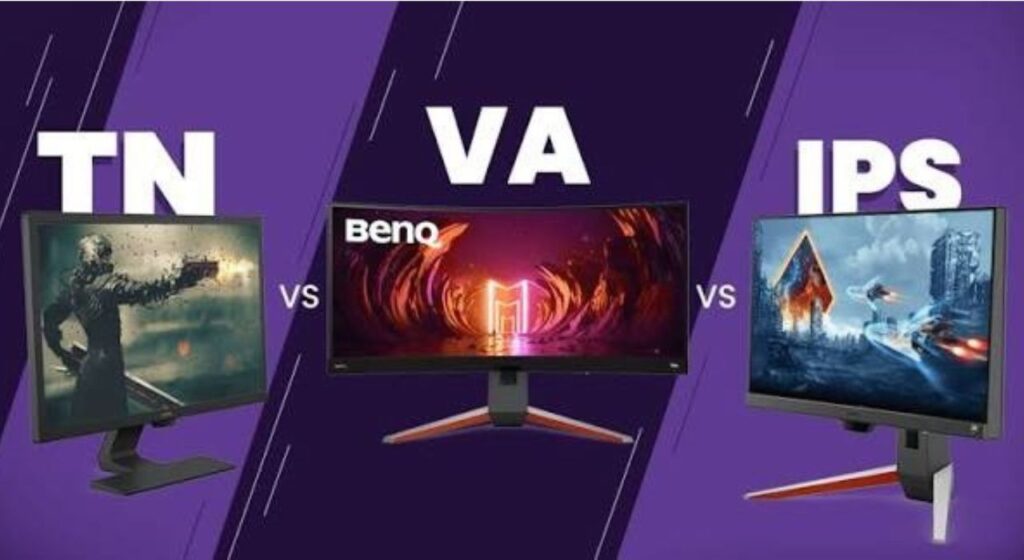
Picking a gaming monitor used to be simple. A few years ago, your only real decision was size and refresh rate, because almost every gaming monitor used the same basic panel technology. Those days are long gone. In 2025, you’ve got TN, IPS, VA, QD-OLED, WOLED, and Mini LED all fighting for a spot on your desk — and each one delivers a genuinely different gaming experience. Getting this choice wrong doesn’t just affect how pretty your games look. It affects motion clarity, response time, HDR quality, and the level of immersion you actually feel when you’re playing. This guide cuts through the noise and explains exactly what each panel type does well, where it falls short, and — most importantly — which one is right for your specific gaming setup. No jargon overload, no filler. This article will help you to find the best monitor panel type for gaming. So read this article fully to pick the best gaming monitor with the best panel type. Why Panel Type Matters More Than Most People Think Here’s something that surprises a lot of buyers: two monitors with identical specs on paper — same resolution, same refresh rate, same size — can feel completely different to use, simply because of the panel technology inside them. One might have rich, deep blacks that make horror games feel genuinely atmospheric. Another might handle fast-moving objects with crystal clarity but look washed out in cinematic cutscenes. Panel type determines contrast ratio, response time behavior, color accuracy, viewing angles, and how well HDR actually performs. It’s not a minor detail — it’s the foundation of your entire display experience. TN (Twisted Nematic) — The Old Speed King TN panels are the oldest LCD technology still used in gaming monitors, and they’ve survived this long for exactly one reason: raw speed. These panels can achieve pixel response times as low as 0.5ms and support refresh rates well beyond 360Hz. For a long time, if you played competitive FPS games — Counter-Strike, Valorant, Overwatch — at a serious level, TN was the answer. The speed advantage was genuinely meaningful at the professional level. The problem is what TN gives up to get there. Color reproduction is noticeably weaker than every other panel type. Colors look flat and muted compared to IPS or OLED alternatives. Viewing angles are narrow — look at a TN panel from even a slight vertical angle and the image shifts dramatically in brightness and color. This makes them frustrating to share with someone seated beside you, and honestly, they just don’t look great for games where visuals matter. In 2025, TN panels have been pushed into a very narrow niche. Modern Fast IPS panels have closed the response time gap significantly, often matching TN in practical gaming scenarios while offering far superior visuals. Unless you’re a professional esports player who genuinely needs the absolute fastest pixel transitions possible and is willing to sacrifice visual quality to get there, TN isn’t worth considering over the alternatives available today. TN is best for: Professional esports players who need maximum speed above all else. IPS (In-Plane Switching) — The Versatile All-Rounder IPS panels are, without question, the safest and most versatile choice for the widest range of gamers. They offer wide 178-degree viewing angles that stay consistent no matter where you’re sitting, excellent color accuracy with many models now covering up to 100% DCI-P3, and response times that have improved dramatically in recent years. Modern Fast IPS panels reach 1ms GtG response times and support refresh rates up to 240Hz — putting them genuinely close to TN in competitive performance while looking far better doing it. The contrast ratio on IPS panels typically sits around 1,000:1, which is their biggest weakness compared to VA and OLED. In dark scenes, you’ll notice some degree of backlight bleed — a soft glow around the edges of the panel that’s particularly noticeable in games with dark environments. It’s not a dealbreaker for most gamers, but if you play a lot of horror games or dark RPGs and want truly deep blacks, IPS has limits. That said, IPS has advantages that matter for everyday gaming and productivity. Colors are accurate and consistent, text is sharp and clear, and there’s virtually no ghosting with modern Fast IPS panels. They work well in brighter room environments where OLED’s glossy reflective coating would be a problem. They’re also generally more affordable than OLED options with comparable specs, making them the go-to recommendation for gamers who want a balanced, dependable experience. IPS Black is a newer variant worth knowing about. It pushes the contrast ratio to around 2,000:1 — double that of standard IPS — which noticeably improves dark scene performance without the burn-in risk of OLED. The LG 27G850A-B, for example, uses Nano IPS Black to deliver 4K 240Hz with improved contrast on an LCD panel. IPS is best for: Most gamers — particularly those who play a mix of competitive and single-player titles in a moderately lit room. VA (Vertical Alignment) — The Contrast Champion VA panels do one thing better than any other LCD technology: contrast. Native contrast ratios typically sit between 3,000:1 and 5,000:1 — three to five times that of standard IPS panels. The practical result of this is that dark scenes look genuinely darker and more detailed, with blacks that feel substantially deeper than what IPS can deliver. For immersive games — space games, horror titles, slow-burn RPGs — VA panels create a noticeably more atmospheric visual experience. The tradeoff has historically been response time. VA panels struggle with what’s called “dark level smearing,” where dark pixels take longer to transition than bright ones. In fast, dark scenes — a character moving through a shadowy environment in a shooter — you can see a subtle ghosting or smearing effect behind moving objects. It’s particularly noticeable in competitive gaming where tracking fast-moving targets matters. Modern VA panels have improved significantly, but they still trail Fast IPS in this area.

Best Monitor Panel Type for Gaming: TN vs IPS vs VA vs OLED Explained in 2026 Read More »

Blog, , ,
Best HDR Gaming Monitors

Best HDR Gaming Monitors in 2026: Top Picks for Stunning Visuals and Blazing Performance

If you’re serious about gaming, HDR is no longer a luxury — it’s a game-changer. A great HDR gaming monitor transforms how you experience every scene, from pitch-black dungeons to sun-drenched open worlds, delivering colors and contrast that standard monitors simply can’t match. Whether you’re chasing high frame rates in competitive shooters or soaking in cinematic story-driven games, choosing the right display makes all the difference. In this guide, we’ve rounded up the ten best HDR gaming monitors on the market right now, covering everything from premium 4K OLEDs to budget-friendly Mini LED options. We’ve tested and researched each display across refresh rate, HDR performance, color accuracy, and value to help you find the perfect match for your setup and your budget. What Makes These Monitors Stand Out for HDR Gaming? HDR gaming is about more than just a bright screen. True HDR requires a combination of high peak brightness, deep black levels, wide color gamut coverage, and fast local dimming — and the monitors below deliver on all fronts. From QD-OLED and WOLED panels capable of infinite contrast to cutting-edge Mini LED backlights, this list covers every kind of HDR experience available in 2025. Whether your budget is $250 or $1,300, there’s an option here that will elevate your gaming visuals. 1. aSUS ROG Swift PG32UCDM — The Ultimate 4K OLED Gaming Monitor Screen Size: 32 inches | Resolution: 4K 3840×2160 | Panel: QD-OLED | Refresh Rate: 240Hz | Response Time: 0.03ms | Sync: G-Sync Compatible + FreeSync | HDR: DisplayHDR True Black 400, Dolby Vision | Price: ~$1,100–$1,300 The ASUS ROG Swift PG32UCDM is arguably the most complete 4K gaming monitor available today. Built around Samsung’s flagship QD-OLED panel, it delivers infinite contrast, jaw-dropping color accuracy covering 99% DCI-P3, and near-instant response times that keep competitive gamers at peak performance. The 240Hz refresh rate at full 4K resolution makes this one of the fastest high-resolution displays on the market, and Dolby Vision support means movie and streaming content looks equally stunning. Passive cooling keeps things quiet, and the build quality matches the premium price tag. Pros: Cons: Who Should Buy This? The ASUS ROG Swift PG32UCDM sets the gold standard for 32-inch 4K gaming. It’s expensive, and it demands a powerful PC to get the most out of it — but if you have the hardware and budget, there’s nothing quite like it. This is the monitor for gamers who refuse to compromise. 2. LG UltraGear 32GX870A-B — Best 32″ WOLED with Dual-Mode Flexibility Screen Size: 31.5 inches | Resolution: 4K 3840×2160 (240Hz) / 1080p (480Hz) | Panel: WOLED (MLA+) | Refresh Rate: 240Hz / 480Hz Dual Mode | Response Time: 0.03ms | Sync: G-Sync Compatible + FreeSync Premium Pro | HDR: DisplayHDR True Black 400, 1300 nits peak | Price: ~$900–$1,000 The LG UltraGear 32GX870A-B brings something truly unique to the 32-inch OLED market: dual-mode operation. With a single hotkey press, you can switch between stunningly sharp 4K at 240Hz for story-driven games or Full HD at 480Hz for blazing-fast competitive play. Powered by LG’s WOLED panel with Micro Lens Array+ technology, it reaches an impressive 1,300 nits peak brightness — making it LG’s brightest OLED gaming display to date. Built-in webOS and a KVM switch add unexpected versatility for multi-device setups. Pros: Cons: Who Should Buy This? The 32GX870A-B is one of the most versatile gaming monitors available at this price. The dual-mode feature alone sets it apart, giving you a genuinely different experience depending on what you’re playing. If flexibility and raw OLED quality matter to you, this is an outstanding choice. 3. ASUS ROG Strix XG32UCWMG — Premium WOLED Alternative at $1,000 Screen Size: 32 inches | Resolution: 4K 3840×2160 (240Hz) / 1080p (480Hz) | Panel: WOLED | Refresh Rate: 240Hz / 480Hz Dual Mode | Response Time: 0.03ms | Sync: G-Sync Compatible + FreeSync | HDR: True Black HDR, 1300 nits peak | Price: ~$1,000 The ASUS ROG Strix XG32UCWMG matches the LG 32GX870A-B in spec sheet terms but adds ASUS’s proven ROG ecosystem, including OLED Care Pro burn-in protection features, ASUS’s DisplayWidget software for quick profile switching, and Extreme Low Motion Blur Sync (ELMB) support. The dual-mode panel — delivering 4K at 240Hz or 1080p at 480Hz — makes this a genuinely flexible display. ASUS’s typically excellent stand, strong OSD customization, and three-year warranty sweeten the deal at this price point. Pros: Cons: Who Should Buy This? The XG32UCWMG is a strong alternative to the LG model at a similar price. If you’re already in the ASUS ecosystem or prefer ROG’s software suite, this monitor justifies its cost with a well-rounded feature set and dependable build quality. 4. Alienware AW3425DW — Best Ultrawide QD-OLED for Most Gamers Screen Size: 34 inches | Resolution: WQHD 3440×1440 | Panel: QD-OLED | Refresh Rate: 240Hz | Response Time: 0.03ms | Sync: G-Sync Compatible + FreeSync Premium Pro + VESA AdaptiveSync | HDR: DisplayHDR True Black 400, 99.3% DCI-P3 | Price: ~$1,000–$1,200 Dell’s Alienware lineup has long dominated the ultrawide OLED segment, and the AW3425DW continues that tradition with a clear mission: deliver premium QD-OLED performance at a competitive price. Bumping the refresh rate from 165Hz to 240Hz over its predecessor, and arriving with a refreshed design aligned to Alienware’s 2025 aesthetic, it uses a refined second-generation QD-OLED panel that improves on color accuracy and panel longevity. The 1800R curve pulls you into the scene, and the 99.3% DCI-P3 coverage means every title pops with cinematic color. Official support for G-Sync, FreeSync Premium Pro, and VESA AdaptiveSync simultaneously makes this the most GPU-agnostic premium monitor on this list. Pros: Cons: Who Should Buy This? The Alienware AW3425DW is a legend reborn at a price that genuinely disrupts the ultrawide OLED market. It’s the most balanced premium ultrawide you can buy right now, and the combination of a polished panel, aggressive pricing, and top-tier HDR performance makes it the easiest recommendation in this entire guide. 5. MSI MPG 341CQR QD-OLED X36 — World’s Fastest Curved Ultrawide

Best HDR Gaming Monitors in 2026: Top Picks for Stunning Visuals and Blazing Performance Read More »

Blog, , ,
Budget Curved Gaming Monitors

7 Best Budget Curved Gaming Monitors in 2026— Big Screen Immersion Without Breaking the Bank

If you’ve been gaming on a flat monitor and wondering what all the curved screen hype is about, you’re not alone. A lot of American gamers are making the switch — and for good reason. Curved monitors pull your peripheral vision in, reduce eye strain during long sessions, and just make games feel more alive. The best part? You don’t need to spend $500+ to get a solid one anymore. We dug through Amazon listings, Walmart pages, real user reviews, and expert roundups to put together this list of the 7 best budget curved gaming monitors you can actually buy right now. Whether you’re playing competitive FPS games or diving into open-world RPGs, there’s something here for every setup and every budget. What to Look for in the best Budget Curved Gaming Monitor Before jumping into the picks, here’s a quick rundown of what actually matters when shopping for a curved monitor on a budget. You want at least a 144Hz refresh rate for smooth gameplay — though 165Hz to 240Hz is even better. A 1ms response time helps keep motion blur minimal. Look for AMD FreeSync or NVIDIA G-Sync compatibility to avoid screen tearing. Resolution-wise, 1080p works fine for 24-27 inch screens, but 1440p (QHD) starts to shine at 27 inches and above. Curvature — typically 1500R or 1800R — determines how aggressive the bend is. And of course, keep an eye on the VA vs. IPS panel type, since VA panels offer deeper blacks while IPS panels deliver better color accuracy and viewing angles. 1. Dell S3222DGM — Best Budget Curved Gaming Monitor, Overall The Dell S3222DGM is, hands down, one of the most well-rounded budget curved monitors you can find in the US market right now. It’s a 32-inch QHD (2560×1440) curved VA panel running at 165Hz with AMD FreeSync Premium, and it typically sells between $250–$300 on Amazon and Dell’s own site. For that price, the spec sheet is genuinely impressive. The 1800R curvature is subtle enough to not feel gimmicky, and the VA panel’s 3,000:1 contrast ratio makes dark scenes look excellent. Colors are vibrant with 85% DCI-P3 coverage, and the build quality is solid — exactly what you’d expect from Dell. The 2ms response time and adaptive sync keep competitive gameplay smooth and tear-free. Pros: Cons: Why Buy This? Summary: The Dell S3222DGM hits a sweet spot that’s hard to beat. If you want the most monitor for your money in 2025, this 32-inch QHD curved VA panel should be at the top of your list. It’s reliable, performs well across game genres, and the Dell build quality gives you confidence it’ll last. 2. Samsung Odyssey G5 (S27AG50) — Best Curved Monitor for Immersive Gaming Samsung’s Odyssey G5 is built for gamers who want deep immersion and smooth visuals. It’s a 27-inch 1440p curved monitor with a steep 1000R curvature — the most aggressive curve on this list — and runs at 144Hz with a 1ms response time. You can pick it up on Amazon or Walmart for around $200–$250. Samsung’s VA panel brings a 2,500:1 contrast ratio, which translates to gorgeous dark scenes in horror games and atmospheric RPGs. The Odyssey G5 also supports both FreeSync Premium and G-Sync compatibility, making it a great fit whether you’re on an AMD or NVIDIA GPU. The 1000R curve takes a session or two to get used to, but most gamers end up loving how it wraps the image around your field of view. Pros: Cons: Why Buy This? Summary: The Samsung Odyssey G5 is a go-to pick for gamers who prioritize immersion and visual depth over raw speed. Its VA panel and extreme curve make it one of the most satisfying monitors for gaming at this price point. 3. AOC C27G2Z — Best Budget Curved Monitor for Competitive Gaming If you play a lot of competitive shooters like Valorant, CS2, or Apex Legends, the AOC C27G2Z deserves serious attention. This 27-inch 1080p curved VA monitor runs at a blazing 240Hz with a 0.5ms response time — specs you’d typically see on monitors double the price. It sits around $180–$210 on Amazon, making it one of the best value picks in the competitive gaming space. The 1500R curvature adds a nice layer of immersion without being distracting, and the 3,000:1 contrast ratio gives you rich visuals. FreeSync and Adaptive-Sync compatibility ensure tear-free gameplay even at high frame rates. The three-sided borderless design also looks premium for the price. Pros: Cons: Why Buy This? Summary: The AOC C27G2Z is the monitor for serious competitive gamers on a tight budget. The 240Hz refresh rate and 0.5ms response time are its biggest selling points, and at under $210, it’s genuinely hard to find a better deal for fast-paced gaming. Read more: Best Gaming Monitors for Under $650 4. LG UltraGear 27GS60QC-B — Best Value Curved Monitor Under $200 LG’s UltraGear 27GS60QC-B is one of those monitors that makes you do a double-take when you see the price tag. It’s a 27-inch curved IPS panel with a 180Hz refresh rate, 1ms response time, and HDR10 support — and it regularly sells for under $180 on Amazon. That’s an insane value for what you’re getting. The IPS panel gives you better color accuracy and wider viewing angles compared to VA panels at a similar price, and the 180Hz refresh rate is fast enough for both competitive and casual gaming. It includes AMD FreeSync, two HDMI ports, and a DisplayPort, which covers most connection needs. Pros: Cons: Why Buy This? Summary: For anyone looking to spend as little as possible without sacrificing quality, the LG 27GS60QC-B is hard to argue against. It’s a capable all-rounder from a trusted brand, and the price-to-performance ratio is difficult to match in 2025. 5. Gigabyte G27FC — Most Durable Budget Curved Monitor The Gigabyte G27FC is a dependable 27-inch curved gaming monitor that punches above its weight class for build quality. It runs a 165Hz 1080p curved VA panel with a 1ms response time, and

7 Best Budget Curved Gaming Monitors in 2026— Big Screen Immersion Without Breaking the Bank Read More »

Blog, , , , ,

Best Gaming Monitors Under $200 (Top 7 Picks for 2026)

In this article, we will walk you through the top 7 gaming monitors under $200 that deliver serious performance without draining your wallet. If you have been searching for a high-quality gaming display that hits the sweet spot between price and performance, you are in the right place. We have handpicked monitors from trusted brands like AOC, LG, Acer, ASUS, and ASRock – all confirmed available on Amazon for US buyers and worldwide shipping. Read this post to the end to choose the right monitor for your gaming setup. Whether you play fast-paced competitive shooters or open-world RPGs, there is a perfect pick on this list for you. 1. AOC Q27G41ZE — Best Overall Screen Size: 27 inches | Resolution: QHD 2560×1440 | Panel: Fast IPS | Refresh Rate: 240Hz (OC to 260Hz) | Response Time: 0.3ms | Sync: G-Sync Compatible + FreeSync | HDR: HDR Ready The AOC Q27G41ZE sits at the top of this list for good reason. It is one of the rare monitors at this price point that gives you QHD resolution, a 240Hz refresh rate, and a blazing 0.3ms response time — all in one package. According to AOC’s official product page, the Q27G41ZE features a 27-inch Fast IPS panel with a native 2560×1440 resolution and can be overclocked up to 260Hz for even smoother gameplay. What makes this monitor stand out is how much it punches above its price. You get NVIDIA G-Sync compatibility alongside AMD FreeSync, meaning it plays nicely with both GPU brands with zero screen tearing. The Shadow Control and Game Mode presets let you fine-tune visuals without delving into complex settings. It also comes with a VESA mount option and a tilt range of -3° to +21°, giving you solid ergonomic flexibility. For competitive gamers who want sharp 1440p visuals without spending $300 or more, this is the single strongest option in the under-$200 market right now. Pros: Cons: Who Should Buy This Monitor: 2. LG 24GS65F-B — Best for Pure Gaming Screen Size: 24 inches | Resolution: FHD 1920×1080 | Panel: IPS | Refresh Rate: 180Hz | Response Time: 1ms (GtG) | Sync: G-Sync Compatible + FreeSync | HDR: HDR10 LG’s UltraGear lineup has built a reputation for delivering real gaming performance without the marketing fluff, and the 24GS65F-B is one of the best examples at the budget level. Recommended by RTINGS as the top pick for the best gaming monitor under $200, this 24-inch IPS panel covers 99% of the sRGB color gamut and pairs with a 180Hz refresh rate and 1ms GtG response time. According to LG’s official US product page, this monitor is officially validated by NVIDIA as G-Sync Compatible and also supports AMD FreeSync for tear-free gameplay on both platforms. The stand is ergonomically complete — it adjusts for tilt, height, and pivot, which is genuinely rare at this price. The three-sided, virtually borderless design keeps your desk looking clean and makes it easy to set up in a multi-monitor configuration. If you are primarily building a budget gaming rig and want the smoothest possible gameplay at 1080p, the LG 24GS65F-B is the most trusted option in this price range. Pros: Cons: Who Should Buy This Monitor: 3. Acer Nitro XV272U — Best Refresh Rate Screen Size: 27 inches | Resolution: WQHD 2560×1440 | Panel: IPS | Refresh Rate: 300Hz | Response Time: 0.5ms | Sync: FreeSync Premium | HDR: DisplayHDR 400 The Acer Nitro XV272U is one of the most impressive monitors on this list for the price. A 300Hz refresh rate at 1440p resolution under $200 is genuinely hard to believe, and yet here it is. This monitor is built for players who prioritize raw speed above everything else — competitive FPS gamers, in particular, will immediately notice the difference between 144Hz and 300Hz in fast-moving games like Valorant, CS2, or Apex Legends. The IPS panel ensures wide viewing angles and accurate colors, while DisplayHDR 400 certification means you get beyond basic HDR quality. AMD FreeSync Premium support keeps frame delivery consistent, and the 0.5ms response time prevents ghosting even at the highest frame rates. For anyone who wants competitive-level speed without the premium price tag of a 360Hz or 500Hz monitor, the Acer Nitro XV272U is outstanding value. Pros: Cons: Who Should Buy This Monitor: 4. ASUS TUF Gaming VG249QL3A — Best Brand Reliability Screen Size: 24 inches (23.8″ viewable) | Resolution: FHD 1920×1080 | Panel: Fast IPS | Refresh Rate: 180Hz | Response Time: 1ms (GtG) | Sync: FreeSync Premium + G-Sync Compatible | Special Feature: ELMB Technology + Built-in Speakers ASUS has been building gaming monitors for well over a decade, and the TUF Gaming series represents their most dependable budget offering. The VG249QL3A brings that reputation into the under-$200 space with a solid 180Hz Fast IPS panel, 1ms GtG response time, and ASUS’s own ELMB (Extreme Low Motion Blur) technology — a feature you rarely see at this price point. According to ASUS’s official specs page, the VG249QL3A carries a 99% sRGB color gamut, 350 cd/m² brightness, and a 1000:1 contrast ratio. It supports both FreeSync Premium and G-Sync Compatible out of the box. The included Shadow Boost feature brightens dark in-game areas without blowing out highlights, which is a real advantage in dark-themed games like horror and stealth titles. One underrated feature is the built-in speakers — they are nothing special audiophile-wise, but handy if you do not have external speakers on your desk. The monitor also comes with ASUS’s 3-year warranty, which offers peace of mind hard to beat at this price. Pros: Cons: Who Should Buy This Monitor: 5. AOC C27G2Z — Best Curved Gaming Monitor Screen Size: 27 inches | Resolution: FHD 1920×1080 | Panel: VA | Curvature: 1500R | Refresh Rate: 240Hz | Response Time: 0.5ms (MPRT) | Sync: FreeSync Premium | Connectivity: 2× HDMI 2.0, 1× DisplayPort If immersion is what you are after, the AOC C27G2Z is the curved gaming monitor to beat under $200. Tom’s Hardware called it a “solid

Best Gaming Monitors Under $200 (Top 7 Picks for 2026) Read More »

Blog
Best Gaming Monitors Under $200: Top 7 Picks for 2026

Best Gaming Monitors Under $200: Top 7 Picks for 2026

Bottom Line In this article, we will walk you through the top best 7 gaming monitors under $200 that deliver serious performance without draining your wallet. Expert Review Topic See Price 4.6   If you have been searching for a high-quality gaming display that hits the sweet spot between price and performance, you are in the right place. We have handpicked monitors from trusted brands like AOC, LG, Acer, ASUS, and ASRock — all confirmed available on Amazon for US buyers and worldwide shipping. Read this post to the end to choose the right monitor for your gaming setup. Whether you play fast-paced competitive shooters or open-world RPGs, there is a perfect pick on this list for you. 1. AOC Q27G41ZE — Best Overall Screen Size: 27 inches | Resolution: QHD 2560×1440 | Panel: Fast IPS | Refresh Rate: 240Hz (OC to 260Hz) | Response Time: 0.3ms | Sync: G-Sync Compatible + FreeSync | HDR: HDR Ready The AOC Q27G41ZE sits at the top of this list for good reason. It is one of the rare monitors at this price point that gives you QHD resolution, a 240Hz refresh rate, and a blazing 0.3ms response time — all in one package. According to AOC’s official product page, the Q27G41ZE features a 27-inch Fast IPS panel with a native 2560×1440 resolution and can be overclocked up to 260Hz for even smoother gameplay. What makes this monitor stand out is how much it punches above its price. You get NVIDIA G-Sync compatibility alongside AMD FreeSync, meaning it plays nicely with both GPU brands with zero screen tearing. The Shadow Control and Game Mode presets let you fine-tune visuals without delving into complex settings. It also comes with a VESA mount option and a tilt range of -3° to +21°, giving you solid ergonomic flexibility. For competitive gamers who want sharp 1440p visuals without spending $300 or more, this is the single strongest option in the under-$200 market right now. Pros: QHD resolution with wide IPS viewing angles 240Hz refresh rate, overclockable to 260Hz 0.3ms MPRT response time for minimal blur Works with both AMD and NVIDIA GPUs 3-Year Zero-Bright-Dot warranty from AOC Cons: Tilt-only stand limits ergonomic adjustment 300-nit brightness may feel dim in very bright rooms Who Should Buy This Monitor: Competitive gamers who want 1440p sharpness without paying a premium price Players who use either an AMD or NVIDIA GPU and need universal sync support Gamers upgrading from a 1080p monitor and looking for a visible resolution jump Anyone who wants a brand-name monitor with a solid warranty backing, under $200 2. LG 24GS65F-B — Best for Pure Gaming Screen Size: 24 inches | Resolution: FHD 1920×1080 | Panel: IPS | Refresh Rate: 180Hz | Response Time: 1ms (GtG) | Sync: G-Sync Compatible + FreeSync | HDR: HDR10 LG’s UltraGear lineup has built a reputation for delivering real gaming performance without the marketing fluff, and the 24GS65F-B is one of the best examples at the budget level. Recommended by RTINGS as the top pick for the best gaming monitor under $200, this 24-inch IPS panel covers 99% of the sRGB color gamut and pairs with a 180Hz refresh rate and 1ms GtG response time. According to LG’s official US product page, this monitor is officially validated by NVIDIA as G-Sync Compatible and also supports AMD FreeSync for tear-free gameplay on both platforms. The stand is ergonomically complete — it adjusts for tilt, height, and pivot, which is genuinely rare at this price. The three-sided, virtually borderless design keeps your desk looking clean and makes it easy to set up in a multi-monitor configuration. If you are primarily building a budget gaming rig and want the smoothest possible gameplay at 1080p, the LG 24GS65F-B is the most trusted option in this price range. Pros: Officially G-Sync Compatible, validated by NVIDIA Full ergonomic stand (tilt, height, pivot) — rare under $200 99% sRGB color gamut for vivid and accurate visuals HDR10 support for compatible game content LG’s premium build quality at a budget price Cons: 1080p resolution may feel limiting for those used to 1440p No built-in speakers Who Should Buy This Monitor: Gamers who want the best pure gaming performance under $200 Players on AMD or NVIDIA GPUs who need certified tear-free support Those who value an adjustable stand and ergonomic flexibility Budget builders who trust a well-known brand with a proven track record 3. Acer Nitro XV272U — Best Refresh Rate Screen Size: 27 inches | Resolution: WQHD 2560×1440 | Panel: IPS | Refresh Rate: 300Hz | Response Time: 0.5ms | Sync: FreeSync Premium | HDR: DisplayHDR 400 The Acer Nitro XV272U is one of the most impressive monitors on this list for the price. A 300Hz refresh rate at 1440p resolution under $200 is genuinely hard to believe, and yet here it is. This monitor is built for players who prioritize raw speed above everything else — competitive FPS gamers, in particular, will immediately notice the difference between 144Hz and 300Hz in fast-moving games like Valorant, CS2, or Apex Legends. The IPS panel ensures wide viewing angles and accurate colors, while DisplayHDR 400 certification means you get beyond basic HDR quality. AMD FreeSync Premium support keeps frame delivery consistent, and the 0.5ms response time prevents ghosting even at the highest frame rates. For anyone who wants competitive-level speed without the premium price tag of a 360Hz or 500Hz monitor, the Acer Nitro XV272U is outstanding value. Pros: 300Hz refresh rate is exceptional at this price 1440p WQHD resolution delivers sharp, detailed visuals DisplayHDR 400 certified for enhanced contrast and color 0.5ms response time eliminates ghosting in fast-paced games FreeSync Premium for consistent, smooth frame delivery Cons: Requires a capable GPU to push 300fps at 1440p Stand may have limited ergonomic range at this price Who Should Buy This Monitor: Competitive FPS gamers who want the fastest possible refresh rate under $200 Players with mid-to-high-end GPUs who can actually hit high frame rates at 1440p Gamers upgrading from 144Hz

Best Gaming Monitors Under $200: Top 7 Picks for 2026 Read More »

Blog, Gadget,
Best Cheap 4K Monitor for Gaming

The Top 7 Best Cheap 4K Monitor for Gaming That Deliver Amazing Performance

Gaming in 4K no longer requires an extremely expensive monitor. Over the last couple of years, numerous brands have introduced affordable 4K gaming monitor that offer sharp visuals, seamless refresh rates, and good gameplay. When you are on a tight budget but still want ultra-clear graphics, the right monitor can make a significant difference. This guide discusses the most recommended cheap 4K monitor to use in gaming that are capable of good performance, convenient gaming functions, and stable constructions. These monitors are high resolution, good refresh rates, and are contemporary, connected to ensure that you can play the game in an immersive way without stretching your budget. How to Choose the Best Cheap 4K Monitor for Gaming Finding a budget 4K gaming monitor is not only about price. Other significant characteristics include refresh rate, response time, panel quality, and adaptive sync, which enhance the gaming experience. For playing, a decent gaming monitor must provide smooth motion, low input lag and accurate color to make every scene appear well-defined and responsive. Connection and compatibility are other important factors that also affect gameplay. A large number of cheaper 4K monitors can now support HDR, have USB-C connections, support G-Sync, and offer high refresh rates. These features can enhance the gaming experience and ensure your monitor is compatible with modern gaming computers and consoles. 1. GIGABYTE M27UP – 27″ SS IPS Gaming Monitor (UHD 3840×2160, 160Hz) The GIGABYTE M27UP is one of the strongest options if you want a powerful yet affordable 4K gaming monitor. It has a 27-inch SuperSpeed IPS screen with clear details and rich colors. This monitor has a high refresh rate of 160Hz which makes the games run smoothly even when it comes to intense action scenes. Adaptive sync support and fast response times will be valued by gamers, as they will help remove screen tearing. The monitor too incorporates contemporary connectivity and gaming-oriented features that enhance the overall performance. This makes it an excellent option because it has a good balance of resolution, refresh rate and quality of the panels, which makes it ideal to those players that do not want to spend too much on achieving smooth 4K gaming experience. Pros Cons Why You Should Buy This Monitor Product Summary:The GIGABYTE M27UP offers a rare mix of 4K resolution and 160Hz refresh rate at a relatively affordable price. It is an excellent choice for gamers who want smooth gameplay and clear visuals. This is the most powerful gaming monitor at this price, and we keep this in the place of these 7 monitors. The first four monitors are the most powerful and will provide a high-quality gaming experience. You can choose anyone from these.  2. ASUS TUF Gaming VG27UQ1A – 27” 4K HDR Monitor (160Hz, 1ms) ASUS TUF Gaming VG27UQ1A targets gamers who are concerned with durability and good gaming performance. This 27-inch display delivers a crisp 4K gaming monitor,UHD resolution with a flicker-free 160Hz refresh rate and a 1ms response time for competitive gaming. It has an HDR capability that boosts brightness and contrast, making games look more dynamic. ASUS also has adaptive sync technology to minimize tearing of screens and enhance smoothness. The monitor’s high-quality build and gaming-oriented features make it a viable option for players who want high performance without paying a high price. Pros Cons Why You Should Buy This Monitor Product Summary: The ASUS TUF VG27UQ1A is made to provide smooth gameplay. It will provide you with the best gaming experiences at this price segment and it is designed with speed, durability, and 4K clarity, making it a solid budget option for gamers who want a reliable high-refresh display. 3. Samsung 27” Odyssey G7 (G70D) 4K UHD IPS 144Hz Gaming Monitor The Odyssey G7 (G70D) is a high-level 4K gaming monitor which usually gets competitive prices. The 4K UHD IPS panel that it has provides its display with amazing color accuracy and image quality, which makes games appear amazingly detailed. The refresh rate and response time of the monitor are 144Hz and 1ms respectively, which provides good motion and rapid response during the active gameplay. G-Sync compatibility is also featured in Samsung, which contributes to the reduction of stuttering and screen tearing. It is both game and daily-life-friendly as it is designed in the modern fashion and equipped with smart functions. Pros Cons Why You Should Buy This Monitor Product Summary: The Samsung Odyssey G7 is a powerful monitor in this cheap budget segment. It will deliver high-quality visuals and next-level gameplay which make it the best affordable 4k gaming monitor from a well-known brand.  4. ASUS ROG Strix XG27UCS – 27” 4K HDR400 USB-C Gaming Monitor The ASUS ROG Strix XG27UCS brings premium gaming features to a more affordable category. The 4K gaming monitor HDR400 display delivers clear images and sufficient brightness, and the games are bright and vivid. The monitor also supports USB-C connectivity, providing flexibility for modern devices and laptops. ASUS incorporates gaming improvements, such as adaptive sync and fast response times, to ensure smooth, responsive game mechanics. With a stylish ROG design and practical features, this monitor is an appropriate choice for gamers who require performance and flexibility. Pros Cons Why You Should Buy This Monitor Product Summary: The ASUS ROG Strix XG27UCS monitor is designed for smooth gaming performance, and it offers sharp visuals, modern connectivity and the high quality gaming experiences. It has a high-resolution 4 K display that delivers smooth visuals with great detail.  5. Dell 27 Plus 4K Monitor – S2725QS Dell S2725QS is a basic and practical 4K gaming monitor that can be used in gaming and daily life. Its 27 inch IPS display panel offers high quality images and proper colors, which make games appear detailed and natural. Its refresh rate can also be counted as 120Hz though this is more focused on productivity rather than competitive gaming but still provides into smoother movement compared to monitors with a 60Hz refresh rate. The quality of display and stability of the build

The Top 7 Best Cheap 4K Monitor for Gaming That Deliver Amazing Performance Read More »

Blog, Gadget, ,
Best Acer Monitor Settings for Gaming

Best Acer Monitor Settings for Gaming: Complete Guide for Smooth Gameplay

If you want smoother gameplay, sharper visuals, and faster response during competitive matches, adjusting the best Acer monitor settings for gaming is essential. Acer monitors are also used by many gamers due to their high refresh rates, low response times and color performance. The default settings, however, are not always game-optimized. It can be said that with the correct settings of your Acer gaming monitor, you can reduce motion blur and improve the image quality of the display in a dark environment and the overall performance. It is possible that you are playing a fast-paced first-person shooter, it is possible that you are playing a team-based esports game, it is possible that you are playing an open-world adventure game that engages the world around you, but the right settings will make the difference between playing a game. In this manual, the optimal monitor settings are described to play games on Acer monitor, which includes monitor brightness, monitor contrast, monitor refresh rate, monitor response time, and monitor color control, and additional gaming features, including FreeSync or Adaptive Sync. With proper settings, you can also unleash the full potential of your Acer monitor and thus you will be able to play the games in a smoother, clearer and more responsive gameplay. 1. Set the Highest Refresh Rate The first step in optimizing Acer monitor settings for gaming is to make sure the maximum possible refresh rate is enabled. Acer gaming monitors are available with refresh rates of 144Hz, 165Hz, or even 240Hz, which are much more comfortable to use than a typical 60Hz monitor. The increased refresh rate enables the display to refresh more often and therefore less motion blur is produced and the fast-paced games are more responsive. To take advantage of this feature, ensure the refresh rate is enabled in your Windows display settings or graphics control panel. This is because monitors occasionally support higher refresh rates, though they are also configured to 60Hz. After the appropriate refresh rate is chosen, on-screen actions become considerably smoother, which provides players with a superior visual experience and a faster reaction time in competitive games. To change the refresh rate: Higher refresh rates reduce motion blur and make fast movements look more fluid, which is especially important for competitive games like shooters or racing games. 2. Adjust Brightness and Contrast Proper brightness and contrast settings help you improve visibility and contrast during gameplay. If you adjust the brightness too high and too low, you cannot play the game properly. If you keep the brightness high, you will feel rough and straning the yeys in the long run. When you keep your display brightness too low, then many details will be difficult to read in the darker parts of the game. If you want to play the game more smoothly and faster, without eye strain, you need to adjust the screen brightness and contrast to a perfect setting for better Acer monitors gaming. Know the proper adjustment below:  Recommended gaming values: These settings provide a balanced image where bright areas remain clear while dark scenes still reveal important details. 3. Enable Game Mode Acer gaming monitors, most of which contain an in-built Game Mode that boosts visual performance in the course of gaming. This option automatically adjusts the color, contrast, and response time settings to improve game clarity and responsiveness. The display settings can be optimized with the help of Game Mode, which will bring important objects in the screen to the fore and minimize the input lag. The alternative will allow users to have an immersive, more seamless gaming experience without having to manually tune different settings on the monitors. Typical options include: If available, Action Mode is usually the best general choice for fast-paced gaming. 4. Set Response Time to Extreme or Fast Response time is used to define the speed at which transitions occur between color pixels. Ghosting and motion blur can be minimized by setting the response time to Fast or Extreme which are common in high-speed scenes in games. This modification is used to make movement appear sharper and smoother on the screen. The majority of Acer gaming monitors support changing the response time in the settings menu to boost clarity and overall performance in intense games. Recommended setting: Response Time: Extreme or FastPractical Steps to Set Response Time on an Acer Monitor Step 1: Locate and Access the Menu The first step is finding the control joystick, which is almost always located on the back of your Acer monitor in the bottom-right corner. When you press it, the main On-Screen Display (OSD) menu will appear on the bottom-right of the screen. In the example image below, you can see the main menu is active. Your monitor’s joystick allows you to navigate. Currently, we need to move from the ‘Picture’ icon (which is default) downwards to the ‘Gaming’ section. Step 2: Enter the Gaming Menu Once you navigate down, use the joystick to click ‘Right’ to enter the highlighted section. As shown in the image below, the left column now confirms that ‘Gaming’ is the active menu (highlighted in orange). The right side of the screen now displays all of Acer’s performance settings, including ‘Overclock’ and ‘FreeSync.’ You can now see the option we are looking for: ‘Response Time’ (currently set to Normal). Step 3: Select and Apply ‘Extreme’ Finally, highlight ‘Response Time’ and click ‘Right’ again to open the selection list. In this final image, you can see the menu has changed to a vertical selection list. To apply the setting, move the joystick up or down to highlight ‘Extreme’. (Note that ‘Normal’ still has the checkmark in this specific photo). Once ‘Extreme’ is highlighted, click the joystick in (or press ‘Right’) to finalize your choice. The menu will confirm the change, and you are ready for smooth, high-speed gaming. However, if you notice visual artifacts or overshoot, switching to Fast instead of Extreme may provide a better balance. 5. Enable FreeSync or Adaptive Sync If your

Best Acer Monitor Settings for Gaming: Complete Guide for Smooth Gameplay Read More »

Blog, Gadget, ,