...

World Tech View

Best Gaming Monitors 240Hz

Best 1080p Gaming Monitor

Best 1080p Gaming Monitor, Best Choices for Smooth Gaming in 2026

Finding the best 1080p gaming monitor in 2026 is a smartest move for gamers if you want to make your gameplay smooth, faster with clear and sharp visuals. In this article, we will discuss of the top 1080p Full HD gaming monitors which are perfect for competitive FPS players, esports gamers, and casual users who want smooth performance while gaming. Here in the post will have some great 1080p monitor which we have chosed with well research and those monitors will provide the next level gaming performance at the affordable budget. Whether you want a professional esports display or a budget-friendly gaming monitor, the options below will help you choose the right one reading the whole content carefully. 1. BenQ Zowie XL2586X The BenQ Zowie XL2586X is a professional esports monitor that is designed to provide users high speed gameplay with sharpness. The monitor has a very high refresh rate of up to 540Hz, which is why it is one of the fastest 1080p gaming monitors in the market. It has a TN panel with DyAc+ technology that minimizes motion blur and offers crystal clear movement of the TN panel during high-intensity gaming. This monitor has a high 0.5ms response time which is a good features for a better gameplay.  Panel Type TN Display Size 24.1 inch Resolution  1920 x 1080 Refresh Rate 540Hz Response Time 0.5ms Adaptive Sync G Sync HDR Support HDR400 Connectivity/Ports HDMI 2.1, DisplayPort 1.4/2.1 Brightness 320 nits Color Gamut and Accuracy Adobe RGB Contrast Ratio 1000:1 Pixel Pitch 0.279 mm Pros: Cons: Who should buy this monitor: 2. Asus TUF Gaming VG279QM Asus TUF Gaming VG279QM is one of the most trending high-refresh 1080p gaming monitors in the market. It is provided with a 27-inch Full HD IPS screen and a maximum 280Hz overclocked refresh rate. The monitor has great color precision, expansive view, and a response time of 1ms to make the gameplay smooth.It also implements G-Sync compatibility and AMD FreeSync, which guarantee tear-free gaming. Asus Extreme Low Motion Blur (ELMB Sync) technology improves the clarity of motion and the HDR technology improves the quality of the visuals in modern games. Panel Type IPS Display Size 27 inch Resolution  (1920 x 1080) Refresh Rate 280Hz Response Time 1ms Adaptive Sync G-SYNC Compatible HDR Support HDR10 Connectivity/Ports DisplayPort 1.2 x 1HDMI(v2.0) x 2Earphone Jack: YesSpeaker : Yes(2Wx2) Brightness 400 Display Colors 16.7M Aspect Ratio 16:9 Contrast Ratio 1000:1 Pixel Pitch 0.311mm Viewing Angle 178°/ 178° Pros: Cons: Who should buy this monitor: 3. AOC Gaming 24GX AOC Gaming 24GX is a rapid and accurate 24-inch Full HD 1080p gaming monitors that can be used to play competitive games easily. It has a fast IPS panel that delivers color accuracy and a 180 Hz refresh rate. Low input lag and Adaptive Sync to tear-free gaming are also available on the monitor. The gaming functionality and adjustable stan,d combined with its slim design, give it a great mid-range option among gamers who do not have to spend much on it. Panel Type IPS  Display Size 24 inch Resolution  (1920×1080) Refresh Rate 180Hz  Response Time 1ms GtG / 0.5ms-1ms Adaptive Sync FreeSync Premium HDR Support HDR10 Connectivity/Ports 2x HDMI 2.0, 1x DisplayPort 1.4, headphone jack Brightness 300 Display Colors 16.7 Million Aspect Ratio 16:9 Contrast Ratio 1400:1 Pixel Pitch 0.2745 mm (H) × 0.2745 mm (V) Viewing Angle 178° (Horizontal) / 178° (Vertical) Pros: Cons: Who should buy this monitor: 4. AOC 24G2 / 24G2U The AOC 24G2 will be one of the most recommended budget in 1080p gaming monitors. It has a 24 inch IPS screen, 180 Hz refresh rate and 1ms response time. The monitor provides superior color and fluid operation in daily gaming and entertainment.This monitor has a lot of potential because it has FreeSync and low-blue-light mode, in addition to a fully adjustable stand, which makes it a highly affordable monitor. It is an ideal combination of functionality, affordability and aesthetics. Panel Type IPS LCD Display Size 23.8 inches Resolution  1920 x 1080 Refresh Rate 180Hz Response Time 1ms Adaptive Sync G-Sync Compatible HDR Support HDR Mode (Software-based visual enhancement; no native HDR10) Connectivity/Ports 1x HDMI 2.0, 1x Display Port Brightness 250 Display Colors 16.7 million Aspect Ratio 16:9 Contrast Ratio 1000:1 Pixel Pitch 0.2745 mm (H) × 0.2745 mm (V) Viewing Angle 178º horizontal, 178º vertical Pros: Cons: Who should buy this monitor: 5. Alienware AW2523HF The AW2523HF is an expensive 1080p gaming monitor that will appeal to the hardcore competitive gamer. It has a 24.5-inch IPS screen and a scorching-fast 360Hz refresh rate and 1ms response time. The monitor provides the very smooth motion and will work well with esports titles.This monitor is both a performance and a design, which can be supported by AMD FreeSync Premium, low latency performance, and the premium build quality of Alienware. Panel Type IPS LED Display Size 24.5 inch Resolution  1920 x 1080 Refresh Rate 360Hz  Response Time 1 ms Adaptive Sync VESA Adaptive-Sync, AMD FreeSync Premium HDR Support (USB, HDMI) Connectivity/Ports 2 x HDMIDisplayPort 1.4USB 3.2 Gen 1 downstream with Battery Charging 1.23 x USB 3.2 Gen 1 downstreamUSB 3.2 Gen 1 upstreamHeadphonesAudio line-out Brightness 400 Color Gamut 99% sRGB Display Colors 16.7 million Aspect Ratio 16:9 Contrast Ratio 1000:1 / 1000:1 Pixel Pitch 0.2829 mm × 0.2829 mm Viewing Angle 178° (H) 178° (V) Pros: Cons: Who should buy this monitor: 6. SANSUI 27 Inch Curved 240Hz Gaming Monitor The SANSUI 27 Inch Curved 240Hz 1080p Gaming Monitor is a budget-friendly design for smooth gaming and clear visuals while entertaining. It has a good 240Hz refresh rate with a good 1ms response time that will give you a smoother gameplay while casual and competitive gaming. They uasd a IPS panel that will provide good color and clear visuals while gaming and streaming. This will be your good choices in an affordable price. It has HDMI and DisplayPort for perfect connectivity for easy setup.  Panel Type IPS Display Size 27 Inch Resolution  1080p Refresh

Best 1080p Gaming Monitor, Best Choices for Smooth Gaming in 2026 Read More »

Blog, Gadget, , , ,
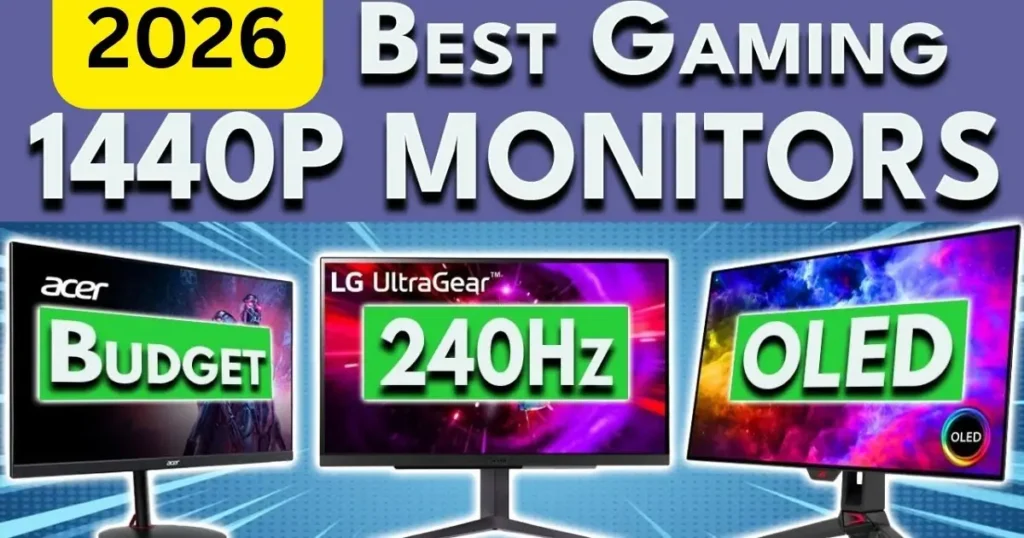
Best 1440p 240Hz Gaming Monitor

Best 1440p 240Hz Gaming Monitor in 2026 – Top 5 Picks for Smooth and Stunning Gameplay

Introduction: To have a very smooth gameplay and at the same time a clear visual display, then a smart choice would be to select the best 1440p 240Hz gaming monitor. These monitors represent the optimal compromise of high refresh and clear sharpness, and hence competitive gaming and immersive entertainment. No matter what type of game you play, be it FPS, racing, or a story-based game, a good 1440p 240Hz monitor is going to make it come to a new level.  It is in this guide that we have chosen some of the best models that provide speed, color accuracy and great performance to gamers who are interested in the best value and quality of the image. Therefore, be aware of the best 1440p gaming monitor to use in your gaming system.  The reason a Best 1440p 240Hz Gaming Monitor is ideal in Competitive gamers. The top 1440 best 240Hz gaming monitor is ideal for competitive gamers since it will provide them with high-speed and clarity during any match. The 240Hz refresh rate provides ultra-smooth motion and quicker response to the motion as this enables the player to respond effectively in fast gameplay. Meanwhile, the 1440p resolution offers clear and bright images, and thus, it is easier to see the enemies and trace the motions. This is what makes competitive gamers truly competitive, be it in playing FPS, esports, or a fast-paced multiplayer game, because of the high refresh rate and clear picture quality. 1. LG 27GX704A-B 27-inch Gaming Monitor LG 27GX704A-B is a very strong gaming monitor designed with ease and speed in its operation. It has a 240Hz refresh rate that provides smooth gaming with the least motion blur and is ideal in competitive gaming. The QHD display is 27 inches with sharp images and vivid colors which makes it better for gaming and watching the media. It also has a smooth design and an adjustable stand to enable one to have prolonged gaming time. On the whole, this monitor is a good combination of performance and quality that can be used by serious gamers. Panel Type OLED Display Size 27-inch Resolution  (2650×1440) pixles Refresh Rate 240Hz Response Time 0.03ms Adaptive Sync NVIDIA G-Sync Compatible, AMD FreeSync Premium Pro HDR Support HDR10 Connectivity/Ports 2x HDMI 2.11x DisplayPort 2.1x USB 3.0 Downstream1x 4-Pole Headphone Out Brightness 275 Color Gamut and Accuracy DCI-P3 98.5% (CIE1976) Contrast Ratio 1500000:1 Pixel Pitch 0.2292 x 0.2292 Pros: Cons: Who Should Buy This Monitor: This OLED monitor is fantastic to customers who use Windows, and the colors are rich and can be seen with the perfect black feature without being fake. They have a sharp picture image that meets or surpasses expectations and they like the display quality with one of them commenting that it makes games sick on it. 2. AOC Gaming Q27G41ZE 27-inch The AOC Gaming Q27G41ZE is a 1440p 240Hz gaming monitor at a low price and offers remarkable performance. It has a good response and gameplay that is easy to play and therefore, it would suit competitive gamers. The display offers adequate colors and vivid details in games and entertainment. Its slimness and firmness of its stand allow it to fit any gaming setup. It offers good performance and value at a price to gamers who do not have to spend too much on buying it but want high performance. Panel Type IPS Display Size 27 inch Resolution  (2560×1440) pixels Refresh Rate 240Hz Response Time 0.3ms MPRT Adaptive Sync G-Sync Compatible HDR Support HDR10 Connectivity/Ports 1 x HDMI 2.0, 1 x Display Port Brightness 300 Color Gamut and Accuracy sRGB Contrast Ratio 1000:1 Pixel Pitch 0.2331 mm $\times$ 0.2331 mm Pros: Cons: Who Should Buy This Monitor: This monitor is a great gaming display for customers with beautiful HDR images, high contrast and excellent color accuracy and near-perfect blacks. They believe it to be pocket-friendly. The refresh rate is viewed both positively and negatively – on the one hand, it is stated that the 240Hz performance is stunning, and, on the other, VRR flickering is observed in certain scenes. 3. ASUS ROG Swift OLED PG27UCDM – 240Hz ASUS ROG Swift OLED PG27UCDM has beautiful OLED images and is a high-end gaming monitor. It has been available in rich black levels, rich colors and has ultra-fast response time. The refresh rate is 240Hz, providing a high-quality motion and responsiveness and ideal in terms of high-quality gaming. It offers a high gaming experience due to its high design and features. This is an ideal monitor for individuals who play games and need the highest quality display and performance. Panel Type QD-OLED Display Size 27 inch Resolution  (‎3840 x 2160) Pixels Refresh Rate 240Hz Response Time 0.03ms Adaptive Sync G-SYNC Compatible HDR Support Dolby Vision support, VESA DisplayHDR 400 Connectivity/Ports 1x DisplayPort 2.12x HDMI 2.11x USB-C (DP Alt Mode)3x USB 3.2 Gen 1 Type-A1x USB-B Brightness 1,000 nits Color Gamut and Accuracy sRGB Contrast Ratio 1,500,000:1 Pixel Pitch 0.155 mm Pros: Cons: Who Should Buy This Monitor: This monitor is a great gaming monitor that customers can be proud of, as it works quite well and is amazingly suitable for playing games, with its sharp resolution and stunning 144Hz refresh rate. They love the value it brings, considering that one of the customers has remarked that it is the best quality at the cost and that they like its appearance with games looking and feeling fabulous. The quality of the colors also get mixed reviews, where some comment that they are good whereas others comment that they are bad.  4. Alienware AW2723DF Gaming Monitor fluid gameplay that has high refresh rate and responsiveness. The accuracy of the colors is also impressive and games appear vivid and crisp. It is a stylish and well-built device that would be a great addition to any game setup. The monitor can provide a stable gaming experience of high-quality performance and image quality. Panel Type Fast IPS Display Size 27-inch Resolution  (2560 x 1440) Refresh Rate 240Hz  Response Time

Best 1440p 240Hz Gaming Monitor in 2026 – Top 5 Picks for Smooth and Stunning Gameplay Read More »

Blog, Gadget, , , , ,
best gaming monitor settings

Best Gaming Monitor Settings Full Guide for Smooth Gaming in 2026

If you bought a good gaming monitor but never adjusted the settings, you are not getting its full performance. Then you are in the right place. How will you get the full performance from your gaming monitor? In this article, we will discuss it in detail, using simple, easy steps that anyone can understand and adjust gaming settings on their monitor. So, to adjust all your monitors’ settings perfectly, read the post to the end, where you can find the best gaming settings for your monitor.  What you will know about the best gaming monitor settings. Here is the exhaustive guide where you will find all the information that you need to make the most of your gaming monitor to achieve the highest level of performance and picture quality. Here’s what we will cover: By the end of this guide, you will be able to adjust your monitor to deliver clearer images, faster response times, and better overall gaming. 1. Establish the Appropriate Resolution (Most Important Step) The first and most important step is to set the right resolution. There is this native (recommended) resolution of your monitor and it will always provide you with the highest quality display with clear and sharp images. Any other resolution may produce a blurred or stretched look in the text and images. What is Native Resolution? The resolution your monitor is designed to support is called native resolution. Common examples: In case you are using a lower resolution than native: How to Set It in Windows: This immediately enhances understanding. 2. Set the Highest Refresh Rate Many professional gamers buy a 144Hz or 165Hz monitor, but sometimes they forget to chage it from 60Hz. So change it for the best performance, which is given below: What is Refresh Rate? Refresh rate means how many times your monitor updates the image per second. Higher refresh rate means: How to Change Refresh Rate: And you can also adjust form: Always choose the maximum supported refresh rate to ensure smooth gameplay. 3. Enable G-SYNC or FreeSync (Very Important) If your monitor supports adaptive sync, this is a great things; it’s important to turn it on. For NVIDIA users, enable G-SYNC and for AMD users, enable FreeSync, so that you can get high performance while gaming. These features match your GPU’s frame output with your monitor’s refresh rate, making gameplay much smoother. Benefits of enabling G-SYNC/FreeSync: This is one of the most important settings, especially for competitive gaming. 4. Adjust Response Time (Overdrive Setting) Most gaming monitors have a setting called: Set it to: Avoid “Extreme” mode because: Best range for gaming: Lower response time reduces motion blur during fast movement. 5. Best Brightness Settings for Gaming Brightness needs to match your room lighting; otherwise, you will not get better performance while gaming. So you have to adjust it according to your lightning conditions: For Bright Room: Adjust your brightness from 70–90% For the Normal Room: For a normal room: 50–70% Dark Room: And for the dark room: 30–50% Too much brightness causes: Too low brightness: Balance is very important to get the best performance.  6. Best Contrast Settings Contrast controls the difference between dark and bright areas. Recommended range:From 70–85% Too high contrast: Too low contrast: Test it in a dark game scene to see shadow details clearly. 7. Best Color Settings for Gaming Color settings improve image realism. Color Temperature: Allow the setting to 6500K (Standard/Normal) to obtain natural colors. Neither Cool (too blue) nor Warm (too yellow). Gamma: Set the suggestive gaming gamma to achieve the balanced brightness and definite shadows. Saturation: Maintain the default level or raise it a little (about 510 percent). Do not overdo it; the colors will be unnatural. 8. Best Gaming Monitor Settings for FPS Games Fast reaction and clarity are requirements of FPS games. Examples: Recommended Settings: Why? 9. Best Settings for RPG & Story Games Examples: The Witcher 3: Wild Hunt Elden Ring Recommended Settings: Resolution: Native Refresh Rate: 60Hz or above Brightness: 45–55% Contrast: 70–80% Color Temp: Slightly warm HDR: Optional In the case of RPG games, graphics are more important than excessive speed. 10. Optimal Racing Game settings. Examples: Forza Horizon 5 F1 23 Recommended Settings: Refresh Rate: 120Hz+ Response Time: Fast Brightness: 60–70% Contrast: 85% Color: Slightly vibrant Racing games benefit from a high motion refresh rate. Should You Use HDR? HDR improves: But only if: Reduce Input Lag To reduce delay: Competitive gamers should always minimize the use of processing features. Blue Light Filter for Long Sessions When you are playing games your whole day and night (4-6 hours), it is recommended to activate Low Blue Light mode, particularly at night. This makes it less stressful to your eyes, avoids headaches and makes your eyes more comfortable during prolonged gaming sessions. But turn it off during competitive matches if it affects clarity. Physical Setup Matters Too Best gaming monitor settings also depend on positioning. A good setup improves comfort and performance. Quick Best Gaming Monitor Settings Checklist Here is your final quick guide: Final Words The optimal settings on the gaming monitors vary. They rely on the type of monitor (IPS, VA, or OLED), the power of your graphics card, the brightness of light in your room, and the nature of games that you play. However, by following this guide you will be able to enhance your general gaming experience and make your monitor play as well as it can. By following this guide, you will receive: It is time your gaming monitor could play to its full potential. Related post : Best Refesh Rete Monitor

Best Gaming Monitor Settings Full Guide for Smooth Gaming in 2026 Read More »

Blog, Gadget, ,
Best Refresh Rate for Gaming Monitor

The Best Refresh Rate for Gaming Monitor 2026 Complete Guide

The most common question that comes up while purchasing a gaming monitor is: What is the best refresh rate for gaming monitor? It is common to find names such as 60Hz, 144Hz, 165Hz, or 240Hz in specifications, and they can be confusing. Both numbers are guaranteed to play more smoothly, there will be enhancements in the gameplay and in the experience, which one really matters to you? There is a myriad of options and therefore it is completely natural to be confused on what these numbers are and what impact they have on your gaming. The good news is that knowledge of refresh rate is not as complex as it sounds. In this comprehensive guide, we shall unravel everything in simple, easy-to-understand language so that anyone can comprehend it, even if you are new to gaming monitors. We will elaborate the definition of the refresh rate, the importance of the refresh rate, and how the refresh rate can be selected depending on the nature of the games played and the budget. At the end of this article, you will understand which refresh rate suits your gaming type best and how to make a good purchasing decision. What Is Refresh Rate? Refresh rate means how many times your monitor updates the image every second. It is measured in Hertz (Hz). For example: The higher the number, the smoother the motion looks. Think of it like flipping pages in a book. The faster you flip, the smoother the movement looks. Why Refresh Rate Matters in Gaming Refresh rate is a highly valuable feature that significantly impacts gaming.  When you play fast games such as shooting or racing games then higher refresh rate provides you with: However, when you are largely playing slow story-based games, you might not need very high refresh rates. 60Hz or 75Hz: Is it good enough to play games? 60Hz Monitor Most monitors use the 60Hz refresh rate. It shows 60 frames per second and is quite acceptable for everyday use. The following is a brief and extended explanation: Perfect for Office Work Activities such as MS Word, Excel, PowerPoint, web browsing, email and web-based meetings are comfortable on a 60Hz display. Good for Watching Videos The vast majority of YouTube movies and videos are filmed at 24-60 FPS. A 60Hz monitor is therefore able to show them quite well. Suitable for Casual Gaming If you do not play competitively and just have fun playing games, 60Hz is sufficient. Good at story-based and Strategy Games. Other games, such as Minecraft, GTA V (Story Mode), simulation games or strategy-based games do not need exceptionally high refresh rates. 60Hz is good on them. Cheap and Low System Requirement. You do not require a high-end graphics card in order to play games at 60 FPS. Non-pro graphical cards can easily do it. Not a Fast-Paced FPS Game. In fast-paced competitive games like Call of Duty or Valorant, 60Hz feels slower. Reaction time is affected by movements that are not as smooth as 144Hz or more. Basic & Standard Experience 60 Hz provides you with a normal, stable picture. It is not very smooth, but good to use on a daily basis. 75Hz Monitor It is a 75Hz display that is just a little smoother than a 60Hz display. The disparity is not so vast, yet it can be felt in everyday use and recreational gaming. There are half a dozen plain and straightforward points: Smoother than 60Hz On a 75Hz monitor, there are 75 frames per second and on a 60Hz monitor, there are 60 frames. This brings about a little easier look to scrolling, animation and movement. Budget-Friendly Option It is more affordable than 144Hz and above refresh rate monitors, so it is a good option among those who cannot spend much. Good for Light Gaming Semi-casual games such as FIFA, GTA V, Valorant (non-competitive) and others will run comfortably at 75Hz. Great for Office & Study Use Online classes, browsing, MS Office, YouTube and other general tasks will be more than enough with 75Hz. No High-End GPU Needed The graphics card does not need to be high-end to achieve 75 FPS; hence, it can operate on mid-range or entry-level PCs. Not Ideal for Serious Gamers Rapid games and competition, 144Hz or more will be a better option. 144Hz – The Sweet Spot for Most Gamers A refresh rate of 144Hz is considered the most desirable by most people in a gaming monitor. Why 144Hz Is So Popular: One of the most popular monitors among gamers is the 144Hz model, and this is why. It has the ideal performance, smoothness and price combination. Huge Improvement Over 60Hz It is a huge leap to go to 144Hz. The screen has a 60Hz refresh rate, meaning it shows 60 frames per second. It has an even higher frequency (144Hz), 144 times per second, which is more than twice as many. This renders movements to appear far clearer and smoother. After trying 144Hz, it is much slower at 60Hz. Very Smooth Gameplay 144Hz provides smooth motion, e.g., in rapidly moving shots. There is greater responsiveness and realism in the camera turns, character movement, aiming, and tracking of enemies.This smoothness not only concerns appearance but also enhances control and precision. Affordable in 2026 By the year 2026, 144Hz monitors will not be costly. They are very common and highly valuable. Now you can acquire a monitor at 144Hz at a price that was once assigned to basic 60Hz displays. That is why it has been the sweet spot of gamers. Ideal FPS and Competitive Games. The 144Hz is indeed impressive in competitive games with fast-paced action. In such games, response time is important. The more fluid the screen the quicker you can react. It minimizes motion blur and makes it easier to track enemy movement. Games where 144Hz shines: Assuming your computer can generate 144 frames per second (FPS), a 144Hz monitor will display all those frames without stutter. This is the optimal trade

The Best Refresh Rate for Gaming Monitor 2026 Complete Guide Read More »

Blog, Gadget, ,

The Best Monitor for Gaming and Work 2026: Top 7 Powerful Monitors You Can Trust

Are you looking for the best monitor for gaming and work that is easy to use in 2026? You can easily choose the best monitor for personal or office work. If you want to get a monitor for gaming, you can choose the high refresh rate monitor with an IPS or OLED display which will give you better gameplay to provide a great color combination with smooth, tear free visual.  You need smooth performance, clarity, and accurate colors for your gameplay or office work. While choosing the best monitor for your gameplay and work, follow our full guide to help you pick the best gaming monitor for both. In the post, we have picked the top suitable monitor for both gaming and work and you will get a good idea from this post clearly. Read the post to the end to explore the best gaming and work monitors.  What Things Do You Have to Keep in Mind While Choosing the Best Monitor for Gaming and Work An ideal dual-purpose monitor should be usable for gaming and work without interference. It must provide easy movement to play the games fast as well as make it have crisp images and correct colors to be productive. When selecting the most appropriate gaming monitor, which is also able to work with your daily chores, consider the following key issues: Important Features to consider: Now we will dive into the details of each monitor and check its performance.  1. ASUS ProArt PA27JCV 27-inch 5K Professional Monitor The ASUS ProArt PA27JCV monitor is primarily aimed at users who are creators and professionals with a high level of visual accuracy. Everything is amazingly sharp with its 5K resolution, the text documents as well as the in-depth video editing timelines. Colors are natural and true-to-life, and this is ideal to photo makers, designers and content producers. Even though it does not have a competitive-oriented gaming, it still plays well in the casual mode due to its IPS display. The wide color range is a guarantee of true-to-life images, and USB-C and Thunderbolt connections make it possible to use it in contemporary workstations which is one of the the best Monitor for Gaming and Work.. The height adjustable position provides a comfortable working experience during working hours. Panel Type IPS Display Size 27-inch Resolution  5K (5120 x 2880) Refresh Rate 60Hz Response Time 5 ms Adaptive Sync Supports Adaptive-Sync/VRR and VESA MediaSync) Brightness 500nits Key Features: Why You Choose This Monitor Advantages Disadvantages The monitor is an excellent option for professionals who require the highest-quality visual display and accurate color results. It is also less concerned with gaming, yet it also deals with casual gaming. If the quality of the work, rather than the refresh rate, is of interest to you, this is a good investment.  2. ROG Swift OLED PG27UCDM 27-inch 4K OLED Gaming Monitor The ROG Swift OLED PG27UCDM is an effective monitor equipped in serious gamers, who also require high-quality visual images in the work sphere. The OLED screen gives great blacks, saturated colors and beautiful contrast . Games are very immersive and videos are cinematic. Competitive gaming is smooth and responsive with a high refresh rate and very high response time. Simultaneously, 4K resolution will provide crystal-clear text and images for productivity. This monitor is the best for work and gaming in performance, whether you are gaming, editing or streaming any content. Panel Type QD-OLED Display Size 27-inch Resolution  4K UHD 2160p Refresh Rate 240Hz Response Time 0.03ms Adaptive Sync G-SYNC Compatible Brightness 250-400nits Key Features: Why You Choose This Monitor Advantages Disadvantages In case you need a combination of high end gaming and professional clarity without compromising one another, then this has been one of the best options. It is an ideal combination of speed and beauty. Perfect in case of gamers who also work on tasks requiring extensive visual skills. 3. SAMSUNG 32-inch Odyssey G50D Series QHD Fast IPS The Samsung Odyssey G50D 32-inch monitor has a bigger screen size, which makes the monitor more engaging both in gaming and working. The QHD resolution maintains sharpness of visuals besides being more performing than 4K in mid-range systems which the best monitor for gaming and work. The Fast IPS panel guarantees the fluid movement and vivid colors. It is comfortable to use in the office, browsing, content consumption, and longer hours of playing. The higher resolution of 32 inches is great even in terms of screen space, which is perfect in multitasking and productivity. Panel Type IPS Display Size ‎32-Inch Resolution  QHD Wide 1440p Refresh Rate 180Hz Response Time 1ms Adaptive Sync G-Sync Compatible Brightness 350 nits Key Features: Why You Choose This Monitor Advantages Disadvantages This is an excellent compromise between work and fun in a monitor. The fact that it is larger enhances immersion and multitasking. It is a powerful option to those users who desire to have entertainment and productivity in a single display. 4. AOC Q27G3XMN QHD 180Hz FreeSync HDR Mini LED 27″ Monitor AOC Q27G3XMN is unique due to the Mini-LED with an 180Hz refresh rate. It provides good contrast, high brightness and smooth gaming performance than the usual LED monitors. The QHD resolution delivers clear detail without straining your graphics card too much. It is effective in office work and consumption of content and gaming. FreeSync support is tear-free gameplay and is perfect for fast-paced action games. Panel Type VA Display Size 27-Inch Resolution  (2560 x 1440) resolution Refresh Rate 180Hz Response Time 1ms Adaptive Sync Yes Brightness 1000nits Key Features: Why You Choose This Monitor Advantages Disadvantages This monitor is a very good one in cases when a gamer seeks to acquire speed and better contrast without spending a lot. It copes with the working job effectively and provides excellent results in playing games. Good mid-range all-purpose. 5. Acer Nitro 27″ QHD IPS Gaming Monitor Acer Nitro 27-inch QHD monitor is a reliable product to be used by individuals who would prefer to spend well without

The Best Monitor for Gaming and Work 2026: Top 7 Powerful Monitors You Can Trust Read More »

Blog, Gadget, ,
Best Cheap Computer Monitor for Gaming

Best Cheap Computer Monitor for Gaming in 2026: Get the Best Gaming Monitor in Cheap Budget

Are you looking for the best cheap computer monitor for gaming? Choosing the best gaming monitor is easier in 2026 than it was some years ago. In the post, we will discuss the top 7 cheap gaming monitor keep in mind that Full HD 1080p resolution, IPS and VA panels, and fast 1ms response times are now available at budget prices. If you are a professional gamer or want to play FPS games like competitive shooters, battle royale games, or even casual PC games, these monitors deliver smooth gaming performance with smoother motion, clearer visuals, better color, and less screen tearing. We have picked the top best gaming monitor carefully with well research that the post will help you to choose a good gaming monitor for you. So read to post to the end.  How to Choose the Best Cheap Computer Monitor for Gaming When you are looking for the best cheap computer monitor for gaming, then follow these simple steps to buy the best gaming monitor for you smooth gameplay and get a better performance.  1. Resolution Full HD (1920×1080) is the most suitable for budget gaming. It produces clear images and is compatible with most graphics cards. 2. Refresh Rate The refresh rate is higher, improving gameplay smoothness. 3. Panel Type 4. Response Time Fast games have a response time of 1ms or less, minimizing motion blur. 5. Adaptive Sync AMD FreeSync helps to eliminate screen tearing and stuttering. Now we should examine the best alternatives that you can choose easily for better gameplay.  1. Sceptre New 22-Inch Gaming Monitor with 1080p and 144Hz The Sceptre New 22-Inch Gaming Monitor has a large 22-Inch display best cheap computer monitor for gaming which you will get an affordable price. It has a Full HD 1080p resolution, delivering sharp, clear images. The refresh rate is up to 144Hz, making gameplay fluid and responsive. The VA panel presents better contrast and greater blacks than regular panels. It also has a 1ms response time to reduce motion blur. The brightness level is appropriate for indoor game systems.  Panel Type VA Display Size 27-inch Resolution  (1920×1080) pixels Refresh Rate 144Hz Response Time 1 ms Adaptive Sync AMD FreeSync Premium Pro Brightness 250nits Pros: Cons: Who Should Buy This Product: This is one of the best cheap gaming computer monitors if you want 144Hz without spending much. 2. ArcticPro 22 Inch 100Hz Full HD Monitor The ArcticPro 22-inch display is a monitor suitable for daily gaming and office work. It features a Full HD display for sharp images. The 100Hz refresh rate is smoother than the standard 60Hz. This monitor will give you a smooth gaming experience whether you’re playing with friends or casually. It provides better color accuracy and wider viewing angles. The narrow design allows it to be installed in small spaces. It has a pleasant brightness that can be used daily indoors. Panel Type Display Size 22-inch Resolution  (1920×1080) pixels Refresh Rate 100Hz Response Time 5 ms Adaptive Sync AMD FreeSync Premium Pro Brightness 250nits Pros: Cons: Who Should Buy This Product: 3. Amzfast 24 Inch Gaming Monitor 200Hz Fast IPS This Amzfast 24-inch gaming monitor is unique for its 200 Hz refresh rate. It is designed to compete and play action-packed games which is the best cheap computer monitor for gaming. The fast IPS panel provides speed and rich colors. A response time of 1ms minimizes ghosting and blur in motion pictures. It has good brightness levels, which make it perform well in various lighting conditions. It is an excellent alternative for gamers seeking high refresh performance at an affordable cost. Panel Type IPS Display Size 24-inch Resolution  (1920×1080) pixels Refresh Rate 200Hz Response Time 1ms Adaptive Sync Brightness 300nits Pros: Cons: Who Should Buy This Product: If you want the best cheap gaming monitor with a 200Hz refresh rate, this is a strong contender. 4. Sceptre New 27-Inch Gaming Monitor 100Hz 1ms The Sceptre New 27-Inch Gaming Monitor features a 100Hz refresh rate for a smooth gaming experience. It has Full HD resolution and a 100Hz refresh rate, delivering better image quality than 60Hz screens. A 1ms response time helps eliminate motion blur. The VA panel has high contrast and richer blacks. It is suitable for casual gaming, movies, and everyday use. This is the best cheap computer monitor for gaming. Panel Type VA Display Size 27-inch Resolution  (1920×1080) pixels Refresh Rate 100Hz Response Time 1ms Adaptive Sync AMD FreeSync Brightness 250nits Pros: Cons: Who Should Buy This Product: 5. Acer KB272 27-Inch FHD IPS Monitor Acer KB272 is a good, the best cheap computer monitor for gaming, dependable 27-inch IPS monitor that can be used every day and for light gaming. It features Full HD with a high-quality image. The IPS panel ensures accurate color reproduction and wide viewing angles. It has a refresh rate of 120Hz, which is superior to the standard 60Hz and it will give you a better gameplay than a 60Hz refresh rate. It has eye-care amenities as well to work long hours. Panel Type IPS Display Size 27-inch Resolution  (1920×1080) pixels Refresh Rate 120Hz Response Time 1ms Adaptive Sync FreeSync Compatible Brightness 250nits Pros: Cons: Who Should Buy This Product: 6. Acer Nitro KG241Y Sbiip 23.8-inch VA Gaming Monitor Acer Nitro KG241Y is a powerful low-end gaming monitor. It has a 23.8-inch Full HD display with a VA panel for enhanced contrast. The screen’s refresh rate is 165Hz, ensuring smooth gameplay and competitive performance. A 1ms response time helps reduce motion blur. It also supports AMD FreeSync, enabling tearless gaming. This monitor will give you faster speeds and a smoother gaming experience.  Panel Type VA Display Size 23.8-inch Resolution  (1920×1080) pixels Refresh Rate 165Hz Response Time 1ms Adaptive Sync AMD FreeSync Premium Brightness 250nits Pros: Cons: Who Should Buy This Product: 7. MSI PRO MP243L E14 24-Inch IPS Monitor The MSI PRO MP243L E14 is designed for office use and casual gaming. It has a 24-inch Full HD IPS display with precise

Best Cheap Computer Monitor for Gaming in 2026: Get the Best Gaming Monitor in Cheap Budget Read More »

Blog, Gadget, ,
Best 2K Monitors for Gaming with 1440p

10 Best 2K Monitors for Gaming with 1440p QHD 

10 Best 2K Monitors for Gaming with 1440p QHD  If you are looking for the best 2K gaming monitor, you are in the right place, as selecting a high-quality gaming monitor is not easy. In this post, we will help you choose the best resolution gaming monitor to set up a top-tier gaming setup for better performance. Do you able to choose a good 1440p Gaming Monitor for you gaming setup then you will get an amazing feel while gaming.  Here we will discuss the top 10 best gaming high resulation monitor of different and high-value brands’ monitors which will give you the real feel. We selected top best gaming monitor which can provide you like AAA, enjoy higher FPS, and many high-quality gaming experiences with high refresh rate from 165 to 480Hz refresh rate that will give you high-speed gaming experiences. So read the post to the end.  1. Asus ROG Swift PG27AQDP, the best 2K Gaming Monitor The Asus ROG Swift PG27AQDP is a gaming 27-inch monitor with an OLED panel of high quality with high-resolution QHD (2560×1440) and is designed to be able to play at higher gaming speeds. It is also equipped with a high-performance 480Hz refresh rate and lag-free gaming and thus the fast flick shots and tracking become more natural when playing with your friends and in competitive gaming.  This screen is configured to allow a high level of clarity in motion and it can be well used with advanced GPUs in order to play competitively in the FPS genre and high-quality gaming. With this premium ROG build quality, its strong color tuning, and smooth adaptive sync support make your setup easier. This monitor is made for players who want sharp 2K visuals with the fastest refresh possible.   Pros Cons Who should buy this monitor? This monitor has some new AI Assistant that provides dynamic AI Crosshair, AI Shadow Boost, AI Sniper, AI Visual, and MOBA Map Helper functions for improved gaming experiences that’why you can get the monitor.  2. Sony Inzone M10S (480Hz) – Best 2K Gaming Monitor for Competitive Speed Sony Inzone M10S is a high-performance 27-inch 1440p gaming monitor that is built to play games at a high level. It has a very high refresh rate of 480Hz, an OLED panel and it supports adaptive sync performance and high motion handling of fast-moving games. The 2K QHD resolution provides both sharper images compared to 1080p with a high FPS gaming capability, which is an intelligent compromise in esports. The Inzone M10S is a good choice with its clean design of Sony and quick response performance, which is speed-first gaming with crisp visuals. ✅ Pros Cons Who should buy this monitor? 3. AOC Q27G4XN 27-inch Gaming Monitor – Best Budget 2K Gaming Monitor The AOC Q27G4XN is a well-priced 27-inch 2K QHD (2560 x 1440) gaming monitor designed to play comfortably on a daily basis. It delivers a higher resolution than 1080p, offering clearer text, sharper edges, and greater depth in modern-day games. It is constructed with a gaming-oriented design, good refresh rate and low-latency responsiveness to play in a casual competitive game. This AOC model is a good choice if you want a budget-friendly 1440p monitor with a smooth gaming feel and a clean, usable screen size for work and gaming. It has a 180Hz refresh rate fast response speed. It supports FreeSync VRR and G-SYNC for better performance.  Pros Cons Who should buy this monitor? 4. Acer Nitro 27″ WQHD 2K Gaming IPS 180Hz Gaming Monitor  The Acer Nitro 27-inch WQHD IPS gaming monitor is a quality all-around monitor that provides clear images and easy functionality. It has a resolution of 2560×1440 pixels which provides a clear image with more details than the 1080p and the IPS panel provides better colors and a wide viewing range. It is an excellent option when a player wants to have both competitive and story-driven gaming since it has a good balance of clarity, refresh performance, and comfort in everyday use. Other products that are offered by Acer Nitro monitors include gamer-friendly tuning and solid build quality in their price range. It has a 180Hz Refresh rate 0.5ms response time.  Pros Cons Who should buy this monitor 5. AOC Gaming Q27G41ZE 27-inch QHD IPS Gaming Monitor – Best Affordable IPS 2K Monitor One of the powerful 27-inch QHD IPS gaming monitors is the AOC Q27G41ZE which is designed to be used by gamers desiring high-resolution and pure colors. The 1440p display is better with modern games at least as far as detail is concerned and the IPS panel ensures that all images remain brighter and uniform on the screen. It is also suitable for an esports and a racing game as it provides 240Hz, overclock 260Hz smooth refresh, 0.3ms performance with fast-paced gaming, thus a good combination, both as a competitive and non-competitive player. This model is a smart choice in case you are interested in a clean 2K monitor, with IPS clarity, and good value. Pros Cons Who should buy this monitor? 6. INNOCN 27-inch Gaming Monitor 2K QHD 240Hz – Best 2K 240Hz Monitor The INNOCN 27-inch 2K QHD 240Hz gaming monitor is aimed at gamers who would like a high refresh speed but do not want to spend a lot of money as they would on a premium flagship. The refresh rate of 240Hz refresh rate creates the impression that movement is highly responsive and smooth to look at, particularly in competitive games such as Valorant and Call of Duty. The resolution of 2560×1440 pixels makes its image sharp and clean, which is ideal for super gamers who desire a better resolution but require higher FPS performance than 1080p. It is a good option for quick gaming with a good price-to-performance bargain. Pros Cons Who should buy this monitor? 7. SAMSUNG 32-Inch Odyssey G50D Series QHD Fast IPS – Best 32-Inch 2K Monitor The Samsung Odyssey G50D 32-inch fits perfectly for customers who would like to have a larger size

10 Best 2K Monitors for Gaming with 1440p QHD  Read More »

Blog, Gadget, , , , ,
Best Gaming Monitors 240Hz

Top 7 Best Gaming Monitors 240Hz in 2026: Top Selection for Smooth, Responsive Gameplay

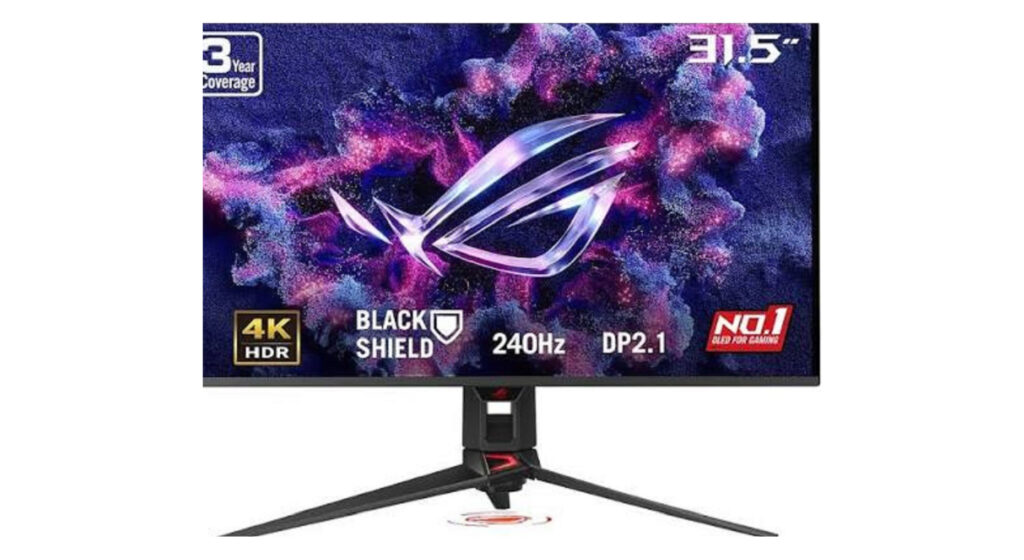
Are you looking for the best gaming monitor in 2026? Then you are in the right place. We will discuss the top Best Gaming Monitors 240Hz that you can choose for your highest gaming setup. If you’re a professional or a new gamer, this content will help you a lot to choose the best gaming 240Hz refresh rate monitor form trusted brands. We have picked the top 7 better 240Hz monitors which will provide the next-level performance while gaming. So pick a good monitor, and read the post to the end.  Why Choose the Best Gaming Monitors 240Hz The 240Hz refresh rate gaming monitors has a balanced gaming ability which will give you a smooth gameplay in different types of panel including IPS, OLED and the latest panel. 240Hz refresh rate is a standard response speed that fit for all types of panels and shows clear, smooth and tear-free visuals. This refresh rate is able to reduce ghosting and smearing in fast-paced scenes while gaming. It will provide a more up-to-date visual of the game state, allowing for faster reaction times. And it minimizes the delay between your mouse movement and the action on screen and it provides many benefits during gaming. So explore in detail.  1. ASUS ROG Swift OLED PG27UCDM (27-inch 4K QD-OLED) The ASUS ROG Swift OLED PG27UCDM monitor comes with a 27-inch display which will show you great visuals while gaming. It has a real 4k resolution for the smooth and clear high-quality visuals. This monitor has a 240Hz refresh with 0.03ms GTG response—motion so fluid, enemies never see you coming. They used the best OLED panel in the monitor which will give you a premium feel during gaming. It has a 1,000nits brightness that will provide you and bright visuals.  Panel Type OLED Display Size 27 inch Resolution  ‎3840 x 2160 Pixels Refresh Rate 240Hz Response Time 0.03ms GTG Adaptive Sync G Sync HDR Support HDR10 Connectivity/Ports HDMI 2.1, DisplayPort 1.4/2.1 Brightness 1,000 nits Color Gamut and Accuracy sRGB Contrast Ratio 1,500,000:1 Pixel Pitch 0.15525mm Pros Cons Who should buy this? Customers get this monitor as a perfect gaming monitor that performs flawlessly and works amazingly while gaming, with sharp resolution and an amazing 240Hz refresh rate. They appreciate the value for money of the product, with one customer noting it’s the best quality for the price, and they like its appearance, with games looking and feeling amazing. 2. Alienware AW3225QF – 240Hz The Alienware AW3225QF is a very large (32 inches) curved gaming monitor that is meant to be used by gamers who prefer to experience the game in its entirety. It features a 4K QD-OLED screen with a 240Hz refresh rate that provides an enormous field of view that immerses you into the game. The gentle curve would assist in maintaining the whole screen in your natural viewing range which is excellent in being productive and competitive in play. With a peak brightness and Dolby Vision, this monitor provides a vivid and realistic image that makes all explosions and the environment spectacular. It is one of the most finished gaming monitors available in the market.  Panel Type OLED Display Size 32-inch Curved Display Resolution  ‎4K UHD (3840 x 2160) pixels Refresh Rate 240Hz Response Time 0.03ms Adaptive Sync NVIDIA G-SYNC Compatible + VESA HDR Support HDR10 and Dolby Vision Connectivity/Ports 1x DP 1.4 (HDCP 1.4 & 2.3)(2 x HDMI 2.1 (HDCP 1.4 & 2.3)1 x USB 3.2 Gen 1 (5 Gbps) 2 x USB 3.2 Gen 1 (5 Gbps) 1 x USB 3.2 Gen 1 (5 Gbps)1 x USB 3.2 Gen 1 (5 Gbps) Brightness 1000 cd/m2 Color Gamut and Accuracy sRGB: 100% Contrast Ratio 1 million: 1 Pixel Pitch 0.1814 mm x 0.1814 mm Pros Cons Who should buy this? Before You have truly experienced good media or even gaming until you have seen it on this amazing monitor! WOW! When I tell you HDR never looked better I promise you, take it to the bank. Never experienced a better monitor. NEVER!!! 3. ViewSonic XG2431 – 240Hz The ViewSonic XG2431 is relatively the most highly rated inexpensive 240Hz refresh rate monitor that is praised by performance enthusiasts. It concentrates on the areas of the greatest concern; speed and clarity of motions. It has a 24-inch 1080p IPS screen, which is the right size when you want to get focused on esports gaming and see everything on the screen. The most interesting aspect of this is its Blur Busters 2.0 certification, which makes it possible to view very fast-moving objects with perfect clarity without the blur that is normally present in cost-effective screens. It is a no-nonsense tool that has been created with the sole purpose of seeing you do better on ranked matches.  Panel Type IPS Display Size 24-inch Resolution  1920 x 1080 Refresh Rate 240Hz Response Time 1ms Adaptive Sync FreeSync Premium, G-Sync compatible HDR Support HDR400 Connectivity/Ports USB 3.2 Type A Down Stream: 2USB 3.2 Type B Up Stream: 13.5mm Audio Out: 1HDMI 2.0: 2DisplayPort: 1Power in: 3-pin Socket (IEC C14 / CEE22) Brightness 350 nits Color Gamut and Accuracy NTSC: 72% size (Typ) Contrast Ratio 1,000:1 Pixel Pitch 0.275 mm (H) x 0.275 mm (V) Pros Cons Who should buy this? Customers choose the gaming monitor for its incredible motion clarity and consider it a strong standard for gaming. It also provides. Picture clarity receives mixed feedback, with some praising top-tier image quality while others report horizontal lines across the screen. Overall, the monitor’s quality, functionaliy and value for money receive mixed reviews and they appreciate the products. 4. LG 27GR83Q-B – 240Hz The LG 27GR83Q-B is a good compromise between speed and contemporary resolution. This 27-inch monitor has a resolution of 240Hz refresh rate and includes 1440p resolution (QHD) which offers many sharp details and gives you a much better picture than 1080p yet remains fast enough to play on the pro level too. UltraGear IPS panel has a reputation of being very colorful with fast response to various

Top 7 Best Gaming Monitors 240Hz in 2026: Top Selection for Smooth, Responsive Gameplay Read More »

Blog, Gadget, , ,
Seraphinite AcceleratorOptimized by Seraphinite Accelerator
Turns on site high speed to be attractive for people and search engines.