World Tech View

Blog

Your blog category

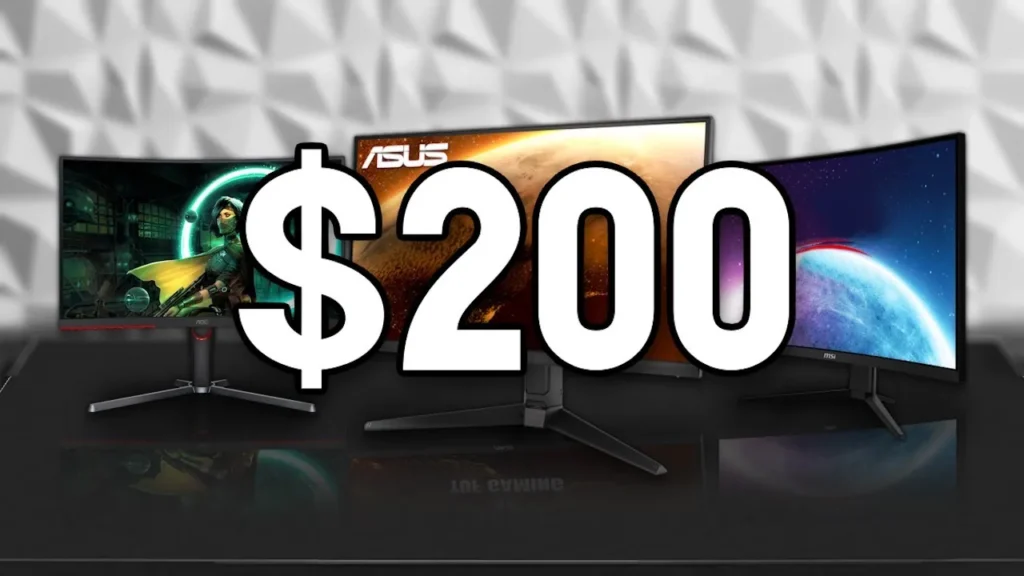
Best Gaming Monitors Under $200: Top 7 Picks for 2026

Best Gaming Monitors Under $200: Top 7 Picks for 2026

Bottom Line In this article, we will walk you through the top best 7 gaming monitors under $200 that deliver serious performance without draining your wallet. Expert Review Topic See Price 4.6   If you have been searching for a high-quality gaming display that hits the sweet spot between price and performance, you are in the right place. We have handpicked monitors from trusted brands like AOC, LG, Acer, ASUS, and ASRock — all confirmed available on Amazon for US buyers and worldwide shipping. Read this post to the end to choose the right monitor for your gaming setup. Whether you play fast-paced competitive shooters or open-world RPGs, there is a perfect pick on this list for you. 1. AOC Q27G41ZE — Best Overall Screen Size: 27 inches | Resolution: QHD 2560×1440 | Panel: Fast IPS | Refresh Rate: 240Hz (OC to 260Hz) | Response Time: 0.3ms | Sync: G-Sync Compatible + FreeSync | HDR: HDR Ready The AOC Q27G41ZE sits at the top of this list for good reason. It is one of the rare monitors at this price point that gives you QHD resolution, a 240Hz refresh rate, and a blazing 0.3ms response time — all in one package. According to AOC’s official product page, the Q27G41ZE features a 27-inch Fast IPS panel with a native 2560×1440 resolution and can be overclocked up to 260Hz for even smoother gameplay. What makes this monitor stand out is how much it punches above its price. You get NVIDIA G-Sync compatibility alongside AMD FreeSync, meaning it plays nicely with both GPU brands with zero screen tearing. The Shadow Control and Game Mode presets let you fine-tune visuals without delving into complex settings. It also comes with a VESA mount option and a tilt range of -3° to +21°, giving you solid ergonomic flexibility. For competitive gamers who want sharp 1440p visuals without spending $300 or more, this is the single strongest option in the under-$200 market right now. Pros: QHD resolution with wide IPS viewing angles 240Hz refresh rate, overclockable to 260Hz 0.3ms MPRT response time for minimal blur Works with both AMD and NVIDIA GPUs 3-Year Zero-Bright-Dot warranty from AOC Cons: Tilt-only stand limits ergonomic adjustment 300-nit brightness may feel dim in very bright rooms Who Should Buy This Monitor: Competitive gamers who want 1440p sharpness without paying a premium price Players who use either an AMD or NVIDIA GPU and need universal sync support Gamers upgrading from a 1080p monitor and looking for a visible resolution jump Anyone who wants a brand-name monitor with a solid warranty backing, under $200 2. LG 24GS65F-B — Best for Pure Gaming Screen Size: 24 inches | Resolution: FHD 1920×1080 | Panel: IPS | Refresh Rate: 180Hz | Response Time: 1ms (GtG) | Sync: G-Sync Compatible + FreeSync | HDR: HDR10 LG’s UltraGear lineup has built a reputation for delivering real gaming performance without the marketing fluff, and the 24GS65F-B is one of the best examples at the budget level. Recommended by RTINGS as the top pick for the best gaming monitor under $200, this 24-inch IPS panel covers 99% of the sRGB color gamut and pairs with a 180Hz refresh rate and 1ms GtG response time. According to LG’s official US product page, this monitor is officially validated by NVIDIA as G-Sync Compatible and also supports AMD FreeSync for tear-free gameplay on both platforms. The stand is ergonomically complete — it adjusts for tilt, height, and pivot, which is genuinely rare at this price. The three-sided, virtually borderless design keeps your desk looking clean and makes it easy to set up in a multi-monitor configuration. If you are primarily building a budget gaming rig and want the smoothest possible gameplay at 1080p, the LG 24GS65F-B is the most trusted option in this price range. Pros: Officially G-Sync Compatible, validated by NVIDIA Full ergonomic stand (tilt, height, pivot) — rare under $200 99% sRGB color gamut for vivid and accurate visuals HDR10 support for compatible game content LG’s premium build quality at a budget price Cons: 1080p resolution may feel limiting for those used to 1440p No built-in speakers Who Should Buy This Monitor: Gamers who want the best pure gaming performance under $200 Players on AMD or NVIDIA GPUs who need certified tear-free support Those who value an adjustable stand and ergonomic flexibility Budget builders who trust a well-known brand with a proven track record 3. Acer Nitro XV272U — Best Refresh Rate Screen Size: 27 inches | Resolution: WQHD 2560×1440 | Panel: IPS | Refresh Rate: 300Hz | Response Time: 0.5ms | Sync: FreeSync Premium | HDR: DisplayHDR 400 The Acer Nitro XV272U is one of the most impressive monitors on this list for the price. A 300Hz refresh rate at 1440p resolution under $200 is genuinely hard to believe, and yet here it is. This monitor is built for players who prioritize raw speed above everything else — competitive FPS gamers, in particular, will immediately notice the difference between 144Hz and 300Hz in fast-moving games like Valorant, CS2, or Apex Legends. The IPS panel ensures wide viewing angles and accurate colors, while DisplayHDR 400 certification means you get beyond basic HDR quality. AMD FreeSync Premium support keeps frame delivery consistent, and the 0.5ms response time prevents ghosting even at the highest frame rates. For anyone who wants competitive-level speed without the premium price tag of a 360Hz or 500Hz monitor, the Acer Nitro XV272U is outstanding value. Pros: 300Hz refresh rate is exceptional at this price 1440p WQHD resolution delivers sharp, detailed visuals DisplayHDR 400 certified for enhanced contrast and color 0.5ms response time eliminates ghosting in fast-paced games FreeSync Premium for consistent, smooth frame delivery Cons: Requires a capable GPU to push 300fps at 1440p Stand may have limited ergonomic range at this price Who Should Buy This Monitor: Competitive FPS gamers who want the fastest possible refresh rate under $200 Players with mid-to-high-end GPUs who can actually hit high frame rates at 1440p Gamers upgrading from 144Hz

Best Gaming Monitors Under $200: Top 7 Picks for 2026 Read More »

Blog, Gadget,
LG G5 Panel Technology

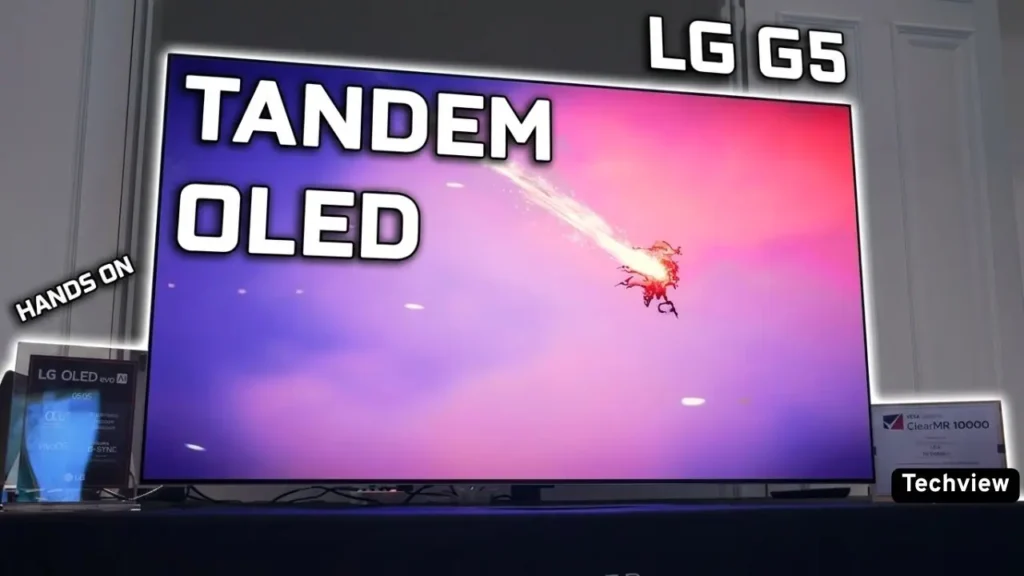
LG G5 Panel Technology: What Makes It Special?

  If you are looking at premium OLED TVs in 2025, the LG G5 will almost certainly come up. It is one of the most talked-about TVs of the year — and a big reason for that is the panel technology packed inside it. LG did not just refresh the design or add a new remote. They introduced a genuinely new display panel that pushes OLED performance further than before. This article breaks down exactly what panel technology the LG G5 Panel Technology uses, how it works, what is new compared to previous models, and whether it actually makes a real difference in daily use. What Type of Panel Does the LG G5 Use? The LG G5 uses OLED display technology — specifically, a newer, more advanced version of it. In 2025, LG’s G-series moved away from the MLA (Micro Lens Array) panel in favor of LG Display’s new 4-layer WOLED structure, also known as Primary RGB Tandem or 4th generation OLED. In previous models like the G4, LG used a 3-layer OLED structure combined with Micro Lens Array (MLA) technology to boost brightness. The G5 drops MLA and instead stacks four layers of OLED light-emitting material on top of each other. More layers mean more light output — and that is the core idea behind this upgrade. This panel is also referred to as 4-stack WOLED or Primary RGB Tandem OLED, terms you will see used across tech reviews and display databases. The “W” in WOLED stands for white — LG’s OLED panels use white light sources alongside color filters to produce their final image, which is a different approach from Samsung’s QD-OLED panels that use blue OLEDs and quantum dots. The 4-Layer OLED Structure Explained Simply Traditional OLED panels stack two or three light-emitting layers to generate brightness. The G5 goes one step further. The existing WOLED panel stacks light-emitting layers in three layers (3-stack), but the newly introduced technology stacks one more layer and improves light-emitting elements and blue light-emitting materials. Think of it like this: if one layer of lights gives you a certain brightness level, adding a fourth layer on top adds more output without needing a stronger power supply. In fact, the extra layer actually makes the panel more efficient, not less. LG G5 has been certified as consuming 132W and 164W in 55 and 65 inches respectively, compared to 161W and 209W for G4 from 2024 — representing up to a 21% decrease in power consumption. So you get more brightness and lower energy use at the same time. That is a genuine engineering achievement. Brightness: How Big Is the Improvement? Brightness has always been OLED’s weakest point compared to high-end LCD panels. Peak brightness has increased to 2200 nits on the G5 in calibrated mode — even higher in the Vivid profile. As such, the LG G5 takes the crown as the OLED TV with the highest HDR brightness. For comparison, the G4 from last year measured around 1650 nits peak brightness in calibrated mode. That is a significant jump, and it shows in real-world use — especially in HDR content where bright highlights like sunlight, fire, or reflections now look much more vivid and punchy. In full screen (100%), the 65-inch sample hit 360 nits, which is 50% higher than last year’s G4. Full-screen brightness matters a lot for bright room viewing, because it represents how bright the TV gets when the whole screen is lit up, not just a small highlight area. Ultra-Low Reflection Technology One of the more impressive features added to the G5’s panel is how it handles reflections. LG Display has developed a special film that offsets both light reflected from the display’s surface and light absorbed and reflected inside the panel. With this ultra-low reflection technology, the fourth-generation OLED TV panel blocks 99% of internal and external light reflections, realizing perfect black even in a midday living room setting at 500 lux. This is a huge practical benefit. Most TVs struggle in bright rooms because light from windows and lamps reflects off the screen and washes out the image. The G5 tackles this problem at the panel level itself. The result is that you can enjoy the deep blacks OLED is famous for even when your room is well-lit — not just in a dark home theater. Color Performance The new WOLED panel structure also promises an expanded color gamut, and there has been a slight increase in Rec.2020 color gamut coverage. The G5 covers a wide range of professional color spaces, making it suitable not just for entertainment but also for those who use a large TV for content review or creative work. That said, some expert reviews point out one limitation. WOLED has not caught up to QD-OLED in color saturation, but it has caught up when it comes to power consumption. Samsung’s QD-OLED panels still have an edge in pure color richness, especially in saturated reds and greens. The G5 closes that gap somewhat but does not fully eliminate it. Refresh Rate and Gaming Features The LG G5 offers a variable refresh rate up to 165Hz with NVIDIA G-Sync, AMD FreeSync Premium, and VESA ClearMR 10000 certification. This makes the G5 a strong option for gaming as well. The 165Hz refresh rate means smoother motion compared to standard 120Hz OLED TVs. Variable refresh rate support means screen tearing is eliminated when connected to a PC or compatible gaming console. VESA ClearMR 10000 is a motion clarity certification that confirms the panel handles fast-moving scenes with minimal blur. For gamers who want the benefits of an OLED panel — perfect blacks, fast response times, wide viewing angles — combined with a higher refresh rate, the G5 delivers well on that front. How Does the G5 Compare to Previous LG G-Series TVs? Here is a simple breakdown of how the panel technology has evolved: Model Panel Type Peak Brightness Key Tech LG G3 3-stack WOLED + MLA ~1,200 nits MLA for brightness boost LG

LG G5 Panel Technology: What Makes It Special? Read More »

Technology, Blog
What is IPS Technology in Monitors?

What is IPS Technology in Monitors?

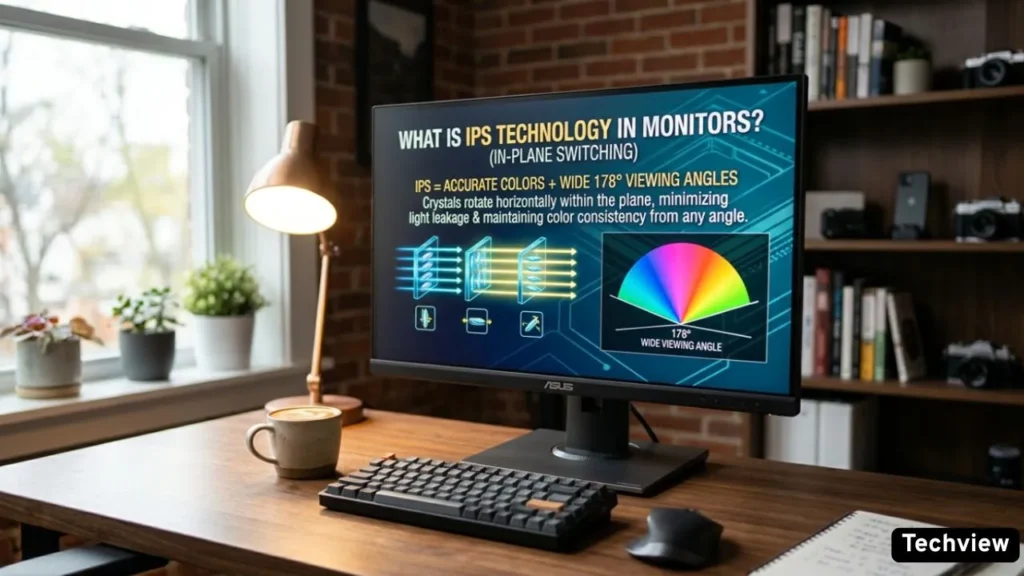
What is IPS technology in monitors? If you have ever gone display shopping, you must have come across this term on product pages, spec sheets, and buying guides all the time. But what does it actually mean, and why does it matter for your setup? Let’s break it down in simple terms. IPS Full Form and Basic Meaning IPS stands for In-Plane Switching. It is a type of panel technology used in LCD (Liquid Crystal Display) monitors. IPS was developed to overcome the limitations of older Twisted Nematic (TN) panels, which had poor color reproduction and narrow viewing angles. In simple words, IPS is the technology inside your monitor screen that controls how colors are shown and from which angles you can see the screen clearly. How Does IPS Technology Work? To understand IPS, you first need to know a little about LCD screens. An IPS monitor is made up of backlighting behind a polarizer, which sits behind a liquid layer mixed with crystals. The monitor relies on perfect alignment of these liquid crystals to pass light to the next polarizer. These crystals spin into position when electrically charged. What makes IPS different from older TN panels is the direction these crystals move. IPS panels rotate liquid crystals on a horizontal axis — within the same plane as the screen. This in-plane motion reduces light leakage, ensures uniform color reproduction, and minimizes visual distortions. In simple language: the crystals in an IPS panel lie flat and rotate sideways, which gives you better, more consistent colors from any angle. Key Features of IPS Monitors 1. Wide Viewing Angles This is the biggest strength of IPS. IPS panels offer 178° viewing angles, ensuring visibility from almost any direction. So whether you are sitting directly in front of the screen or viewing from the side, the colors and brightness stay accurate. 2. Excellent Color Accuracy An IPS screen can show 256 shades of each primary color through 8-bit technology, producing much more natural color renderings than the 6-bit versions from TN monitors, which only show up to 64 shades per primary color. This is why photographers, graphic designers, and video editors prefer IPS monitors — what they see on screen matches the final output. 3. Color Consistency Across the Screen Color and brightness remain stable across the entire screen. No uneven shading or color is shifting even in the corners of the display. 4. No Burn-In Risk An IPS panel monitor does not risk burn-in with constant exposure to the same static elements over time. This makes it a safe choice for people who work long hours on the same screen with static interface elements. IPS vs TN vs VA — What’s the Difference?   Panel Type Color Accuracy Viewing Angles Contrast Ratio Best Used For IPS 🌟 Excellent (Best) 178° (Wide) 1000:1 (Average) Content Creation, Editing, Everyday Use VA 👍 Good Moderate 3000:1+ (Excellent) Movies, Media Consumption, Dark Rooms TN 📉 Poor Narrow (Shifts color) 1000:1 (Average) Competitive Gaming (Ultra-Fast Speed) There are three main types of LCD panels: IPS, TN, and VA. Each has its strengths. TN (Twisted Nematic): TN panels offer the fastest response times and are cost-efficient, but suffer from poor color reproduction and very limited viewing angles. A TN display viewed even slightly off-center will show significant shifts in brightness and contrast. They are mostly used by competitive gamers who need extreme speed. VA (Vertical Alignment): VA panels improve on contrast and black levels compared to TN, but still lag behind IPS in viewing angle stability and color accuracy. They are a good middle-ground option for watching movies. IPS: IPS panels strike the best balance — wide viewing angles, consistent brightness, and reliable color performance. They are the preferred choice for designers, professionals, and general users who want quality visuals. Pros and Cons of IPS Monitors Pros: Cons: IPS display technology is more expensive to produce than TN and VA panels and requires more power. Response time is also slightly longer than TN panels. Additionally, IPS panels are sometimes subject to backlight bleeding, where light leaks around the edges or corners of a display. Types of IPS Panels IPS technology has evolved a lot over the years. The introduction of Advanced High-performance IPS (AH-IPS) in 2011 marked a significant milestone, offering an enhanced color gamut, increased resolution, higher brightness, and lower power consumption. This was followed by Plane to Line Switching (PLS) and Super-IPS (S-IPS), each offering incremental improvements. Nano IPS technology has taken color accuracy even further, offering a 135% sRGB color gamut.    Who Should Buy an IPS Monitor? which is beter for gaming For gaming, the answer isn’t a simple “this one is best.” The ideal monitor panel for you depends entirely on what kind of games you play and what you value most: pure speed, immersive visuals, or a balance of both. I have generated three images to help visualize these differences: Immersive Gaming (IPS/VA): This scene showcases a visually stunning open-world game (like a fantasy RPG) running on an IPS or high-quality VA panel. It prioritizes rich colors, deep blacks (for VA), and wide viewing angles to pull you into the game world. Competitive Gaming (Fast IPS/TN): This image captures a fast-paced esports title (like a first-person shooter). The image itself is very crisp and clear, illustrating how a Fast IPS or traditional TN panel with a high refresh rate (e.g., 240Hz+) and low response time eliminates motion blur and ghosting, giving you a competitive edge. Balanced Gaming (IPS): This setup focuses on versatility. Running an action-adventure game, it shows the “all-rounder” nature of a modern IPS panel, offering great colors for immersive moments while being fast enough to handle most action without distracting artifacts. Comparison of Panels for Gaming Feature Fast IPS (Highly Recommended) TN (Legacy Speed) VA (For Contrast) Best For All-Around, Action, Casual Esports Ultra-Competitive Esports Cinematic RPGs, Simulation, Media Colors/Visuals Excellent Poor/Washed Out Good Motion Clarity Very Good Excellent Fair (Can suffer from black smearing) Response Time Fast (1ms typical) Fastest

What is IPS Technology in Monitors? Read More »

Blog, Technology
Monitor Technology NVIDIA

Monitor Technology NVIDIA: The Complete Guide to G-SYNC, Reflex, and What Actually Matters in 2026

Monitor technology NVIDIA doesn’t just make graphics cards. They own the entire gaming display ecosystem. From G-SYNC to Reflex to the brand-new Pulsar technology, NVIDIA has spent over a decade making monitors better. But here’s the thing — most gamers don’t actually understand what any of this stuff does. They see a G-SYNC sticker and assume it’s good. Sometimes it is. Sometimes it isn’t. Let’s break down NVIDIA’s monitor technology properly. No fluff. Just real info from real testing. G-SYNC: The Foundation That Changed Everything Back in 2013, screen tearing was the enemy. You either turned V-SYNC on and dealt with input lag, or left it off and watched your screen split apart during fast motion. NVIDIA fixed this with G-SYNC. The original G-SYNC put a dedicated NVIDIA processor inside the monitor. This chip synchronized the display’s refresh rate with your GPU’s frame output. If your GPU pushed 47 frames per second, the monitor refreshed at 47Hz. At 143 FPS, it hit 143Hz. No tearing. No stuttering. Smooth frames at any speed. That was revolutionary. Tim Sweeney from Epic Games called it “the biggest leap forward in gaming monitors since we went from standard definition to high-def.” John Carmack said once you played on G-SYNC, you’d never go back. They weren’t wrong. But G-SYNC evolved. Three tiers now exist, and they matter. G-SYNC Ultimate: The Premium Tier This is the top shelf. G-SYNC Ultimate monitors pack the best NVIDIA processors and deliver the full experience — ultimate HDR, stunning contrast, cinematic color, and ultra-low-latency gameplay. These displays undergo rigorous factory calibration. NVIDIA tests thousands of panels but only certifies the ones that pass every test. If you see the G-SYNC Ultimate badge, you’re getting the best of everything. These monitors typically cost more. They also perform better than anything else on the market. G-SYNC: The Enthusiast Sweet Spot Standard G-SYNC monitors still use NVIDIA processors. They deliver tear-free, stutter-free gaming with full variable refresh rate ranges and variable overdrive. The image stays pristine. Gameplay feels outstanding. Pro-level gamers rely on these displays. The difference from Ultimate? HDR performance takes a step back. You still get excellent gaming, but the cinematic HDR experience isn’t quite as dramatic. G-SYNC Compatible: The Budget Option Here’s where confusion creeps in. G-SYNC compatible monitors don’t use NVIDIA hardware at all. They’re regular displays with adaptive sync capabilities that NVIDIA has validated. The company runs over 300 tests on each model. If it passes, it gets the badge. Does it work? Yes. You get basic variable refresh rate. Tearing disappears. Stuttering reduces. But it’s not the same experience as a true G-SYNC or G-SYNC Ultimate display. The VRR range might be narrower. Overdrive might not adapt as smoothly. It’s good. It’s not great. In 2026, NVIDIA added 63 new G-SYNC Compatible displays to the list. That includes Samsung’s wild 1,040Hz Odyssey G60H monitor and new 2026 TVs from LG and Samsung. More choice is always good. Just know what you’re buying. G-SYNC Pulsar: The Big New Thing for 2026 January 7, 2026 changed the game. NVIDIA launched G-SYNC Pulsar, and it’s not a minor update. It’s a fundamental rethinking of how displays handle motion. Here’s the problem Pulsar solves. Traditional G-SYNC eliminates tearing and stuttering. But it doesn’t fix motion blur. Your eyes track movement across the screen, and because each frame holds for a fraction of a second, blur persists. This isn’t in-game motion blur you can turn off. It’s display motion blur baked into how LCD panels work. NVIDIA tried fixing this before. ULMB and ULMB 2 used backlight strobing to reduce blur. But they only worked at fixed refresh rates. You had to choose — smooth variable refresh OR motion clarity. Never both. G-SYNC Pulsar gives you both. How Pulsar Actually Works Pulsar uses variable frequency backlight strobing. The monitor’s backlight divides into multiple horizontal sections. Each section pulses independently from top to bottom. Pixels get almost a full frame time to reach correct values before the backlight flashes. The pulse itself lasts just 25% of a frame time and happens right before the next frame overwrites the screen. The result? At 250 FPS, Pulsar delivers the effective motion clarity of a theoretical 1,000Hz monitor. That’s quadruple the perceived refresh rate. No tearing. No stuttering. And blur that practically vanishes. NVIDIA tested this with pursuit cameras recording Counter-Strike 2. The difference between Pulsar on and off is immediate. Target tracking improves. Hit rates go up. For competitive players, this is a genuine edge. For immersive games, Pulsar keeps the world sharp when you pan the camera. In Anno 117: Pax Romana, navigating busy maps feels clearer. You spot units and structures faster. The blur that used to smear detail during motion? Gone. The First Pulsar Monitors Four monitors launched with Pulsar on January 7, 2026: Acer Predator XB273U F5 ASUS ROG STRIX Pulsar XG27AQNGV AOC AGON PRO AG276QSG2 MSI MPG 272QRF X36 All four share the same base specs. 27-inch IPS panel. 2560×1440 resolution. 360Hz native refresh rate. 500 nits peak HDR brightness. Prices start at $599 in the US. These monitors also include firmware update ports. NVIDIA released version 1.1.4 already, fixing double images below 90 FPS and adding a fixed 60Hz strobing mode for locked-framerate games. Future improvements will come through updates. That’s smart. Pulsar’s Limitations Pulsar doesn’t work below 90 FPS by default. If your system struggles to maintain that floor, you lose the strobing benefit. The 60Hz fixed mode helps for console ports and older games, but it’s a compromise. Also, Pulsar currently only exists on these four 1440p 360Hz IPS models. No 4K. No OLED. No ultrawide. NVIDIA will expand eventually. For now, competitive 1080p and 1440p players get the first taste. G-SYNC Ambient Adaptive Technology: Set It and Forget It Every Pulsar monitor also ships with Ambient Adaptive Technology. A built-in light sensor reads your room’s lighting and automatically adjusts color temperature and brightness. Night gaming? The display dims and warms. No more blinding brightness at

Monitor Technology NVIDIA: The Complete Guide to G-SYNC, Reflex, and What Actually Matters in 2026 Read More »

Technology, Blog,
Best Monitor Technology for Gaming

Best Monitor Technology for Gaming in 2026: A Complete Guide

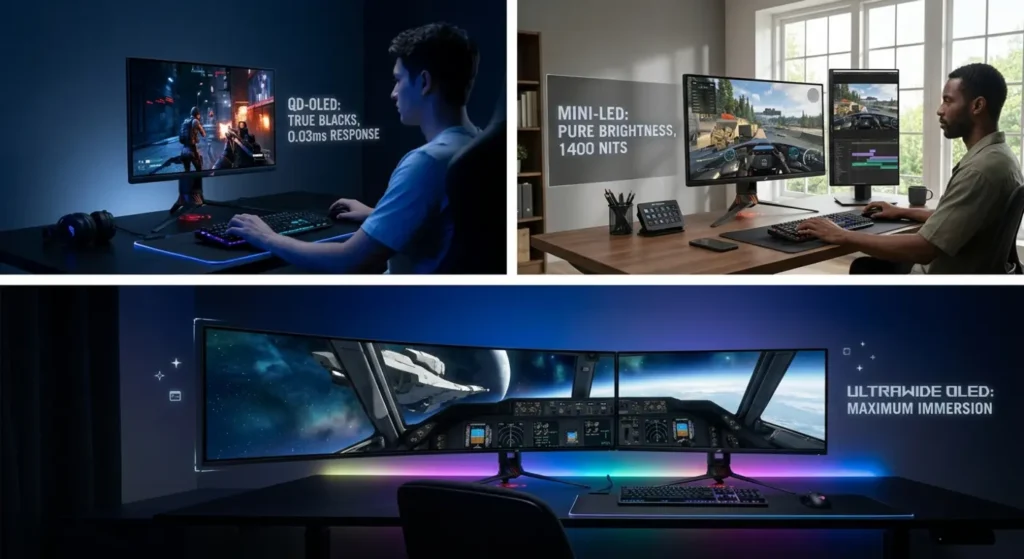
Gaming has changed a lot. The monitors we used five years ago feel ancient now. And in 2026, picking the best monitor technology for gaming is not just about getting a big screen — it is about choosing the right panel, the right refresh rate, and the right resolution for the way you actually play. This guide breaks everything down. No tech jargon. No fluff. Just real, useful information so you can make the right call. Why Your Monitor Matters More Than You Think Your GPU can push 300 frames per second. But if your monitor only refreshes 60 times per second, you are seeing 60 frames. That is it. A great monitor does not just make games look better — it makes you play better. Faster response times mean you react faster. Higher refresh rates mean motion looks smoother and cleaner. The right panel technology means dark scenes actually look dark, not washed out gray. In 2026, the gap between a budget monitor and a premium one is massive. Let us look at every major technology you need to know. The Main Panel Technologies in 2026   1. QD-OLED — The Best All-Around Technology Right Now If you want one technology to know about, it is QD-OLED. This is the clear winner for most gamers in 2026. QD-OLED stands for Quantum Dot OLED. Samsung Display builds the panels, and brands like ASUS, MSI, and Dell use them in their top monitors. Here is how it works — a blue OLED layer lights up quantum dots that produce red and green light. No color filter needed. The result is colours that pop with incredible accuracy and vibrancy. Every single pixel creates its own light. When a pixel needs to show black, it simply turns off completely. That means you get true black — not dark grey, but actual black. The contrast is infinite. Games with dark environments look completely different on a QD-OLED compared to a regular LCD. Response time on QD-OLED is around 0.03ms. That is almost instant. No ghosting. No trailing. Fast-moving objects in games stay sharp and clean. The 5th generation QD-OLED panels in 2026 are noticeably brighter than earlier versions, pushing past 1000 nits peak brightness. This makes HDR content look genuinely impressive, not just “slightly brighter.” Best for: Competitive gamers who also care about image quality. Open-world games, shooters, RPGs — this panel handles everything. Top pick: ASUS ROG Swift OLED PG27UCDM — 4K, 240Hz, QD-OLED. Reviewed as the best gaming monitor tested by RTINGS in 2026. 2. WOLED (White OLED) — Outstanding Image Quality WOLED is the other type of OLED technology. LG makes most of these panels. Instead of quantum dots, it uses white, red, green, and blue subpixels together. Modern WOLED panels now include MLA — Micro Lens Array. This is a layer of tiny lenses that focuses light toward your eyes, boosting brightness without using extra power. It is a clever piece of engineering. WOLED delivers the same perfect blacks as QD-OLED. Response time is also near zero. Where it slightly differs is in color vibrancy — QD-OLED tends to produce more saturated, vivid colours, while WOLED feels a touch more natural and accurate. ASUS uses WOLED panels in monitors like the ROG Swift OLED PG32UCDP, which features a unique dual-mode system. One panel can run at 4K/240Hz for cinematic gaming and 1080p/480Hz for competitive shooters. Two monitors in one. Best for: Gamers who want top-tier visual quality and also use their monitor for creative work or content consumption. 3. Mini-LED — The Bright Alternative Not everyone wants OLED. Mini-LED is a strong alternative — and in some areas, it actually wins. Here is what Mini-LED does. Instead of one backlight behind the entire screen, thousands of tiny LEDs light up different zones independently. This gives you much better control over brightness and contrast compared to old LCD monitors. The ASUS ROG Swift PG32UQX, for example, uses 1,152 individual dimming zones. Bright areas of the screen stay bright. Dark areas dim down. It is not as perfect as OLED’s pixel-level control, but it gets much closer than standard LCD ever could. Where Mini-LED genuinely beats OLED is peak brightness. Some Mini-LED monitors hit 1,400 nits sustained brightness. That is excellent for HDR and for use in bright rooms. OLED panels can struggle in very bright environments where sunlight hits the screen. Mini-LED also has zero burn-in risk. That is a real advantage for gamers who play the same game with a fixed HUD for many hours every day. Pricing is another factor. A quality 32-inch 4K Mini-LED monitor can offer better value than a 32-inch 4K OLED at the same size category. Best for: Bright room gaming, HDR enthusiasts, gamers worried about burn-in, and those who want large 32-inch+ screens without paying OLED prices. 4. IPS (In-Plane Switching) — The Reliable Classic IPS is not flashy. But it is still very good — and very affordable. Standard IPS uses a backlight that shines through liquid crystal layers. Black levels are not as deep as OLED. Contrast ratio is typically around 1000:1. But colour accuracy is excellent, viewing angles are wide, and prices are much lower. In 2026, IPS panels at 1440p and 165Hz or 240Hz are great entry points into high-refresh gaming. The LG UltraGear 27GR83Q is a solid example — 1440p, 240Hz, Nano IPS, 1ms GtG response time, and 98% DCI-P3 colour coverage. For competitive FPS players who prioritise pure speed over picture quality, IPS is still a strong choice. You get excellent motion clarity at a price that leaves budget for better GPU upgrades. Best for: Budget-conscious gamers, esports players, and those stepping up from a 60Hz screen for the first time. Refresh Rate — How Much Do You Actually Need? This is one of the most common questions in 2026. Here is a straight answer. 144Hz — The sweet spot for most gamers. Night and day difference from 60Hz. Smooth, responsive, comfortable. 240Hz — Highly recommended in

Best Monitor Technology for Gaming in 2026: A Complete Guide Read More »

Blog, Technology
Best Budget OLED Gaming Monitors

10 Best Budget OLED Gaming Monitors: Top Picks for 2026

Bottom Line Finding the best budget OLED gaming monitors is no longer a dream for gamers who want deep blacks and vibrant colors. Although OLED technology used to cost a fortune, the market has changed and now there are a few models that offer elite performance at a fraction of the cost. Design:⭐⭐⭐⭐⭐(5) Display:⭐⭐⭐⭐★(4.5) Performance:⭐⭐⭐⭐★ (4.5) Price/Value: ⭐⭐⭐⭐★ (4.5) See Price 4.6 This guide will present the top 10 monitors that deliver that infamous infinity contrast without busting your budget. We are venturing into the realm of the cheap OLED displays in this article. We will break down refresh rates and panel type to color accuracy and response times. Are you a competitive eSports player or a cinematic gamer? In any case, this list of the best budget OLED gaming monitors will help you make the right choice for your setup. The Rise of the Best Budget OLED Gaming Monitors: Premium Tech for Less The demand for the best budget OLED gaming monitor has skyrocketed as display manufacturers refine their production processes. OLEDs were previously only available in expensive TVs, but smaller, game-specific sizes are now more common. The response times on these monitors are almost instant, making them better than conventional LCD and IPS panels for fast action. You can still get a quality budget-friendly OLED. A large number of more recent models use QD-OLED or WOLED technology, offering peak brightness and breathtaking HDR performance. By focusing on models that offer the best price-to-performance ratio, we have created a list that helps you get the best deal for every dollar spent on your gaming upgrade. 1. Alienware AW2725DF OLED Alienware AW2725DF is the powerhouse of the 1440p category, with the gorgeous 3rd Gen QD-OLED panel. It is believed to be one of the quickest displays on the market, with a massive 360Hz refresh rate that delivers unbelievably smooth motion. Colors are lively when you take them out of the box and the 0.03ms response time means that ghosting is a relic. It is a slick, good-looking monitor that fits well into any expensive gaming setup. Pros: Incredible 360Hz refresh rate for ultra-smooth gaming. Vibrant QD-OLED colors with 99.3% DCI-P3 coverage. Extremely fast 0.03ms GtG response time. Premium build quality with a highly adjustable stand. Three-year warranty that covers potential OLED burn-in. Cons: The peak brightness in SDR mode is somewhat limited. The triangular base takes up significant desk space. Why You Should Buy This Monitor: Best-in-class motion clarity for competitive shooters. Stunning HDR performance for cinematic single-player games. Future-proof technology with the latest QD-OLED panel. Reliable burn-in protection for long-term peace of mind. Excellent connectivity including high-speed USB ports. Summary: The Alienware AW2725DF is the standard of 27-inch gaming monitors. Should you desire the highest refresh rate available alongside OLED’s beauty, this is the best bet. It offers an excellent experience that cannot be matched in the market.  2. AOC Agon Pro AG326UD Should you need even more screen space and a more detailed display, the AOC Agon Pro AG326UD is a very nice 31.5-inch 4K OLED model. Although its refresh rate is slightly lower at 165Hz in comparison to its smaller counterparts, the transition to 4K resolution is insanely sharp and immersive when playing games. The colors on the QD-OLED panel are sure to pop which makes it an excellent hybrid between gaming and professional creative work.  Pros: Crisp 4K resolution provides amazing image detail. Large 31.5-inch screen for a more immersive experience. Excellent color accuracy suitable for photo and video editing. Sleek Agon Pro design with customizable RGB lighting. Multiple input options including HDMI 2.1 for consoles. Cons: 165Hz is lower than other 1440p OLED competitors. Requires a very powerful GPU to hit 4K frame rates. Why You Should Buy This Monitor: Perfect for gamers who prefer high-resolution visuals over ultra-high refresh rates. Great for multitasking and productivity due to the large screen size. Exceptional contrast and deep blacks for dark-room gaming. Solid build with premium materials and ergonomic adjustments. Built-in speakers that are surprisingly decent for casual use. Summary: The AOC AG326UD has a great resolution and screen size that makes it a great option. It delivers the upscale of 4K OLED to your desk in a professional appearance and high-quality performance that will earn its spot on any desk.  3. ASUS ROG Strix XG27AQDMG The ASUS ROG Strix XG27AQDMG features a Glossy WOLED panel. The majority of gaming monitors have a matte finish, but a glossy layer makes colors look even brighter and blacks even darker. It provides a 240Hz refresh rate and features ASUS proprietary heatsink technology to prevent burn-in and keep the screen from darkening significantly during extended play. Pros: Glossy panel finish offers superior clarity and “pop.” Custom heatsink effectively manages heat and prevents burn-in. High 240Hz refresh rate perfect for fast action. Extensive gaming features like GamePlus and GameVisual. Excellent build quality typical of the ROG Strix lineup. Cons: Glossy screens can show reflections in bright rooms. ASUS software can sometimes be a bit bloated. Why You Should Buy This Monitor: The best choice for users who play in controlled lighting environments. Superior black levels and contrast compared to matte OLEDs. Proven reliability with advanced thermal management systems. Highly customizable OSD for a personalized gaming experience. Compact base design that leaves plenty of room for your mouse. Summary: This monitor is a blessing for gamers who want the best possible image. This glossy cover does make a tangible difference in image quality, and the XG27AQDMG is one of the most impressive-looking 1440p monitors.  4. Gigabyte AORUS FO27Q3 A direct competitor to the high-end models is the Gigabyte AORUS FO27Q3, which boasts a blistering 360Hz refresh rate on a 1440p QD-OLED display. What makes this monitor unique is its “Tactical Features” such as Night Vision and an in-built crosshair, which gives a slight advantage to gamers. It also has an integrated KVM switch, allowing you to use the same keyboard and mouse to control multiple devices. Pros: Ultra-fast 360Hz refresh rate

10 Best Budget OLED Gaming Monitors: Top Picks for 2026 Read More »

Blog
10 Best Gaming Monitors for Xbox

10 Best Gaming Monitors for Xbox in 2026

Finding the best gaming monitors for Xbox is no longer just about picking a screen; it is about unlocking the full potential of your console. It depends on what screen you have: the mighty Xbox Series X or the small Series S, because it is what will determine how smooth your movements will be and how detailed the worlds will be. The leap to OLED and Mini-LED in 2026 has changed gamers’ expectations of their systems, bringing darker blacks and unmatched response times that a traditional TV can never match. Here, we have assembled the top 10 monitors from brands such as ASUS, Dell, LG, and Acer, which are among the world’s leading brands. These have been chosen for their support of 4K resolution, high refresh rates over HDMI 2.1, and HDR. Whether it is a tournament-winning eSports game or an open-world RPG that adds to the depth of the game, these monitors will be able to render each frame with surgical precision to provide you with a competitive advantage and a visual spectacle each time you turn on your Xbox. Why You Need a Dedicated Gaming Monitor for Your Xbox An Xbox Series X can also output 4K at 120Hz, but to actually view it, you need an HDMI 2.1 bandwidth monitor. A typical office monitor or an older television causes the screen to start tearing and input lag to be extremely high, and can be the difference between victory and defeat in a fast-paced first-person shooter. A gaming monitor has a Game Mode that bypasses intensive image processing, displaying your controller’s inputs on the screen immediately. Moreover, features such as Variable Refresh Rate (VRR) and Auto Low Latency Mode (ALLM) are common on the best gaming monitors for Xbox. These technologies synchronize the monitor’s refresh rate with the console’s output, preventing stuttering. All of these technical benefits, paired with the higher color quality of OLED or the high brightness of Mini-LED, make playing a game more like living one.   1. ASUS ROG Swift OLED PG32UCDM The ASUS ROG Swift OLED PG32UCDM is arguably the king of the “best gaming monitor for Xbox” category. Featuring a 32-inch 4K QD-OLED panel with a staggering 240Hz refresh rate, it provides the most vibrant colors and deepest blacks available today. For Xbox Series X players, HDMI 2.1 means you get flawless 4K at 120Hz. Its 0.03ms response time is virtually instantaneous, making motion blur a thing of the past. The custom heatsink keeps the OLED panel cool, significantly extending its lifespan compared to standard monitors. Pros: Breathtaking 4K QD-OLED visual quality. Ultra-fast 0.03ms response time for zero lag. Full HDMI 2.1 support for Xbox Series X. Exceptional HDR performance with deep blacks. Premium build quality with an integrated heatsink. Cons: Very expensive compared to IPS alternatives. Risk of OLED burn-in over long-term static use. Why should you buy this monitor? You want the absolute best visual experience available. You play a mix of competitive shooters and cinematic RPGs. You need a monitor that handles both PC and Xbox perfectly. You value perfect contrast and “true black” levels. You want a future-proof display that will last for years. Summary: This is the gold standard for high-end gaming. If your budget allows, the PG32UCDM offers a visual experience that makes every Xbox game look like a cinematic masterpiece. 2. GIGABYTE MO32U (32″ QD-OLED) The GIGABYTE MO32U is a 32-inch QD-OLED monitor that is powerful enough to keep gamers engrossed. It has 4K resolution and a native high frame rate, making it a perfect match for the Xbox Series X’s hardware. The QD-OLED technology also offers a wider color gamut and higher brightness than conventional OLEDs, with HDR content delivering sparkling detail. It also has tactical game support such as Black Equalizer and Crosshair overlays to put you at an edge during a dark gameplay environment. Pros: Superior color vibrance thanks to QD-OLED. Large 32-inch screen for a theater-like feel. A KVM switch for easy switching between the Xbox and the PC. Excellent motion handling with no ghosting. Sleek, modern design with a sturdy stand. Cons: Occupies significant desk space. Internal speakers are average at best. Why should you buy this monitor? You prefer a larger screen size for immersive gaming. You need accurate colors for both gaming and creative work. You want the latest QD-OLED technology at a competitive price. You frequently switch between multiple gaming devices. You play games with high-quality HDR environments. Summary: The GIGABYTE MO32U is a versatile giant. It balances professional-grade color accuracy with elite gaming specs, making it a top-tier companion for any Xbox setup. 3. Dell Alienware AW2725QF Alienware has always been associated with the gaming industry, and the AW2725QF is no exception. It is a 27-inch 4K monitor with speed focus and clarity. Although it is slightly smaller than the 32-inch monsters, it has a higher pixel density, and games appear amazingly clear. It is constructed using a high-quality panel, which supports Dolby Vision, which is an infrequent yet terrific attribute among gamers of Xbox. The company is the focal point of any gaming room with its iconic design, the legendary 3, and the ability to individually adjust the RGB lights. Pros: Incredible pixel density and image sharpness. Support for Dolby Vision HDR. Fast refresh rate and low input lag. Iconic Alienware aesthetics and RGB lighting. Excellent ergonomic adjustments (tilt, swivel, height). Cons: 27 inches might feel small for some 4K enthusiasts. The stand takes up a bit of depth on the desk. Why should you buy this monitor? You want a sharp, compact 4K display. You are a fan of the Alienware ecosystem and design. You want a monitor that supports Dolby Vision for Xbox. You have limited desk space but don’t want to sacrifice specs. You play competitive games where every millisecond counts. Summary: The Alienware AW2725QF is a refined gaming machine. It’s perfect for the “pro” gamer who wants high-end features in a more manageable 27-inch form factor. 4. ASUS ROG Swift

10 Best Gaming Monitors for Xbox in 2026 Read More »

Blog, Gadget, , ,
Best Monitor Size for Gaming

Best Monitor Size for Gaming Guide in 2026: 24 vs 27 vs 32-Inch Monitors

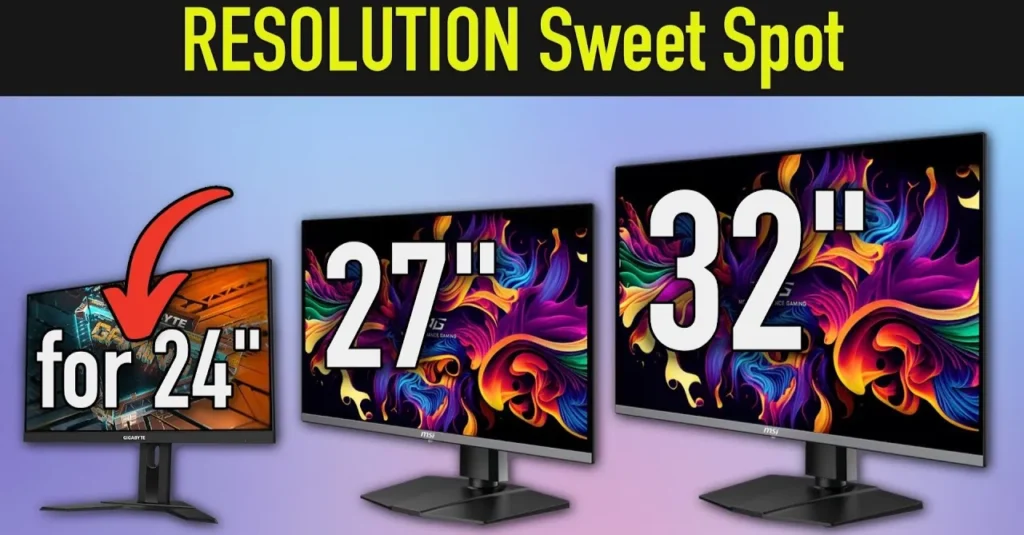
Choosing the best monitor size for gaming is easy to say, but finding a perfect gaming monitor is hard. Because some players say that a smaller screen provides a smooth gaming performance and helps to balance speed. And some other players say a big screen is best for smooth gaming. The truth is, there is no single perfect size for every gamer. The best monitor size depends on your gaming style, desk space, viewing distance, and the resolution you plan to use for gaming.  In this article, we will let you know the best monitor size for gaming. If you are in confusion, then read the post fully and make yourself clear about the matter and choose the best size for you. Quick Answer: What’s the Best Monitor Size for Gaming? For most gamers, the best monitor size for gaming is 27 inches, which is a perfect standard size for all gaming. It gives the best balance between screen space, sharp visuals, and comfort. This standard size works well for both competitive games and story-based games and it fits most desk setups without feeling too small or too overwhelming, providing smooth gaming performance.  On the other hand, a 24-inch is still excellent for competitive FPS gaming, where it provides smooth performance, and a 32-inch is a great option for immersive single-player gaming if you have enough desk space and the right resolution for the big size screen. 24-Inch Monitors: Best for Competitive Gaming A 24-inch monitor is one of the best choices for fast-paced competitive gaming, and it will provide smooth performance. It is especially popular in esports and FPS games because the smaller screen makes it easier to see everything without moving your head too much and give smooth gaming experience. Your eyes can focus on the center of the screen and still track enemies in the corners quickly. This size is ideal if your main goal is performance and reaction speed rather than cinematic visuals. It also works well for smaller desks and setups where you sit close to the screen. The best resolution for a 24-inch monitor is 1080p. At this size, 1080p looks sharp enough for gaming, and it is easier for your PC to maintain high FPS while providing high-speed, smooth gaming. This is a major advantage if you want to play at 144Hz, 240Hz, or even higher refresh rates, as you can achieve better performance.  24-inch is best for: 27-Inch Monitors: The Best All-Round Gaming Size The 27-inch monitor is widely considered the best monitor size for gaming because it feels like a real upgrade without becoming too large, ensuring faster gaming performance. It gives you more space compared to a 24-inch monitor and makes games feel more immersive, yet it still stays comfortable for long sessions. This size is perfect for gamers who play multiple types of games, such as FPS, RPG, racing, story games, and even casual games. It also works great for multitasking, watching content, and general computer use. The best resolution for a 27-inch monitor is 1440p. This combination delivers strong clarity, better detail, and a cleaner image than 1080p. It also gives a modern gaming experience without needing extreme GPU power like full 4K gaming. 27-inch is best for: 32-Inch Monitors: Best for Immersive and Cinematic Gaming A 32-inch gaming monitor is best for players who want maximum immersion with a large screen. It feels more like a cinematic screen and makes single-player games look more impressive visually. This size is excellent for open-world games, RPGs, racing games, and more games where you want to enjoy the visuals and detail rather than focus only on speed.  The biggest thing to understand is that 32-inch monitors require more space to set up the monitor on your desk. If you sit too close to a large screen, it can feel uncomfortable and force you to move your eyes and head more than usual. This can reduce comfort in competitive gaming where quick reaction matters. Resolution becomes very important at 32 inches. If you choose the large 32-inch display, then 1440p can still work and 4K is often the best match for this large size because it keeps the image sharp and detailed, especially in modern AAA games. 32-inch is best for: Ultrawide Monitors: Are They Better Than Standard Sizes? Do you know about the Ultrawide Monitor? Ultrawide monitors are a different experience compared to normal monitors. It provides a wider field of view and makes games feel more immersive, especially racing, simulation, and open-world games. Ultrawide screens are also excellent for productivity because you can keep multiple windows open side by side. Although ultrawide monitors are not always the best choice for competitive FPS players. Some games do not support ultrawide properly, and the extra width can distract competitive players who want everything centered and fast. Ultrawide monitors are great for: Ultrawide monitors are not ideal for: Why Resolution Matters More Than Size Alone One of the biggest mistakes gamers make is choosing a monitor size without considering resolution. A monitor might look large and impressive, but if the resolution does not match the size, the image can look soft or blurry. This is why the size and resolution combination matters so much. When the resolution is too low for a larger screen, the pixels become more visible and the image loses sharpness. When the resolution matches the screen size properly, everything looks clean, detailed, and comfortable. Best size and resolution combinations: Monitor Size vs Desk Setup: Choose What Fits Your Space Your desk size and seating distance matter as much as the monitor itself. A screen that looks perfect in a shop display might feel too big or too small once you use it at home. If you sit close to the screen, a 24-inch or 27-inch monitor will usually feel more comfortable. If you sit farther back or have a deep desk, a 32-inch monitor can feel much better and more natural. A good monitor should feel comfortable

Best Monitor Size for Gaming Guide in 2026: 24 vs 27 vs 32-Inch Monitors Read More »

Reviews, Blog, Gadget,
Best 1080p Gaming Monitor

Best 1080p Gaming Monitor, Best Choices for Smooth Gaming in 2026

Finding the best 1080p gaming monitor in 2026 is a smartest move for gamers if you want to make your gameplay smooth, faster with clear and sharp visuals. In this article, we will discuss of the top 1080p Full HD gaming monitors which are perfect for competitive FPS players, esports gamers, and casual users who want smooth performance while gaming. Here in the post will have some great 1080p monitor which we have chosed with well research and those monitors will provide the next level gaming performance at the affordable budget. Whether you want a professional esports display or a budget-friendly gaming monitor, the options below will help you choose the right one reading the whole content carefully. 1. BenQ Zowie XL2586X The BenQ Zowie XL2586X is a professional esports monitor that is designed to provide users high speed gameplay with sharpness. The monitor has a very high refresh rate of up to 540Hz, which is why it is one of the fastest 1080p gaming monitors in the market. It has a TN panel with DyAc+ technology that minimizes motion blur and offers crystal clear movement of the TN panel during high-intensity gaming. This monitor has a high 0.5ms response time which is a good features for a better gameplay.  Panel Type TN Display Size 24.1 inch Resolution  1920 x 1080 Refresh Rate 540Hz Response Time 0.5ms Adaptive Sync G Sync HDR Support HDR400 Connectivity/Ports HDMI 2.1, DisplayPort 1.4/2.1 Brightness 320 nits Color Gamut and Accuracy Adobe RGB Contrast Ratio 1000:1 Pixel Pitch 0.279 mm Pros: Cons: Who should buy this monitor: 2. Asus TUF Gaming VG279QM Asus TUF Gaming VG279QM is one of the most trending high-refresh 1080p gaming monitors in the market. It is provided with a 27-inch Full HD IPS screen and a maximum 280Hz overclocked refresh rate. The monitor has great color precision, expansive view, and a response time of 1ms to make the gameplay smooth.It also implements G-Sync compatibility and AMD FreeSync, which guarantee tear-free gaming. Asus Extreme Low Motion Blur (ELMB Sync) technology improves the clarity of motion and the HDR technology improves the quality of the visuals in modern games. Panel Type IPS Display Size 27 inch Resolution  (1920 x 1080) Refresh Rate 280Hz Response Time 1ms Adaptive Sync G-SYNC Compatible HDR Support HDR10 Connectivity/Ports DisplayPort 1.2 x 1HDMI(v2.0) x 2Earphone Jack: YesSpeaker : Yes(2Wx2) Brightness 400 Display Colors 16.7M Aspect Ratio 16:9 Contrast Ratio 1000:1 Pixel Pitch 0.311mm Viewing Angle 178°/ 178° Pros: Cons: Who should buy this monitor: 3. AOC Gaming 24GX AOC Gaming 24GX is a rapid and accurate 24-inch Full HD 1080p gaming monitors that can be used to play competitive games easily. It has a fast IPS panel that delivers color accuracy and a 180 Hz refresh rate. Low input lag and Adaptive Sync to tear-free gaming are also available on the monitor. The gaming functionality and adjustable stan,d combined with its slim design, give it a great mid-range option among gamers who do not have to spend much on it. Panel Type IPS  Display Size 24 inch Resolution  (1920×1080) Refresh Rate 180Hz  Response Time 1ms GtG / 0.5ms-1ms Adaptive Sync FreeSync Premium HDR Support HDR10 Connectivity/Ports 2x HDMI 2.0, 1x DisplayPort 1.4, headphone jack Brightness 300 Display Colors 16.7 Million Aspect Ratio 16:9 Contrast Ratio 1400:1 Pixel Pitch 0.2745 mm (H) × 0.2745 mm (V) Viewing Angle 178° (Horizontal) / 178° (Vertical) Pros: Cons: Who should buy this monitor: 4. AOC 24G2 / 24G2U The AOC 24G2 will be one of the most recommended budget in 1080p gaming monitors. It has a 24 inch IPS screen, 180 Hz refresh rate and 1ms response time. The monitor provides superior color and fluid operation in daily gaming and entertainment.This monitor has a lot of potential because it has FreeSync and low-blue-light mode, in addition to a fully adjustable stand, which makes it a highly affordable monitor. It is an ideal combination of functionality, affordability and aesthetics. Panel Type IPS LCD Display Size 23.8 inches Resolution  1920 x 1080 Refresh Rate 180Hz Response Time 1ms Adaptive Sync G-Sync Compatible HDR Support HDR Mode (Software-based visual enhancement; no native HDR10) Connectivity/Ports 1x HDMI 2.0, 1x Display Port Brightness 250 Display Colors 16.7 million Aspect Ratio 16:9 Contrast Ratio 1000:1 Pixel Pitch 0.2745 mm (H) × 0.2745 mm (V) Viewing Angle 178º horizontal, 178º vertical Pros: Cons: Who should buy this monitor: 5. Alienware AW2523HF The AW2523HF is an expensive 1080p gaming monitor that will appeal to the hardcore competitive gamer. It has a 24.5-inch IPS screen and a scorching-fast 360Hz refresh rate and 1ms response time. The monitor provides the very smooth motion and will work well with esports titles.This monitor is both a performance and a design, which can be supported by AMD FreeSync Premium, low latency performance, and the premium build quality of Alienware. Panel Type IPS LED Display Size 24.5 inch Resolution  1920 x 1080 Refresh Rate 360Hz  Response Time 1 ms Adaptive Sync VESA Adaptive-Sync, AMD FreeSync Premium HDR Support (USB, HDMI) Connectivity/Ports 2 x HDMIDisplayPort 1.4USB 3.2 Gen 1 downstream with Battery Charging 1.23 x USB 3.2 Gen 1 downstreamUSB 3.2 Gen 1 upstreamHeadphonesAudio line-out Brightness 400 Color Gamut 99% sRGB Display Colors 16.7 million Aspect Ratio 16:9 Contrast Ratio 1000:1 / 1000:1 Pixel Pitch 0.2829 mm × 0.2829 mm Viewing Angle 178° (H) 178° (V) Pros: Cons: Who should buy this monitor: 6. SANSUI 27 Inch Curved 240Hz Gaming Monitor The SANSUI 27 Inch Curved 240Hz 1080p Gaming Monitor is a budget-friendly design for smooth gaming and clear visuals while entertaining. It has a good 240Hz refresh rate with a good 1ms response time that will give you a smoother gameplay while casual and competitive gaming. They uasd a IPS panel that will provide good color and clear visuals while gaming and streaming. This will be your good choices in an affordable price. It has HDMI and DisplayPort for perfect connectivity for easy setup.  Panel Type IPS Display Size 27 Inch Resolution  1080p Refresh

Best 1080p Gaming Monitor, Best Choices for Smooth Gaming in 2026 Read More »

Blog, Gadget, , , ,
Best Gaming Monitors for Under $650

Best Gaming Monitors for Under $650 (Top 5 Picks for 2026)

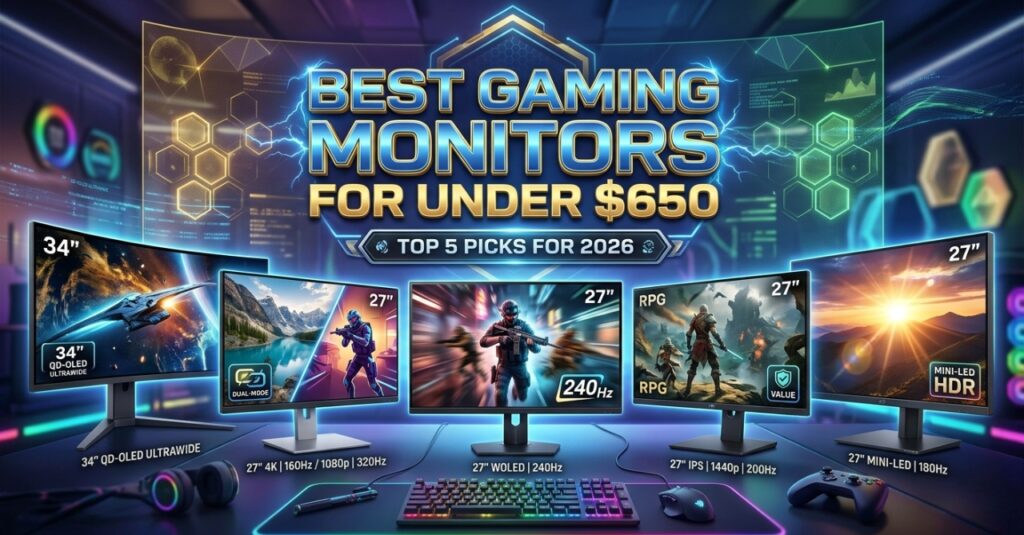
In this article, we will discuss about the top five best gaming monitors for under $650, which have advanced features and will provide you with next-level gaming experiences. If you are looking for high quality gaming monitor under $650, then you need to read the post carefully because we have picked some of the best monitors from high and valuable brands that will give you smooth gameplay. And if you read the post, you will be clear about the under $650 monitor.  So, read to post to the end that you will select the best high-quality gaming monitor for your best gaming setup, ensuring faster gaming with the high-speed monitor.  1. AOC Agon Pro AG276QZD2 AOC Agon Pro AG276QZD2 is one of the finest gaming monitors that cost less than 650 and have an OLED panel for good gaming performance. It is powered by a 26.5-inch QD-OLED panel with a 2560 x 1440 QD pixel density and has a very smooth 240Hz refresh rate as well as extremely fast 0.03ms of response time. This monitor is rich with blacks, colorful, and has huge contrast ratio with HDR10 support and 1000 nit peak brightness. It was compatible with Adaptive Sync with tear-free gaming and extensive color processing. Pros: Cons: Who should buy this monitor: Customers find this monitor to be a great gaming display with stunning HDR visuals, high contrast, and excellent color accuracy with near-perfect blacks. They consider it a good value for its price point. 2. Gigabyte MO32U (32-Inch) The Gigabyte MO32U is a strong 32-inch 4K gaming monitor that will allow the player to have an immersive gaming experience. It has a high quality (3840x2160pixels) UHD OLED display and a 165Hz refresh rate and 0.03ms response time to allow high-quality, responsive gaming. It has got an HDR Display which has got wide color gamut coverage, and this display is inbuilt KVM switch that allows multitasking on devices. The MO32U has FreeSync Premium Pro, low input lag, and there are several connectivity options, which combine to provide high-end performance in both gaming and productivity configurations. Pros: Cons: Who should buy this monitor: Perfect match for next-gen consoles. Display 4K @ 120 fps through HDMI 2.1 flawlessly. Really an incredible monitor for good gaming. Great monitor, color accurate and beautiful picture – as expected for OLED. Definitely recommend. 3. LG 27GX700A-B The LG 27GX700A-B is a premium gaming monitor of 27-inch size made of OLED display and optimized to play games as fast and competitive as possible. It has a QHD (25601440) screen and can have the maximum amount of 280Hz refresh rate and the ultra-fast response time of 0.03ms. The monitor has an extensive color range, HDR, and broad viewing angles to enjoy immersion. It has NVIDIA G-Sync compatibility and AMD FreeSync to minimize the effects of tearing and stuttering. Pros: Cons: Who should buy this monitor: 4. Alienware 27 4K Dual-Resolution Gaming Monitor (AW2725QF) The Alienware AW2725QF is a high resolution IPS 27-inch gaming monitor which is flexibly designed and performance oriented. It has a clear 4K UHD display that can be changed to a lower resolution to compete in a higher refresh rate game. It has a refresh rate of 180 Hz in order to perform smoothly. Its monitor has a rapid 0.5ms GTG 1ms response time, adaptive sync support, which will ensure you will have a tear-free gaming experience. It provides vivid colors, high brightness, and the classic high-end design of Alienware in terms of RGB light, solid construction. This monitor would be suitable to the gamers who are interested in visual clarity as well as having a high refresh rate gaming simultaneously on a single screen. Pros: Cons: Who should buy this monitor: The Dell AW2725QF is a great gaming monitor that offers two ways to play. You can use its 4K mode at 180Hz high refresh rate for stunning, highly detailed graphics in cinematic games. Alternatively, you can switch to Dual-Resolution mode, which drops the quality to 1080p but boosts the speed to 360Hz, making your gameplay feel much smoother and faster for competitive action. 5. ASUS TUF Gaming VG27AQ (27-Inch QHD) The ASUS TUF Gaming VG27AQ is another quality 27-inch QHD gaming monitor, which has good performance and costs less. It also has a 2560×1440 IPS display at 165Hz high refresh rate and 1ms response time to support uninterrupted gaming. The monitor is G-Sync compatible and Adaptive Sync to have tear-free gameplay. It has HDR10, ELMB Sync motion blur reduction, and solid color accuracy. Having an ergonomic stand, various connectivity ports, and a long-lasting TUFE design, this monitor is a perfect fit to day-to-day gaming systems. Pros: Cons: Who should buy this monitor: Customers find this monitor excellent for gaming, praising its high 165Hz refresh rate, vibrant visuals, and good value for money. The picture quality, brightness, and functionality receive mixed reviews – while some find the picture crisp and the monitor works well, others report issues with IPS glow and dead pixels. Color accuracy also gets mixed feedback, with some saying the colors are decent while others find them bad. Summary of Best Gaming Monitors for Under $650 for 2026 In this article, we have provide the in-depth review of the five best gaming monitors in 2026. If you are looking for the best gaming monitor under $650 for high-speed gaming performance with stunning visuals. You can choose any one of these lists like the AOC Agon Pro and Gigabyte MO32U use OLED technology to provide perfect blacks and vibrant colors. For competitive players, the LG 27GX700A-B and Alienware AW2725QF offer ultra-high refresh rates up to 360 Hz, ensuring your gameplay is incredibly smooth. And the best quality reliable and affordable choice for high quality 1440p gaming is the ASUS TUF VG27AQ with a high refresh rate. Whether you prioritize 4K detail for cinematic adventures or raw speed for shooters, there is a high-end monitor in this budget to fit your setup. Related Post: Best Gaming Monitor Under 300 Dollar

Best Gaming Monitors for Under $650 (Top 5 Picks for 2026) Read More »

Blog, Gadget, Reviews, , ,