Monitor technology NVIDIA doesn’t just make graphics cards. They own the entire gaming display ecosystem. From G-SYNC to Reflex to the brand-new Pulsar technology, NVIDIA has spent over a decade making monitors better. But here’s the thing — most gamers don’t actually understand what any of this stuff does. They see a G-SYNC sticker and assume it’s good. Sometimes it is. Sometimes it isn’t.
Let’s break down NVIDIA’s monitor technology properly. No fluff. Just real info from real testing.
G-SYNC: The Foundation That Changed Everything
Back in 2013, screen tearing was the enemy. You either turned V-SYNC on and dealt with input lag, or left it off and watched your screen split apart during fast motion. NVIDIA fixed this with G-SYNC.
The original G-SYNC put a dedicated NVIDIA processor inside the monitor. This chip synchronized the display’s refresh rate with your GPU’s frame output. If your GPU pushed 47 frames per second, the monitor refreshed at 47Hz. At 143 FPS, it hit 143Hz. No tearing. No stuttering. Smooth frames at any speed.
That was revolutionary. Tim Sweeney from Epic Games called it “the biggest leap forward in gaming monitors since we went from standard definition to high-def.” John Carmack said once you played on G-SYNC, you’d never go back. They weren’t wrong.
But G-SYNC evolved. Three tiers now exist, and they matter.
G-SYNC Ultimate: The Premium Tier
This is the top shelf. G-SYNC Ultimate monitors pack the best NVIDIA processors and deliver the full experience — ultimate HDR, stunning contrast, cinematic color, and ultra-low-latency gameplay. These displays undergo rigorous factory calibration. NVIDIA tests thousands of panels but only certifies the ones that pass every test.
If you see the G-SYNC Ultimate badge, you’re getting the best of everything. These monitors typically cost more. They also perform better than anything else on the market.
G-SYNC: The Enthusiast Sweet Spot
Standard G-SYNC monitors still use NVIDIA processors. They deliver tear-free, stutter-free gaming with full variable refresh rate ranges and variable overdrive. The image stays pristine. Gameplay feels outstanding. Pro-level gamers rely on these displays.
The difference from Ultimate? HDR performance takes a step back. You still get excellent gaming, but the cinematic HDR experience isn’t quite as dramatic.
G-SYNC Compatible: The Budget Option
Here’s where confusion creeps in. G-SYNC compatible monitors don’t use NVIDIA hardware at all. They’re regular displays with adaptive sync capabilities that NVIDIA has validated. The company runs over 300 tests on each model. If it passes, it gets the badge.
Does it work? Yes. You get basic variable refresh rate. Tearing disappears. Stuttering reduces. But it’s not the same experience as a true G-SYNC or G-SYNC Ultimate display. The VRR range might be narrower. Overdrive might not adapt as smoothly. It’s good. It’s not great.
In 2026, NVIDIA added 63 new G-SYNC Compatible displays to the list. That includes Samsung’s wild 1,040Hz Odyssey G60H monitor and new 2026 TVs from LG and Samsung. More choice is always good. Just know what you’re buying.
G-SYNC Pulsar: The Big New Thing for 2026
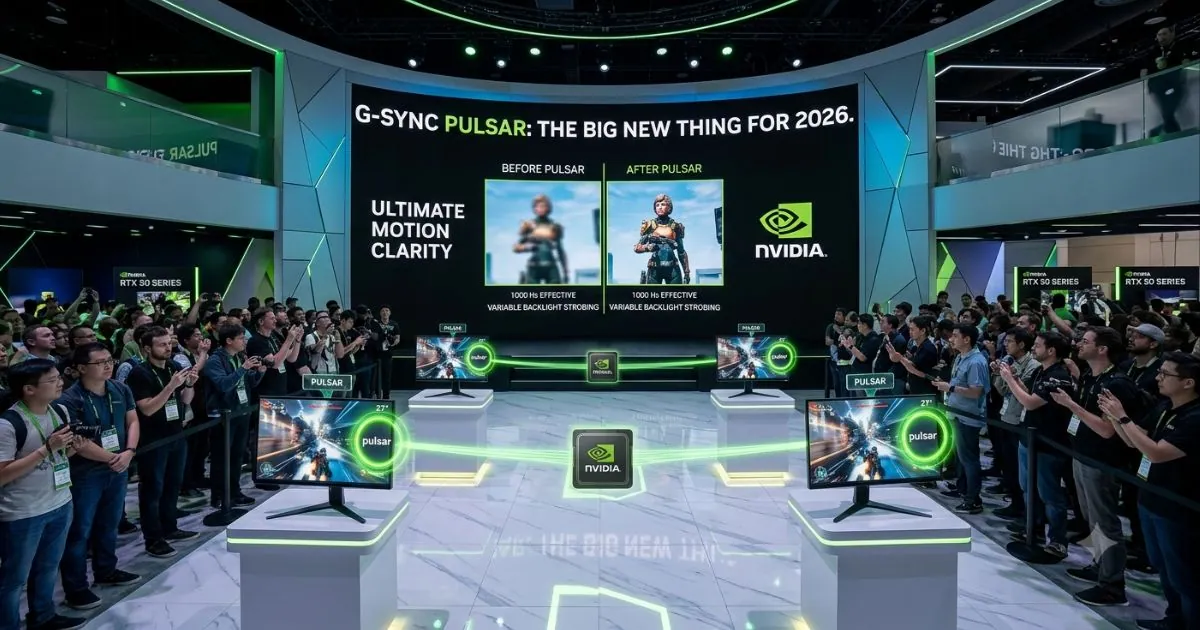
January 7, 2026 changed the game. NVIDIA launched G-SYNC Pulsar, and it’s not a minor update. It’s a fundamental rethinking of how displays handle motion.
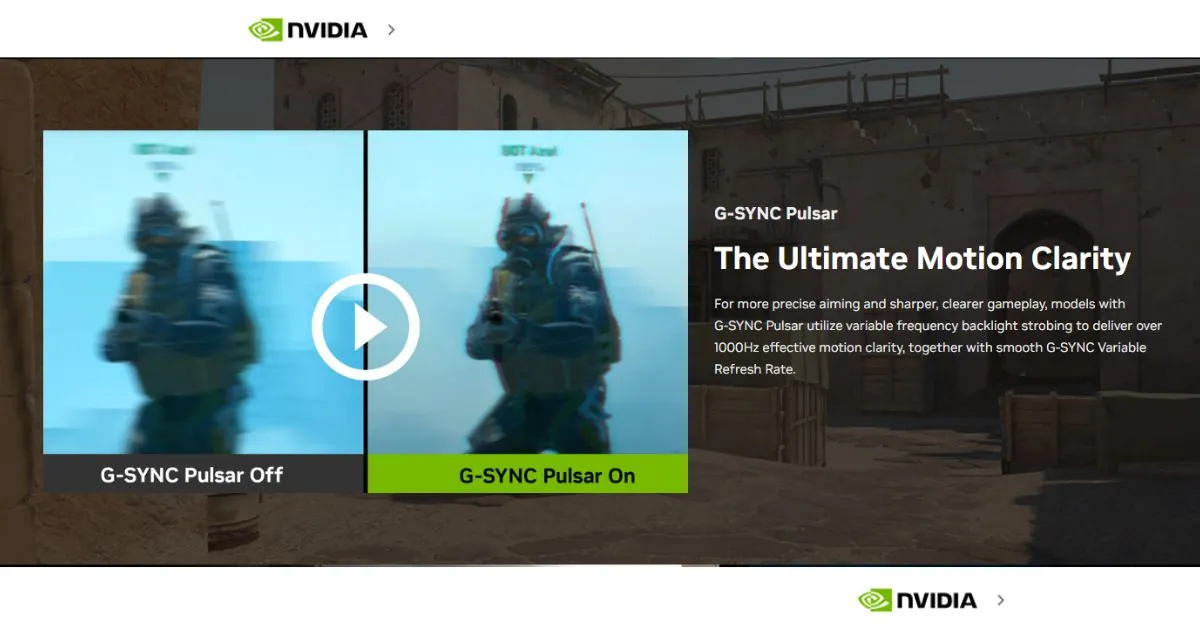
Here’s the problem Pulsar solves. Traditional G-SYNC eliminates tearing and stuttering. But it doesn’t fix motion blur. Your eyes track movement across the screen, and because each frame holds for a fraction of a second, blur persists. This isn’t in-game motion blur you can turn off. It’s display motion blur baked into how LCD panels work.
NVIDIA tried fixing this before. ULMB and ULMB 2 used backlight strobing to reduce blur. But they only worked at fixed refresh rates. You had to choose — smooth variable refresh OR motion clarity. Never both.
G-SYNC Pulsar gives you both.
How Pulsar Actually Works
Pulsar uses variable frequency backlight strobing. The monitor’s backlight divides into multiple horizontal sections. Each section pulses independently from top to bottom. Pixels get almost a full frame time to reach correct values before the backlight flashes. The pulse itself lasts just 25% of a frame time and happens right before the next frame overwrites the screen.
The result? At 250 FPS, Pulsar delivers the effective motion clarity of a theoretical 1,000Hz monitor. That’s quadruple the perceived refresh rate. No tearing. No stuttering. And blur that practically vanishes.
NVIDIA tested this with pursuit cameras recording Counter-Strike 2. The difference between Pulsar on and off is immediate. Target tracking improves. Hit rates go up. For competitive players, this is a genuine edge.
For immersive games, Pulsar keeps the world sharp when you pan the camera. In Anno 117: Pax Romana, navigating busy maps feels clearer. You spot units and structures faster. The blur that used to smear detail during motion? Gone.
The First Pulsar Monitors
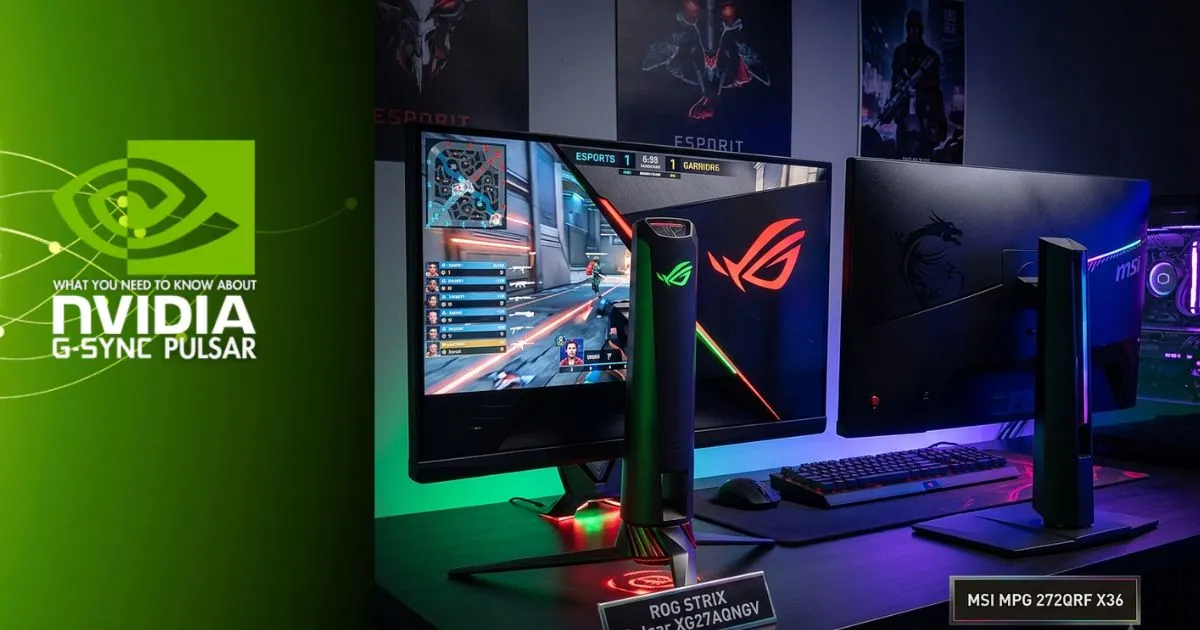
Four monitors launched with Pulsar on January 7, 2026:
- Acer Predator XB273U F5
- ASUS ROG STRIX Pulsar XG27AQNGV
- AOC AGON PRO AG276QSG2
- MSI MPG 272QRF X36
All four share the same base specs. 27-inch IPS panel. 2560×1440 resolution. 360Hz native refresh rate. 500 nits peak HDR brightness. Prices start at $599 in the US.
These monitors also include firmware update ports. NVIDIA released version 1.1.4 already, fixing double images below 90 FPS and adding a fixed 60Hz strobing mode for locked-framerate games. Future improvements will come through updates. That’s smart.
Pulsar’s Limitations
Pulsar doesn’t work below 90 FPS by default. If your system struggles to maintain that floor, you lose the strobing benefit. The 60Hz fixed mode helps for console ports and older games, but it’s a compromise.
Also, Pulsar currently only exists on these four 1440p 360Hz IPS models. No 4K. No OLED. No ultrawide. NVIDIA will expand eventually. For now, competitive 1080p and 1440p players get the first taste.
G-SYNC Ambient Adaptive Technology: Set It and Forget It
Every Pulsar monitor also ships with Ambient Adaptive Technology. A built-in light sensor reads your room’s lighting and automatically adjusts color temperature and brightness.
Night gaming? The display dims and warms. No more blinding brightness at 2 AM. Bright afternoon? It cranks up and cools down so you still spot enemies in dark corners. You never touch settings manually.
Simple. Effective. Why didn’t monitors do this years ago?
NVIDIA Reflex: Measuring What Actually Matters
Frames per second lie to you. They measure throughput, not responsiveness. A game running at 200 FPS might feel sluggish if the system latency is high. NVIDIA Reflex fixes this.
Reflex is a suite of technologies that optimizes and measures system latency. It includes three parts:
Reflex Low Latency Mode
This reduces PC latency by precisely synchronizing GPU and CPU rendering. Games that support Reflex — and over 28 titles do now — can cut latency by 25% to 50% depending on your hardware. At lower frame rates, the gains are even bigger. A struggling GPU at 30-60 FPS sees massive improvements.
Reflex Frame Warp
Coming soon in Reflex 2, Frame Warp updates the game frame based on your latest mouse input right before sending it to the display. Your aim becomes more responsive. The game feels tighter. Every millisecond counts in competitive play, and Frame Warp squeezes out more.
Reflex Latency Analyzer
This is the hardware component. Certain G-SYNC monitors include a sensor that detects mouse clicks and measures the time until pixels change on screen. Pair it with a Reflex-compatible mouse — like the Logitech G Pro, Razer DeathAdder V2 Pro, or ASUS ROG Chakram Core — and you get end-to-end system latency measurements.
No high-speed camera needed. No manual frame counting. Just real numbers in the GeForce Experience overlay. Press Alt+R. Click your mouse. See your latency. Tune your settings.
Repeat.
Tom’s Hardware tested this extensively. An RTX 3080 at 1080p with Reflex enabled hit 16.8ms system latency — down from 22.6ms without. At 4K with ray tracing, latency dropped from 146ms to 67ms. That’s more than half. The slower your GPU, the bigger the percentage gain. A GTX 1660 Super saw 53% latency reduction at 1440p.
The MediaTek Partnership: G-SYNC Without the Module
Here’s a change that matters for your wallet. NVIDIA partnered with MediaTek, the world’s leading display scaler manufacturer, to integrate G-SYNC technologies directly into standard scalers. No more dedicated G-SYNC modules required.
This streamlines production. Monitor makers can add G-SYNC features faster and cheaper. More G-SYNC monitors at more price points. The Pulsar launch models are the first to use this approach. Future displays will follow.
Does this mean lower quality? NVIDIA says no. Every G-SYNC display still undergoes the same rigorous testing. The badge still means something. But time will tell if the experience matches module-based monitors.
Samsung’s 1,040Hz Monster: What Even Is That?
Samsung dropped something wild in early 2026. The Odyssey G60H. A 27-inch monitor with a 1,040Hz refresh rate. Yes, over one thousand hertz.
It achieves this through “Dual Mode.” At native QHD, it runs 600Hz. Drop to HD resolution and it unlocks 1,040Hz. This is firmly in the esports territory. Competitive Valorant and CS2 players might actually benefit. For everyone else? It’s overkill. Your eyes can’t perceive the difference between 360Hz and 1,040Hz. Your GPU probably can’t push frames that fast either.
Still, it’s G-SYNC Compatible certified. NVIDIA validated it. The technology is impressive even if the practical use is niche.
What About ULMB 2?
Before Pulsar, ULMB 2 was NVIDIA’s motion blur solution. It improved on the original ULMB by working at full refresh rates with higher brightness. A 360Hz monitor with ULMB 2 enabled delivered “effective motion clarity” over 1,000Hz.
It worked. It was good. But it was locked to fixed refresh rates. Pulsar replaces it entirely by combining strobing with variable refresh. If you’re buying new in 2026, Pulsar is what you want. ULMB 2 still exists on older monitors, but it’s obsolete for new purchases.
Choosing the Right NVIDIA Monitor Tech for You
So what should you actually buy? Let’s cut through the marketing.
If you’re a competitive esports player: Look at G-SYNC Pulsar monitors. The 360Hz 1440p models give you the best combination of speed, clarity, and smoothness. Pair with Reflex Low Latency mode and a Reflex mouse. Measure your system latency. Optimize everything. The ASUS ROG STRIX Pulsar XG27AQNGV or MSI MPG 272QRF X36 are solid starting points.
If you want the best image quality: G-SYNC Ultimate still reigns. These monitors deliver the best HDR, the most accurate colors, and the deepest blacks. You’ll pay more. You’ll see the difference. Check RTINGS reviews for current models.
If you’re on a budget: G-SYNC Compatible monitors work fine. Just verify the VRR range covers your typical frame rates. A monitor that only supports 48-75Hz VRR won’t help if your GPU pushes 100+ FPS. Read the specs carefully.
If you play mostly single-player games: Pulsar still helps. The motion clarity makes camera panning and fast action look sharper. But you might prioritize resolution and HDR over pure refresh rate. A 4K 144Hz G-SYNC Compatible display with good HDR might serve you better than a 1440p 360Hz Pulsar model.
If you hate tweaking settings: G-SYNC Ambient Adaptive Technology on Pulsar monitors handles brightness and color temperature automatically. One less thing to worry about.
The Console Question
NVIDIA monitor tech mostly targets PC gamers. But G-SYNC Compatible certification extends to TVs now. Samsung’s 2026 OLED TVs — the S95H, S90H, and S85H — all carry the badge. LG’s 2026 TV lineup joins them.
If you game on a GeForce-powered PC connected to a living room TV, these matter. Variable refresh rate on a 65-inch OLED is glorious. Just remember — console gamers on PS5 or Xbox don’t get G-SYNC. They get HDMI 2.1 VRR instead. The TV handles both, but the NVIDIA-specific features like Reflex Analyzer won’t work.
Firmware Updates: The Hidden Feature
One underrated aspect of modern G-SYNC monitors? Firmware updates. The Pulsar launch models include micro-B USB ports for this purpose. NVIDIA already pushed version 1.1.4, fixing issues with low-FPS double images and adding 60Hz strobing.
This means your monitor can improve after purchase. Bugs get squashed. Features get added. It’s like getting a new display without buying one. Check NVIDIA’s G-SYNC monitor update page periodically.
Summary
NVIDIA’s monitor technology in 2026 is the most mature it’s ever been. G-SYNC Pulsar finally solves the motion blur problem without sacrificing variable refresh. Reflex gives competitive players measurable, tunable latency reduction. The MediaTek partnership should bring more affordable G-SYNC options.
But don’t get swept up in specs. A 1,040Hz monitor sounds cool. It won’t make you a better player. Pulsar at 360Hz with good system latency will do more for your performance than raw refresh rate ever could.
Pick the tech that matches your games, your hardware, and your space. Test your actual system latency with Reflex Analyzer. Tune your settings. And remember — the best monitor is the one that disappears while you play. NVIDIA’s technology, when matched correctly, gets pretty close to that ideal