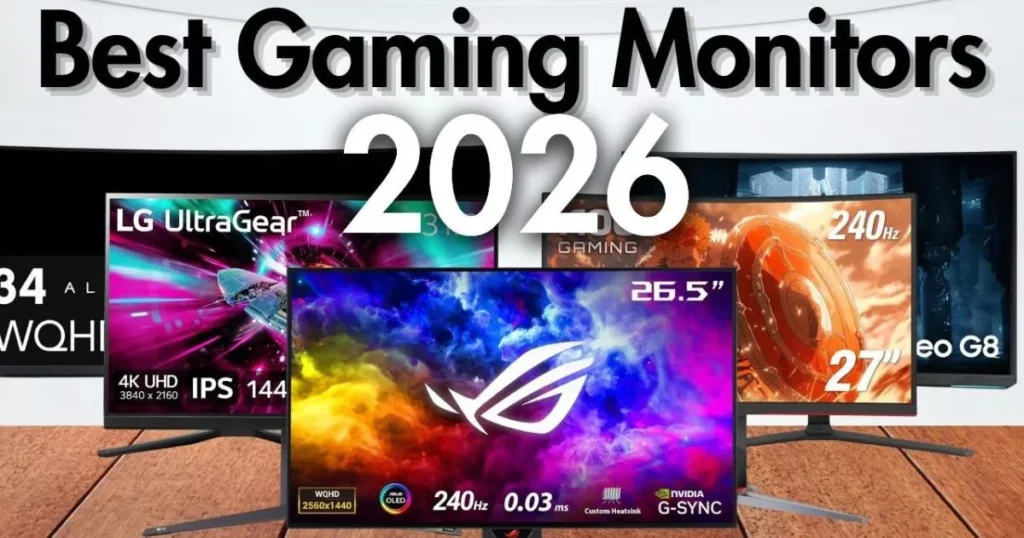
Finding the Best Gaming Monitor 2026 can make or break your setup. Whether you’re chasing frames in competitive shooters or soaking in the scenery of open-world adventures, the display you choose matters more than most people think.
In 2026, the monitor market is absolutely stacked with options — from blazing-fast OLED panels to massive ultrawide screens and wallet-friendly picks that still punch above their weight.This guide breaks down the ten best gaming monitors you can buy right now in the USA. We’ve done the legwork, checked the specs, and tested the hype so you don’t have to.
Table of Contents
What to Look for in a Gaming Monitor in 2026
Before we dive into the list, here’s a quick rundown of what actually matters when shopping for a gaming monitor:
- Panel Type: OLED dominates the premium space with perfect blacks and instant response times, while IPS and VA panels still offer great value at lower prices.
- Refresh Rate: Higher is better for competitive gaming. 240Hz+ is the sweet spot for esports, while 144Hz–165Hz works great for casual play.
- Resolution: 1440p is the most balanced choice for most gamers. 4K is stunning but demands serious GPU power.
- Adaptive Sync: G-Sync and FreeSync eliminate screen tearing and stuttering.
- Response Time: Look for 1ms or lower to avoid motion blur and ghosting.
Top 10 Best Gaming Monitor 2026: Picks for Every Budget and Playstyle
1. Alienware AW2725DF — Best Overall Gaming Monitor
Screen Size: 26.7 inches | Resolution: QHD 2560×1440 | Panel: QD-OLED | Refresh Rate: 360Hz | Response Time: 0.03ms | Sync: G-Sync Compatible + FreeSync Premium Pro | HDR: VESA DisplayHDR True Black 400
The Alienware AW2725DF is the monitor most gamers should be eyeing in 2026. It packs a 26.7-inch QD-OLED panel at 2560×1440, hits a buttery-smooth 360Hz refresh rate, and covers 99.3% of the DCI-P3 color space. Dell’s official specs confirm a 0.03ms gray-to-gray response time and a three-year warranty that even covers OLED burn-in — something you don’t see every day.
Pros
- Stunning QD-OLED image quality with true blacks and vibrant colors
- 360Hz refresh rate with virtually zero motion blur
- 0.03ms response time — basically instant
- Factory-calibrated with DeltaE < 2 accuracy
- Three-year warranty including burn-in coverage
- Full ergonomic stand with height, tilt, swivel, and pivot
- USB-C to DisplayPort cable included in the box
Cons
- No built-in speakers
- HDMI limited to 144Hz (DisplayPort needed for full 360Hz)
- SDR brightness caps around 250 nits
Who Should Buy This
Summary: The AW2725DF hits the sweet spot between price, performance, and picture quality. It’s not the cheapest 1440p OLED out there, but it’s the most well-rounded. If you want one monitor that does it all — fast esports, gorgeous RPGs, and daily productivity — this is it.
2. ASUS ROG Swift PG27AQDP — Best Premium / Fastest OLED
| Specification | Details |
| Screen Size | 27 inches |
| Resolution | QHD 2560×1440 |
| Panel | WOLED (MLA+) |
| Refresh Rate | 480Hz |
| Response Time | 0.03ms |
| HDR | VESA DisplayHDR 400 True Black |
| Sync | FreeSync Premium Pro + G-Sync Compatible |
If raw speed is what you’re after, the ASUS ROG Swift PG27AQDP is the fastest OLED gaming monitor money can buy. This 27-inch WOLED beast runs at a staggering 480Hz with a 0.03ms response time. It uses LG’s improved RGWB subpixel layout, so text looks cleaner than older OLED panels. DisplayNinja’s testing confirmed it hits up to 1300 nits peak brightness in small HDR windows and supports ELMB (Black Frame Insertion) up to 240Hz for even sharper motion.
Pros
- Industry-leading 480Hz refresh rate
- Instant 0.03ms response time with zero ghosting
- Near-perfect color accuracy out of the box
- Improved WOLED subpixel layout for better text clarity
- ELMB blur reduction up to 240Hz
Cons
- Pricier than 360Hz alternatives
- VRR brightness flickering in some dark scenes
- ELMB reduces brightness significantly when active
Who Should Buy This
Summary: The PG27AQDP is overkill for most people — and that’s exactly why it’s awesome. If you’ve got the GPU horsepower and the competitive drive to match, this monitor will give you every edge imaginable.
3. Samsung Odyssey OLED G8 (G80SD) — Best 4K OLED
| Specification | Details |
| Screen Size | 32 inches |
| Resolution | 4K UHD 3840×2160 |
| Panel | QD-OLED |
| Refresh Rate | 240Hz |
| Response Time | 0.03ms |
| Sync | FreeSync Premium Pro + G-Sync Compatible |
| HDR | HDR10+ Gaming |
Samsung’s Odyssey OLED G8 is the 4K OLED monitor that makes jaws drop. This 32-inch QD-OLED panel delivers 4K resolution at 240Hz with a 0.03ms response time. TFTCentral’s review highlighted its custom matte anti-glare coating, integrated Smart TV functions, and peak brightness hitting around 1000 nits in HDR. It’s a monitor that doubles as a media hub.
Pros
- Gorgeous 4K QD-OLED with infinite contrast
- 240Hz at 4K — a dream combo for high-end setups
- Matte anti-glare coating handles bright rooms better than glossy OLEDs
- Built-in Smart TV apps and Samsung Gaming Hub
- Integrated 2×10W speakers
- Two full-bandwidth HDMI 2.1 ports for console gaming
- Pulsating heat pipe cooling system for better burn-in resistance
Cons
- No Dolby Vision support
- No USB-C or KVM switch (features competitors offer)
- The HDR setup can be confusing for beginners
- Software and Smart TV interface can feel clunky
Who Should Buy This
Summary: The G80SD isn’t just a gaming monitor — it’s an entertainment center. If you want one screen that handles PC gaming, console gaming, and Netflix binges, this Samsung delivers.
4. LG UltraGear 27GX790A — Best for Competitive Esports
Screen Size: 26.5 inches | Resolution: QHD 2560×1440 | Panel: WOLED (MLA+) | Refresh Rate: 480Hz | Response Time: 0.03ms | Sync: FreeSync Premium Pro + G-Sync Compatible | HDR: VESA DisplayHDR 400 True Black
LG’s own 480Hz WOLED offering, the 27GX790A, is a direct competitor to the ASUS PG27AQDP. It features a 26.5-inch WOLED panel at 1440p, DisplayPort 2.1 (UHBR13.5 at 54Gbps), and hardware-level calibration via LG’s True Color Pro software. TFTCentral noted it uses the latest MLA+ panel technology and offers excellent text rendering — a big deal for gamers who also work on their monitor.
Pros:
- 480Hz refresh rate for maximum competitive advantage
- DisplayPort 2.1 future-proofing
- Excellent text clarity with improved WOLED subpixel layout
- Hardware calibration support via True Color Pro
- Clean, minimalist design without over-the-top gamer aesthetics
- Low input lag and instant pixel response
Cons:
- No burn-in coverage mentioned in the warranty (only 1–2 years)
- No Black Frame Insertion (BFI) support
- Warranty terms are confusing between the product page and the specs
- Higher price point compared to some 360Hz alternatives
Who Should Buy This:
- Competitive esports players in Valorant, CS2, and Apex Legends
- Gamers who also do productivity work and need clean text
- Early adopters who want DisplayPort 2.1
- Players who prefer a more understated monitor design
- Anyone prioritizing motion clarity above all else
Summary: The 27GX790A is LG’s answer to the fastest monitors on the market. It’s built for players who demand every competitive edge while still caring about day-to-day usability.
5. Dell Alienware AW2725Q — Best 4K for Consoles & PC
Screen Size: 27 inches | Resolution: 4K UHD 3840×2160 | Panel: QD-OLED | Refresh Rate: 240Hz | Response Time: 0.03ms | Sync: G-Sync Compatible + FreeSync Premium Pro | HDR: Dolby Vision + VESA DisplayHDR True Black 400
The AW2725Q is Alienware’s first 27-inch 4K QD-OLED, and it packs the highest pixel density of any QD-OLED monitor at 166 PPI. Dell’s official product page confirms Dolby Vision support, HDMI 2.1 for native 4K 120Hz HDR on consoles, and a three-year burn-in warranty. The Times of India review called it the cheapest 4K QD-OLED in its class, making it a standout value.
Pros:
- World’s highest pixel density QD-OLED at 166 PPI
- Dolby Vision HDR support (rare on gaming monitors)
- HDMI 2.1 for full console compatibility
- DeltaE < 2 color accuracy for professional work
- Three-year warranty with burn-in coverage
- Anti-burn-in AI algorithm and graphite sheet protection
- ComfortView Plus low-blue-light hardware solution
Cons:
- 27 inches can feel small for 4K (high PPI but less immersive than 32″)
- Premium pricing for the 4K OLED category
- No USB-C connectivity
Who Should Buy This:
- PS5 and Xbox Series X owners want the best console experience
- PC gamers who want 4K OLED without a massive 32-inch desk footprint
- Content creators who need color accuracy and Dolby Vision
- Anyone who wants the sharpest, most detailed QD-OLED image possible
- Gamers who value Dell’s three-year burn-in warranty peace of mind
Summary: The AW2725Q proves that 4K OLED doesn’t have to mean a giant 32-inch screen. At 27 inches, it’s incredibly sharp and fits more desks while still delivering everything console and PC gamers need.
6. ASUS ROG Strix XG32UCWMG — Best 32″ 4K OLED
Screen Size: 31.5 inches | Resolution: 4K UHD 3840×2160 / 1080p 480Hz (Dual Mode) | Panel: WOLED (MLA+) with TrueBlack Glossy | Refresh Rate: 240Hz (480Hz at 1080p) | Response Time: 0.03ms | Sync: FreeSync Premium Pro + G-Sync Compatible | HDR: HDR10 + VESA DisplayHDR True Black 400
The ASUS ROG Strix XG32UCWMG is a do-it-all 32-inch WOLED monitor with a killer trick up its sleeve: dual mode. You get 4K at 240Hz for cinematic gaming, or you can drop to 1080p and crank the refresh rate to 480Hz for competitive play. TFTCentral’s review praised the new TrueBlack glossy coating for exceptional image clarity and contrast, while GamingTrend called it a “beast in every sense.”
Pros:
- TrueBlack glossy coating delivers incredible image pop and clarity
- Dual-mode: 4K 240Hz or 1080p 480Hz at the press of a button
- USB-C with 15W power delivery
- Auto KVM switch for dual-PC setups
- Neo Proximity Sensor for OLED Care burn-in prevention
- ELMB blur reduction at 120Hz
- Super low input lag (~0.05ms signal processing)
- Three-year warranty with burn-in coverage
Cons:
- Glossy coating shows mirror-like reflections (needs careful room lighting)
- The ELMB setup is fiddly and reduces brightness
- USB-C power delivery is only 15W (won’t charge most laptops)
- HDR accuracy could be better with over-brightening in some scenes
Who Should Buy This:
- Gamers who play both competitive FPS and immersive single-player titles
- Users who want the glossy OLED “pop” for movies and games
- Multi-PC setups, thanks to the KVM switch
- Anyone who wants one monitor that adapts to different game genres
- Big-screen enthusiasts who find 27 inches too small
Summary: The XG32UCWMG is the most versatile 32-inch OLED on the market. The dual-mode feature alone makes it worth considering if your gaming library spans from Call of Duty to Cyberpunk 2077.
7. Samsung Odyssey OLED G6 (G60SD) — Best Value OLED
Screen Size: 26.5 inches | Resolution: QHD 2560×1440 | Panel: QD-OLED | Refresh Rate: 360Hz | Response Time: 0.03ms | Sync: FreeSync Premium + G-Sync Compatible | HDR: VESA DisplayHDR 400 True Black, HDR10+ Gaming
The Samsung Odyssey OLED G6 gives you about 95% of the premium OLED experience at a much friendlier price. It’s a 26.5-inch QD-OLED at 1440p and 360Hz, and DisplayNinja’s review confirmed it performs identically to more expensive QD-OLED panels in the same category. The standout difference? It’s the only one with a matte anti-glare coating instead of glossy.
Pros:
- QD-OLED image quality at a budget-friendly OLED price
- Matte anti-glare coating — great for brighter rooms
- 360Hz refresh rate with instant response times
- 99.3% DCI-P3 color coverage
- Pulsating heat pipe cooling for better burn-in resistance
- Full ergonomic stand with height, tilt, swivel, and pivot
- Samsung’s 3-year warranty covers burn-in
Cons:
No FreeSync Premium Pro (only FreeSync Premium)
HDMI 2.1 ports are 40Gbps, not full 48Gbps
VRR Control option increases input lag if used
No USB-C connectivity
Who Should Buy This:
- Budget-conscious gamers who refuse to compromise on OLED
- Players in brighter rooms where matte coating wins over glossy
- Anyone who wants the Samsung QD-OLED experience for less
- Competitive gamers who don’t need the extra features of premium models
- First-time OLED buyers testing the waters
Summary: The G60SD proves you don’t need to spend a fortune to get into OLED gaming. It delivers the core QD-OLED experience — stunning colors, true blacks, and lightning-fast speed — without the premium price tag.
8. LG UltraGear 45GR75DC — Best Ultrawide / Best Overall Value
Screen Size: 44.5 inches | Resolution: Dual QHD 5120×1440 | Panel: VA Curved | Refresh Rate: 200Hz | Response Time: 1ms (GtG) | Sync: FreeSync Premium Pro + G-Sync Compatible | HDR: VESA DisplayHDR 600
The LG UltraGear 45GR75DC is a monster 44.5-inch ultrawide that Tom’s Hardware called “a serious contender” and “a lot of fun for gaming.” It features a 32:9 DQHD resolution (essentially two 1440p monitors side-by-side), a 1500R curve, and a 200Hz refresh rate. LG’s official specs confirm 95% DCI-P3 coverage, USB-C with 90W power delivery, and a 1ms response time.
Pros:
- Massive 32:9 ultrawide immersion — like having two monitors in one
- 200Hz refresh rate with excellent motion clarity
- VESA DisplayHDR 600 with over 800 nits peak brightness in testing
- USB-C with 90W power delivery — charges your laptop too
- PiP and PbP modes for multitasking
- DTS Headphone:X spatial audio through the headphone jack
- Excellent contrast ratio (~3,000:1 native, ~20,000:1 with dimming)
- More affordable than 49-inch ultrawide alternatives
Cons:
- The VA panel has slower response times than OLED (minor smearing in dark scenes)
- 32:9 aspect ratio isn’t supported by all games
- No built-in speakers
- Large desk footprint — measure before you buy
- The height is shorter than expected for a 45-inch screen
Who Should Buy This:
- Sim racing and flight sim enthusiasts who want wraparound immersion
- Productivity power users who multitask across multiple windows
- Gamers who want an ultrawide without the 49-inch price premium
- Professionals who need one monitor for work and play
- Anyone who wants to replace a dual-monitor setup with a single screen
Summary: The 45GR75DC is the best value in the ultrawide category. It’s big, bright, and versatile enough to handle gaming, work, and everything in between.
9. ASUS TUF VG27VH1B — Best Budget Curved
Screen Size: 27 inches | Resolution: Full HD 1920×1080 | Panel: VA Curved | Refresh Rate: 165Hz | Response Time: 1ms (MPRT) | Sync: FreeSync Premium | HDR: Not specified
The ASUS TUF VG27VH1B is proof that curved gaming doesn’t have to cost a fortune. This 27-inch curved VA panel runs at 165Hz with a 1ms MPRT response time. Pangoly’s listing confirms it’s a 1500R curved VA monitor, and it frequently sells for under $180 — sometimes as low as $129 — making it one of the best deals in budget gaming.
Pros:
- 165Hz refresh rate at a budget price point
- Curved VA panel for immersive gaming on a budget
- FreeSync Premium for tear-free gaming
- 1ms MPRT response time with ELMB support
- TUF Gaming build quality — more durable than typical budget monitors
- Often discounted 20–30% below MSRP
- ASUS GamePlus features (crosshair, timer, FPS counter)
Cons:
- 1080p on a 27-inch screen means lower pixel density (81 PPI)
- VA panels can show smearing in dark scenes
- No HDR support to speak of
- Tilt-only stand with limited ergonomics
- No DisplayPort — HDMI and VGA only
Who Should Buy This:
- First-time PC builders on a tight budget
- Casual gamers who want curved immersion without OLED prices
- Esports players who prioritize refresh rate over resolution
- Anyone looking for a reliable secondary monitor
- Students and young gamers building their first setup
Summary: The VG27VH1B won’t blow anyone away with specs, but it delivers where it counts: smooth gameplay, a curved screen, and a price that leaves room in your budget for a better GPU.
10. Acer KB272 — Best Budget Pick
Screen Size: 27 inches | Resolution: Full HD 1920×1080 | Panel: IPS | Refresh Rate: 100Hz (120Hz on G0BI variant) | Response Time: 1ms (VRB) | Sync: AMD FreeSync | HDR: Not specified
The Acer KB272 is the ultimate “get in the game” monitor. Acer’s official store lists it with a 100Hz refresh rate over HDMI, 1ms VRB response time, and 99% sRGB color coverage. The G0BI variant bumps that to 120Hz and frequently sells for around $99–$120. PC World and DisplayNinja both highlighted it as one of the best budget monitors you can buy.
Pros:
- Incredible value — often under $100 on sale
- IPS panel with 178° viewing angles and accurate colors
- 100Hz–120Hz refresh rate (depending on variant)
- 1ms VRB response time for smooth gaming
- AMD FreeSync for tear-free gameplay
- VESA mount compatible (100×100mm)
- Lightweight and easy to set up
- Over 1,700 verified reviews back its reliability
Cons:
- 1080p resolution is dated for 2026
- Only HDMI and VGA inputs (no DisplayPort)
- Tilt-only stand with no height adjustment
- No HDR support
- 250 nits brightness is on the dim side
Who Should Buy This:
- First-time monitor buyers and casual gamers
- Parents buying a monitor for kids’ gaming setups
- Anyone needing a cheap but reliable secondary display
- Office workers who want a 27-inch screen for under $100
- Budget builders who’d rather spend on the GPU than the monitor
Summary: The Acer KB272 won’t win any spec contests, but it wins where it matters most: getting you gaming without emptying your wallet. For under a hundred bucks, it’s honestly hard to complain.
Final Thoughts: Which Gaming Monitor Should You Buy in 2026?
The gaming monitor landscape in 2026 is all about OLED — and for good reason. The Alienware AW2725DF remains our top overall pick because it balances speed, image quality, and price better than anything else on the market. If you’re a competitive player, the ASUS PG27AQDP or LG 27GX790A at 480Hz are absolute monsters. Console gamers should gravitate toward the Samsung Odyssey G8 or Alienware AW2725Q for that sweet 4K OLED experience.
But don’t sleep on the budget options. The Samsung Odyssey G6 proves OLED doesn’t have to break the bank, while the LG 45GR75DC offers ultrawide immersion at a fraction of what 49-inch screens cost. And if you’re just starting out, the Acer KB272 and ASUS TUF VG27VH1B get you gaming without the guilt of overspending.
At the end of the day, the best monitor is the one that fits your budget, your desk, and the games you actually play. Choose wisely, and happy gaming!