What is IPS technology in monitors? If you have ever gone display shopping, you must have come across this term on product pages, spec sheets, and buying guides all the time. But what does it actually mean, and why does it matter for your setup? Let’s break it down in simple terms.
IPS Full Form and Basic Meaning
IPS stands for In-Plane Switching. It is a type of panel technology used in LCD (Liquid Crystal Display) monitors. IPS was developed to overcome the limitations of older Twisted Nematic (TN) panels, which had poor color reproduction and narrow viewing angles.
In simple words, IPS is the technology inside your monitor screen that controls how colors are shown and from which angles you can see the screen clearly.
How Does IPS Technology Work?
To understand IPS, you first need to know a little about LCD screens. An IPS monitor is made up of backlighting behind a polarizer, which sits behind a liquid layer mixed with crystals. The monitor relies on perfect alignment of these liquid crystals to pass light to the next polarizer. These crystals spin into position when electrically charged.
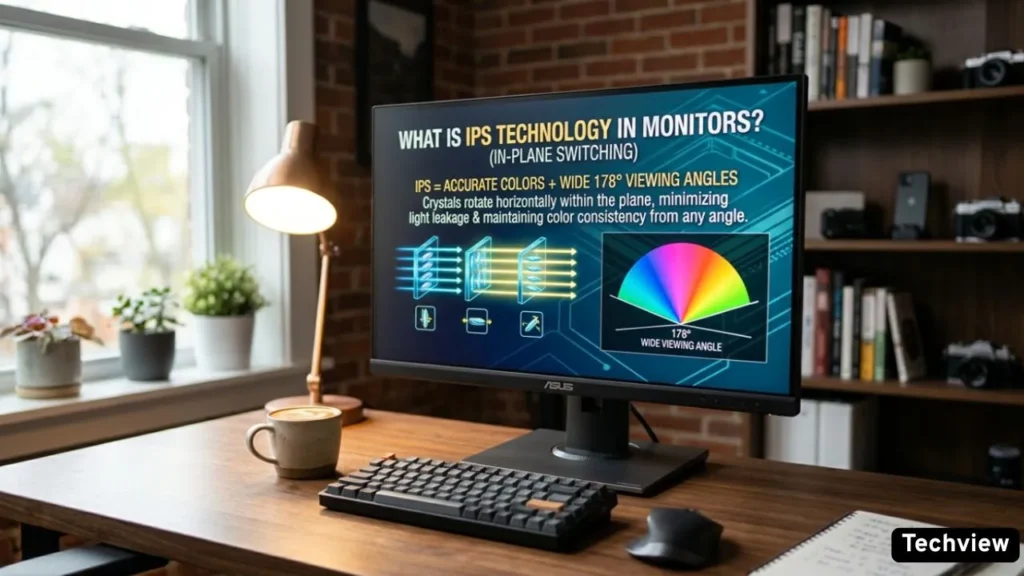
What makes IPS different from older TN panels is the direction these crystals move. IPS panels rotate liquid crystals on a horizontal axis — within the same plane as the screen. This in-plane motion reduces light leakage, ensures uniform color reproduction, and minimizes visual distortions.
In simple language: the crystals in an IPS panel lie flat and rotate sideways, which gives you better, more consistent colors from any angle.
Key Features of IPS Monitors
1. Wide Viewing Angles
This is the biggest strength of IPS. IPS panels offer 178° viewing angles, ensuring visibility from almost any direction. So whether you are sitting directly in front of the screen or viewing from the side, the colors and brightness stay accurate.
2. Excellent Color Accuracy
An IPS screen can show 256 shades of each primary color through 8-bit technology, producing much more natural color renderings than the 6-bit versions from TN monitors, which only show up to 64 shades per primary color. This is why photographers, graphic designers, and video editors prefer IPS monitors — what they see on screen matches the final output.
3. Color Consistency Across the Screen
Color and brightness remain stable across the entire screen. No uneven shading or color is shifting even in the corners of the display.
4. No Burn-In Risk
An IPS panel monitor does not risk burn-in with constant exposure to the same static elements over time. This makes it a safe choice for people who work long hours on the same screen with static interface elements.
IPS vs TN vs VA — What’s the Difference?
| Panel Type | Color Accuracy | Viewing Angles | Contrast Ratio | Best Used For |
| IPS | 🌟 Excellent (Best) | 178° (Wide) | 1000:1 (Average) | Content Creation, Editing, Everyday Use |
| VA | 👍 Good | Moderate | 3000:1+ (Excellent) | Movies, Media Consumption, Dark Rooms |
| TN | 📉 Poor | Narrow (Shifts color) | 1000:1 (Average) | Competitive Gaming (Ultra-Fast Speed) |
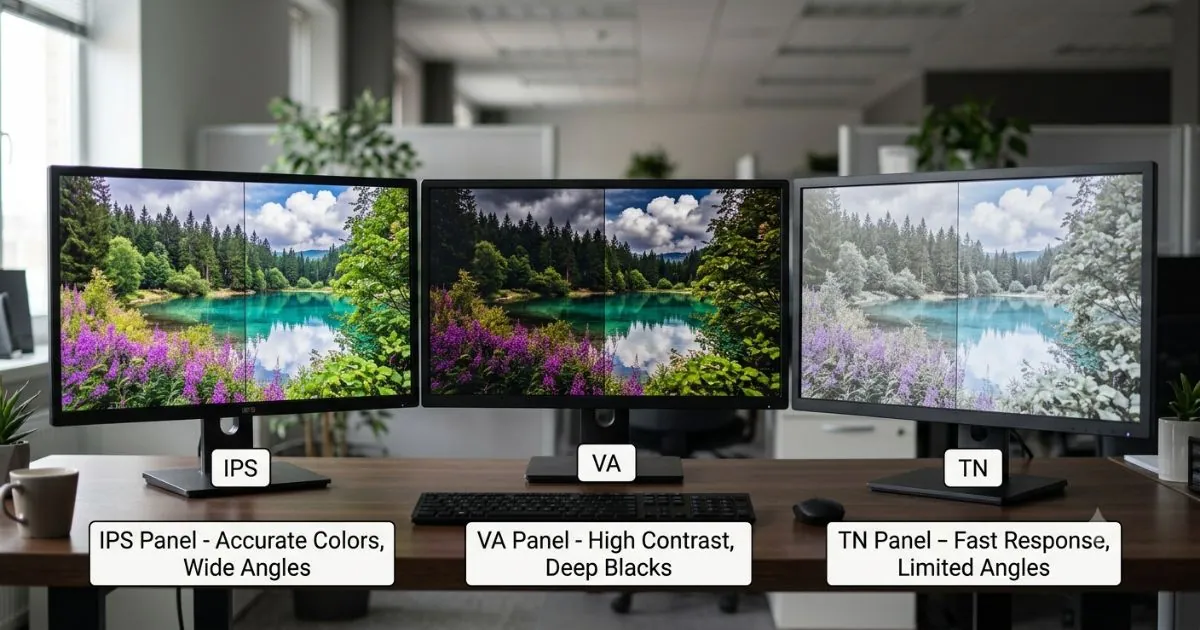
There are three main types of LCD panels: IPS, TN, and VA. Each has its strengths.
TN (Twisted Nematic):
TN panels offer the fastest response times and are cost-efficient, but suffer from poor color reproduction and very limited viewing angles. A TN display viewed even slightly off-center will show significant shifts in brightness and contrast. They are mostly used by competitive gamers who need extreme speed.
VA (Vertical Alignment):
VA panels improve on contrast and black levels compared to TN, but still lag behind IPS in viewing angle stability and color accuracy. They are a good middle-ground option for watching movies.
IPS:
IPS panels strike the best balance — wide viewing angles, consistent brightness, and reliable color performance. They are the preferred choice for designers, professionals, and general users who want quality visuals.
Pros and Cons of IPS Monitors
Pros:
- Best color accuracy and consistency
- Wide 178° viewing angles
- No burn-in risk
- Great for creative and professional work
- Easy on the eyes during long work sessions
Cons:
IPS display technology is more expensive to produce than TN and VA panels and requires more power. Response time is also slightly longer than TN panels. Additionally, IPS panels are sometimes subject to backlight bleeding, where light leaks around the edges or corners of a display.
Types of IPS Panels
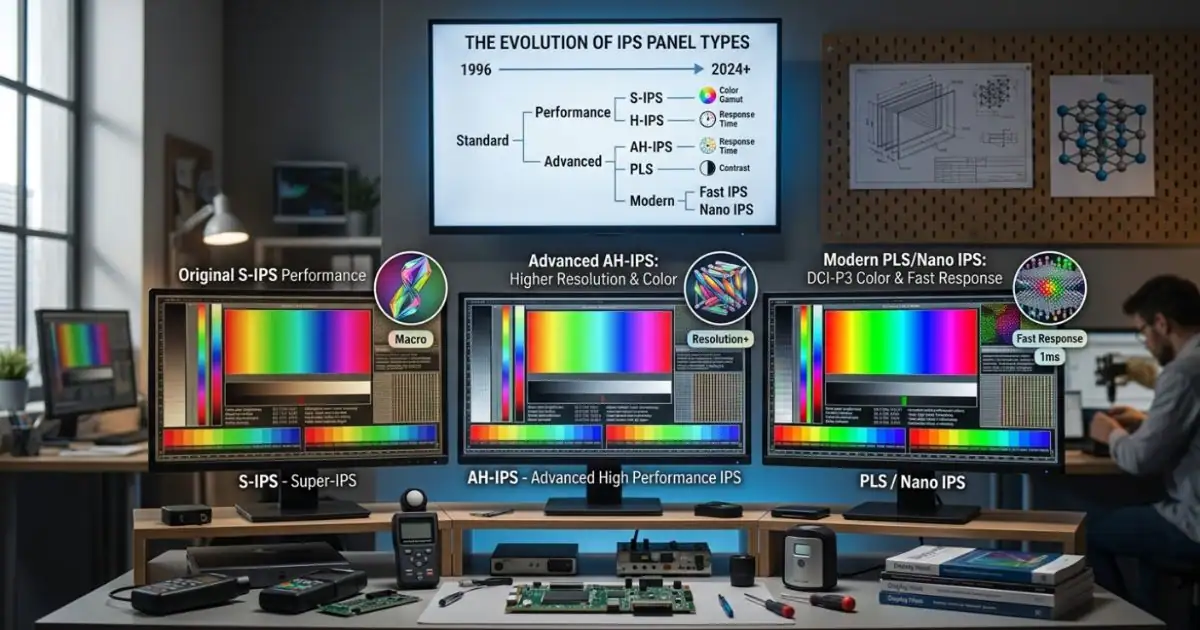
IPS technology has evolved a lot over the years. The introduction of Advanced High-performance IPS (AH-IPS) in 2011 marked a significant milestone, offering an enhanced color gamut, increased resolution, higher brightness, and lower power consumption. This was followed by Plane to Line Switching (PLS) and Super-IPS (S-IPS), each offering incremental improvements. Nano IPS technology has taken color accuracy even further, offering a 135% sRGB color gamut.
Who Should Buy an IPS Monitor?
- Graphic designers and photographers — for true-to-life color accuracy
- Video editors — for consistent colors across the screen
- Office workers — for comfortable long-hour use
- Casual users — for a great all-around visual experience
- Gamers who value image quality — modern IPS panels now offer fast enough response times for gaming too
which is beter for gaming
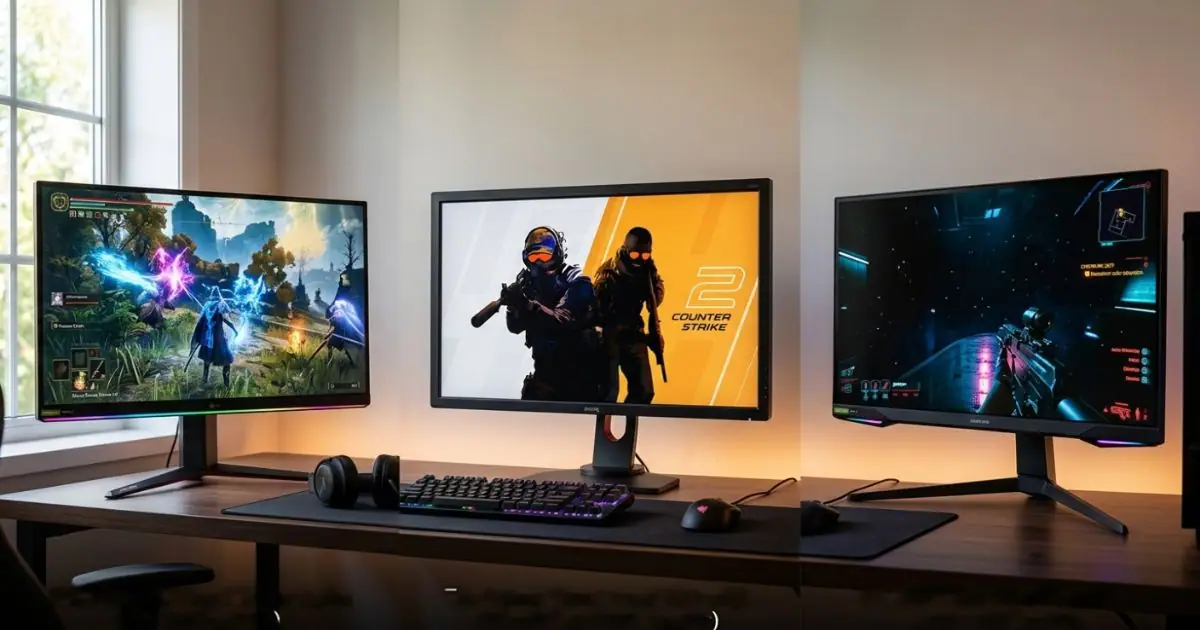
For gaming, the answer isn’t a simple “this one is best.” The ideal monitor panel for you depends entirely on what kind of games you play and what you value most: pure speed, immersive visuals, or a balance of both.
I have generated three images to help visualize these differences:
-
Immersive Gaming (IPS/VA): This scene showcases a visually stunning open-world game (like a fantasy RPG) running on an IPS or high-quality VA panel. It prioritizes rich colors, deep blacks (for VA), and wide viewing angles to pull you into the game world.
-
Competitive Gaming (Fast IPS/TN): This image captures a fast-paced esports title (like a first-person shooter). The image itself is very crisp and clear, illustrating how a Fast IPS or traditional TN panel with a high refresh rate (e.g., 240Hz+) and low response time eliminates motion blur and ghosting, giving you a competitive edge.
-
Balanced Gaming (IPS): This setup focuses on versatility. Running an action-adventure game, it shows the “all-rounder” nature of a modern IPS panel, offering great colors for immersive moments while being fast enough to handle most action without distracting artifacts.
Comparison of Panels for Gaming
Which is Better for You?
1. Choose Fast IPS if: You play a mix of games (e.g., Cyberpunk 2077 and Valorant), you appreciate vibrant colors and good visuals, or you have a flexible budget. This is the best choice for most modern gamers, offering a superb balance.
2. Choose TN if: You are a hardcore, competitive esports player where every single millisecond of response time matters more than color quality, you only play fast-paced shooters, and you are on a tight budget.
3. Choose VA if: You primarily play immersive single-player RPGs (The Witcher), simulation games, or watch a lot of movies on your monitor and love deep blacks and high contrast. (Just be aware that very fast motion can sometimes look slightly blurry in dark scenes).
IPS (In-Plane Switching) is a monitor panel technology that delivers wide viewing angles, accurate colors, and consistent image quality. It works by rotating liquid crystals horizontally to control light more precisely. Compared to TN and VA panels, IPS offers the best balance of color performance and viewing flexibility. It costs slightly more and can have minor backlight bleed issues, but for most users — especially creatives and professionals — IPS is the top choice. Whether you are editing photos, working in the office, or simply browsing the web, an IPS monitor gives you a reliable and visually comfortable experience.
Frequently Asked Questions (FAQs)
1. Is an IPS monitor good for gaming?
Yes, modern IPS monitors are excellent for gaming. While older IPS panels suffered from slower response times, today’s “Fast IPS” panels offer high refresh rates (144Hz, 240Hz, or higher) and low response times (1ms). This gives you the perfect combination of stunning color quality and smooth, competitive gameplay.
2. What is IPS Glow or Backlight Bleeding?
This is a common characteristic of IPS technology. IPS Glow or backlight bleeding occurs when light leaks through the corners or edges of the screen, which is usually noticeable only when viewing a completely dark screen in a dimly lit room. It is not a hardware defect and rarely affects everyday usage.
3. Which is better for eye strain: IPS or VA?
IPS monitors are generally better for reducing eye strain during long working hours. Thanks to their wide 178° viewing angles and stable color consistency, your eyes don’t have to adjust to shifting colors or brightness levels as you move. However, if you always work in a pitch-black room, a VA panel’s high contrast might feel comfortable too.
4. What are the main disadvantages of an IPS monitor?
The two main downsides of IPS panels are cost and contrast ratio. They are generally more expensive to manufacture than TN or VA panels. Additionally, because the liquid crystals cannot completely block out the backlight, IPS monitors have lower contrast ratios, meaning blacks can look slightly gray in dark rooms compared to VA panels.
5. Should I buy an IPS monitor?
If you are a graphic designer, video editor, office worker, casual gamer, or someone who loves watching high-quality media, you should absolutely buy an IPS monitor. It is the best all-around display technology for everyday accuracy, visual comfort, and vibrant colors.