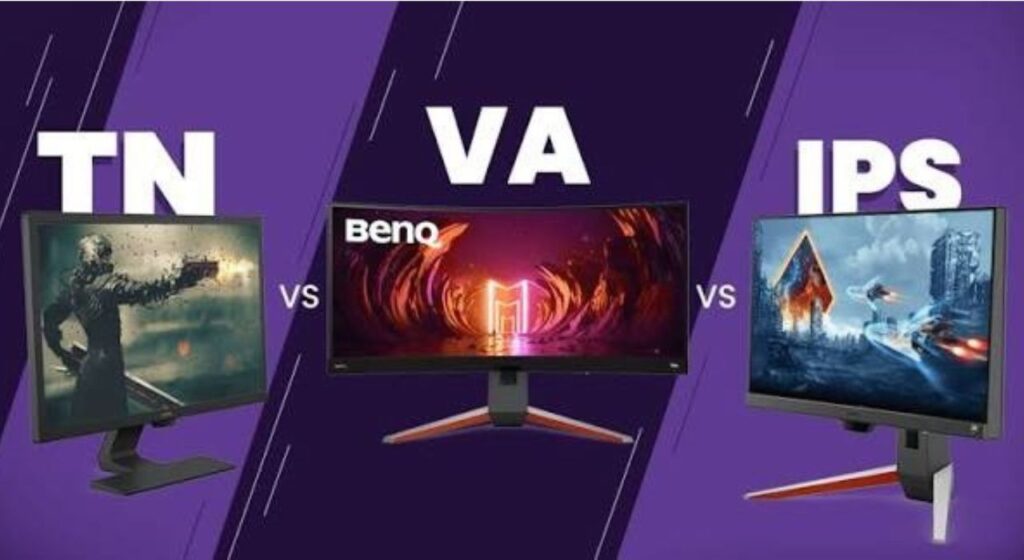
Picking a gaming monitor used to be simple. A few years ago, your only real decision was size and refresh rate, because almost every gaming monitor used the same basic panel technology. Those days are long gone. In 2025, you’ve got TN, IPS, VA, QD-OLED, WOLED, and Mini LED all fighting for a spot on your desk — and each one delivers a genuinely different gaming experience. Getting this choice wrong doesn’t just affect how pretty your games look. It affects motion clarity, response time, HDR quality, and the level of immersion you actually feel when you’re playing.
This guide cuts through the noise and explains exactly what each panel type does well, where it falls short, and — most importantly — which one is right for your specific gaming setup. No jargon overload, no filler. This article will help you to find the best monitor panel type for gaming. So read this article fully to pick the best gaming monitor with the best panel type.
Why Panel Type Matters More Than Most People Think
Here’s something that surprises a lot of buyers: two monitors with identical specs on paper — same resolution, same refresh rate, same size — can feel completely different to use, simply because of the panel technology inside them. One might have rich, deep blacks that make horror games feel genuinely atmospheric. Another might handle fast-moving objects with crystal clarity but look washed out in cinematic cutscenes. Panel type determines contrast ratio, response time behavior, color accuracy, viewing angles, and how well HDR actually performs. It’s not a minor detail — it’s the foundation of your entire display experience.
TN (Twisted Nematic) — The Old Speed King
TN panels are the oldest LCD technology still used in gaming monitors, and they’ve survived this long for exactly one reason: raw speed. These panels can achieve pixel response times as low as 0.5ms and support refresh rates well beyond 360Hz. For a long time, if you played competitive FPS games — Counter-Strike, Valorant, Overwatch — at a serious level, TN was the answer. The speed advantage was genuinely meaningful at the professional level.
The problem is what TN gives up to get there. Color reproduction is noticeably weaker than every other panel type. Colors look flat and muted compared to IPS or OLED alternatives. Viewing angles are narrow — look at a TN panel from even a slight vertical angle and the image shifts dramatically in brightness and color. This makes them frustrating to share with someone seated beside you, and honestly, they just don’t look great for games where visuals matter.
In 2025, TN panels have been pushed into a very narrow niche. Modern Fast IPS panels have closed the response time gap significantly, often matching TN in practical gaming scenarios while offering far superior visuals. Unless you’re a professional esports player who genuinely needs the absolute fastest pixel transitions possible and is willing to sacrifice visual quality to get there, TN isn’t worth considering over the alternatives available today.
TN is best for: Professional esports players who need maximum speed above all else.
IPS (In-Plane Switching) — The Versatile All-Rounder
IPS panels are, without question, the safest and most versatile choice for the widest range of gamers. They offer wide 178-degree viewing angles that stay consistent no matter where you’re sitting, excellent color accuracy with many models now covering up to 100% DCI-P3, and response times that have improved dramatically in recent years. Modern Fast IPS panels reach 1ms GtG response times and support refresh rates up to 240Hz — putting them genuinely close to TN in competitive performance while looking far better doing it.
The contrast ratio on IPS panels typically sits around 1,000:1, which is their biggest weakness compared to VA and OLED. In dark scenes, you’ll notice some degree of backlight bleed — a soft glow around the edges of the panel that’s particularly noticeable in games with dark environments. It’s not a dealbreaker for most gamers, but if you play a lot of horror games or dark RPGs and want truly deep blacks, IPS has limits.
That said, IPS has advantages that matter for everyday gaming and productivity. Colors are accurate and consistent, text is sharp and clear, and there’s virtually no ghosting with modern Fast IPS panels. They work well in brighter room environments where OLED’s glossy reflective coating would be a problem. They’re also generally more affordable than OLED options with comparable specs, making them the go-to recommendation for gamers who want a balanced, dependable experience.
IPS Black is a newer variant worth knowing about. It pushes the contrast ratio to around 2,000:1 — double that of standard IPS — which noticeably improves dark scene performance without the burn-in risk of OLED. The LG 27G850A-B, for example, uses Nano IPS Black to deliver 4K 240Hz with improved contrast on an LCD panel.
IPS is best for: Most gamers — particularly those who play a mix of competitive and single-player titles in a moderately lit room.
VA (Vertical Alignment) — The Contrast Champion
VA panels do one thing better than any other LCD technology: contrast. Native contrast ratios typically sit between 3,000:1 and 5,000:1 — three to five times that of standard IPS panels. The practical result of this is that dark scenes look genuinely darker and more detailed, with blacks that feel substantially deeper than what IPS can deliver. For immersive games — space games, horror titles, slow-burn RPGs — VA panels create a noticeably more atmospheric visual experience.
The tradeoff has historically been response time. VA panels struggle with what’s called “dark level smearing,” where dark pixels take longer to transition than bright ones. In fast, dark scenes — a character moving through a shadowy environment in a shooter — you can see a subtle ghosting or smearing effect behind moving objects. It’s particularly noticeable in competitive gaming where tracking fast-moving targets matters. Modern VA panels have improved significantly, but they still trail Fast IPS in this area.
Where VA really shines is in Mini LED configurations. Pair a VA panel’s naturally high contrast with a full-array local dimming backlight that can individually control thousands of brightness zones, and you get HDR performance that competes with OLED at a fraction of the cost. The AOC Q27G40XMN is a perfect example — a $250 VA Mini LED monitor with 1,152 dimming zones and over 1,000 nits of peak brightness that delivers HDR quality far beyond what its price tag suggests.
VA is a solid middle-ground choice for gamers who primarily play slower-paced or immersive titles and care more about contrast and HDR than pixel-perfect motion clarity in competitive scenarios.
VA is best for: Dark-room gamers, simulation enthusiasts, and anyone who wants strong HDR contrast on a budget.
OLED (including QD-OLED and WOLED) — The Premium Choice
OLED is in a different category entirely. Rather than using a backlight to illuminate liquid crystals, each individual pixel in an OLED panel generates its own light — and when a pixel needs to display black, it simply turns off completely. The result is a contrast ratio that’s effectively infinite. Blacks are truly black, not a dark shade of gray. Bright highlights sit next to absolute darkness in the same scene with no blooming, no halo, no bleed. The visual impact in HDR gaming is dramatic.
Response time is another area where OLED dominates. OLED pixels switch near-instantly — quoted at 0.03ms — which is not just better than IPS, it’s in a completely different league. Fast-moving objects in shooters, racing games, and action titles appear with a clarity that LCD panels simply can’t replicate. Combined with high refresh rates up to 360Hz on current models, OLED is both the best-looking and the fastest-responding technology available for gaming monitors.
Two main types of OLED are used in gaming monitors right now:
QD-OLED (Quantum Dot OLED) combines OLED’s self-emissive pixels with a quantum dot layer that converts blue OLED light into pure red and green wavelengths. The result is wider color gamut coverage, higher peak brightness, and superior color volume compared to WOLED. Most Samsung Display-based gaming monitors — including models from ASUS, Alienware, and MSI — use QD-OLED panels. Current QD-OLED panels reach up to 1,300 nits peak brightness with 99%+ DCI-P3 color gamut coverage.
WOLED (White OLED) uses a white OLED emitter combined with color filters, plus in newer panels, Micro Lens Array (MLA+) technology that boosts brightness by better directing light toward the viewer. LG’s gaming monitors use WOLED panels. They typically offer slightly less color volume than QD-OLED but bring exclusive features like dual-mode refresh rate switching (4K/240Hz and 1080p/480Hz on the same panel) and lower reflectivity in some configurations.
The one legitimate concern with OLED is burn-in — when static on-screen elements (a game’s HUD, a taskbar, a health bar in the same spot for thousands of hours) gradually leave a permanent imprint on the panel. This is a real risk, though modern OLED monitors include automatic prevention features like pixel shift and scheduled panel refresh cycles. Most reputable manufacturers also offer a 3-year warranty that explicitly covers burn-in, so the practical risk is much lower than the reputation suggests.
OLED panels also tend to be more reflective than matte IPS or VA surfaces, which makes them harder to use in bright, window-heavy rooms. This is worth factoring in based on your gaming environment.
OLED is best for: Gamers who want the absolute best visual experience and motion clarity, game in a controlled lighting environment, and have the budget for a premium display.
Mini LED — The LCD Challenger
Mini LED isn’t a standalone panel type — it’s a backlight technology applied to IPS or VA panels. Instead of a few hundred standard-size LEDs behind the screen, Mini LED uses thousands of microscopic LEDs grouped into individually controlled dimming zones. This allows for much more precise control over brightness, dramatically improving local contrast and HDR performance compared to standard LED-backlit monitors.
The best Mini LED monitors achieve 1,000+ nits of peak brightness across hundreds or thousands of zones, delivering HDR highlights that genuinely pop. The halo effect — a bloom of light around bright objects on dark backgrounds — is the main weakness, and it’s less noticeable as zone counts increase. At 1,152 zones on a $250 monitor like the AOC Q27G40XMN, the halo effect is manageable and the HDR quality is exceptional for the price.
Mini LED closes the gap with OLED significantly at a lower cost and with no burn-in risk. For gamers who want strong HDR performance without the premium price or lifestyle considerations of OLED, high-zone-count Mini LED is the most compelling LCD alternative available.
Mini LED is best for: Gamers who want strong HDR on an LCD budget or those who prefer an anti-burn-in panel for heavy static HUD gaming.
Which Panel Type Should You Actually Buy?
Here’s a straightforward breakdown based on how you game:
Competitive FPS gamer (CS2, Valorant, Overwatch): Fast IPS or QD-OLED. IPS gives you speed and accuracy at a lower price; QD-OLED adds visual beauty without sacrificing response time.
Immersive single-player gamer (RPGs, open world, story games): QD-OLED or WOLED for the best experience. VA Mini LED is the best budget alternative.
Mixed-use gamer (plays everything): IPS is the safe, reliable all-rounder. A QD-OLED monitor is the upgrade worth saving for.
Tight budget under $300: VA Mini LED (like the AOC Q27G40XMN) offers the most HDR performance per dollar.
Bright room with lots of windows: IPS or VA with a matte coating. Avoid glossy OLED panels in these environments.
Dark gaming room: OLED — no other panel technology comes close to the contrast and visual impact in a controlled environment.
Final Verdict
In 2025, IPS remains the smart, dependable choice for most gamers — it’s fast enough for competitive play, accurate enough for any game genre, and available at a wide range of price points. If your budget allows it, QD-OLED is the upgrade that genuinely transforms the gaming experience, with visuals that no LCD technology can fully match. VA Mini LED sits in a compelling middle ground for budget HDR enthusiasts, while TN has been relegated to a niche for elite esports players only. Whatever your setup and spending limit, there’s never been a better time to understand what’s inside your monitor — because the right panel type makes every game look and feel exactly as the developers intended.