Finding a great gaming monitor without breaking the bank has never been easier — but with so many options flooding the market, knowing which one is actually worth your money can feel overwhelming. Whether you’re grinding ranked matches, exploring massive open worlds, or doing a bit of both, the right monitor makes a massive difference in your experience.
In this guide, we’ve put together the 10 best gaming monitors under $500 for 2026. We’ve done the research so you don’t have to — pulling from trusted review sites, official manufacturer pages, and real-world user feedback to give you an honest, no-fluff breakdown of each pick.
What to Look for in a Gaming Monitor Under $500
Before diving into the list, here’s a quick overview of what actually matters when shopping in this price range. You’ll want to focus on panel type (IPS for color and viewing angles, VA for contrast, OLED for the best of everything), refresh rate (144Hz is the baseline, but 165Hz–240Hz+ is better), and resolution (1080p, 1440p, or 4K depending on your GPU). Response time, sync technology (G-Sync or FreeSync), and HDR support are also key factors. At under $500, you can now get surprisingly premium specs — including OLED panels — that were reserved for $800+ monitors just a couple of years ago.
🥇 1. LG 27G850A-B — Best 4K Gaming Monitor Under $500
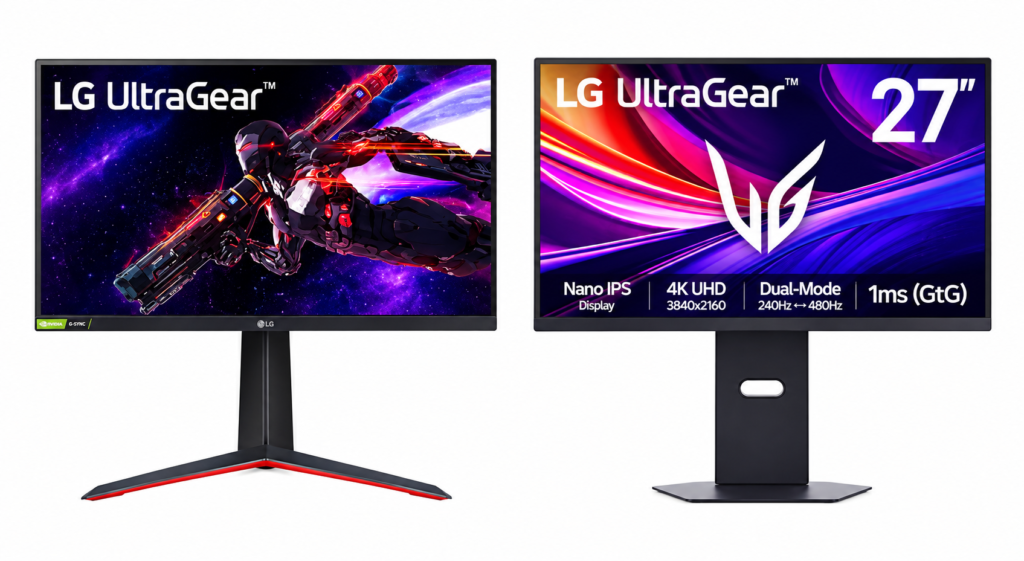
Screen Size: 27 inches | Resolution: 4K UHD 3840×2160 | Panel: Nano IPS Black | Refresh Rate: 240Hz (Dual Mode: 480Hz at 1080p) | Response Time: 1ms (GtG) | Sync: G-Sync Compatible + FreeSync Premium Pro | HDR: DisplayHDR 600
The LG 27G850A-B is a genuinely groundbreaking monitor — it’s the world’s first 27-inch LCD panel to combine 4K resolution with a 240Hz refresh rate. Built on LG’s Nano IPS Black panel technology, it delivers a 2000:1 contrast ratio, which is significantly better than standard IPS panels. The unique Dual Mode feature lets you switch between 4K at 240Hz or 1080p at 480Hz, giving competitive players incredible flexibility. With 99% DCI-P3 coverage, DisplayHDR 600 certification, and hardware calibration support, this monitor punches well above its price class.
Pros:
- World’s first 4K 240Hz IPS Black panel
- Exceptional 2000:1 contrast ratio for an IPS display
- Dual Mode: switch between 4K@240Hz or 1080p@480Hz
- 99% DCI-P3 color coverage with hardware calibration support
- Supports both G-Sync Compatible and FreeSync Premium Pro
- DisplayPort 2.1 for future-proof connectivity
- Excellent SDR image quality with high peak brightness
Cons:
- HDR performance doesn’t fully match its DisplayHDR 600 certification
- Priced near the top of the $500 range (occasionally discounted)
- Requires a powerful GPU to fully take advantage of 4K@240Hz
Who Should Buy This:
- PC gamers who want the sharpest visuals without sacrificing speed
- Content creators who need color-accurate displays for gaming and work
- Gamers upgrading from 1080p who want a meaningful visual jump
- Competitive players who want flexibility between quality and frame rate modes
- Anyone who wants a future-proof monitor that supports the latest connectivity
- Users who value excellent SDR image quality above all else
- Gamers who want a premium IPS Black experience at a non-OLED price
Summary: The LG 27G850A-B is one of the most technically impressive LCD gaming monitors ever made. If you want razor-sharp 4K visuals with a blazing-fast 240Hz refresh rate and the flexibility of Dual Mode, this is your pick. It’s not perfect for HDR enthusiasts, but as an SDR powerhouse, it’s truly exceptional.
🥈 2. LG 27GP83B-B — Best All-Around Gaming Monitor Under $500
Screen Size: 27 inches | Resolution: QHD 2560×1440 | Panel: Nano IPS | Refresh Rate: 165Hz | Response Time: 1ms (GtG) | Sync: G-Sync Compatible + FreeSync Premium | HDR: HDR10
The LG 27GP83B-B is the definition of a well-rounded monitor. It’s not trying to be the fastest or the most visually flashy — it just delivers consistent, high-quality performance whether you’re gaming, working, or watching content. The 27-inch Nano IPS panel hits 98% DCI-P3 color gamut coverage with a 165Hz refresh rate and 1ms response time, making it comfortable for both competitive play and creative work. With solid G-Sync compatibility and wide viewing angles, it’s one of the easiest recommendations in the entire sub-$500 category.
Pros:
- Excellent Nano IPS panel with 98% DCI-P3 wide color gamut
- 165Hz refresh rate handles both gaming and everyday use smoothly
- 1ms GtG response time reduces ghosting effectively
- G-Sync Compatible and FreeSync Premium for tear-free gaming
- Wide 178° viewing angles with minimal color shift
- Calibrated well out of the box with good color accuracy
- Ergonomic stand with full tilt, height, swivel, and pivot adjustments
Cons:
- Contrast ratio is on the lower side (~800:1) compared to VA panels
- Some units may show minor backlight bleed near edges
- No built-in speakers
Who Should Buy This:
- Gamers who also use their monitor for professional or creative work
- Users upgrading from 1080p who want a significant quality boost
- Those who need accurate colors right out of the box without calibration
- Multi-purpose users who need good viewing angles for shared use
- Content creators on a budget who still want wide color coverage
- Anyone who wants a reliable, no-compromise daily driver under $500
- People who value ergonomics for long work or gaming sessions
Summary: The LG 27GP83B-B is one of the smartest all-around buys in this price range. It won’t blow you away with a single headline feature, but it does everything well — and for most gamers, that’s exactly what you need in a monitor you’ll use every single day.
🥉 3. Alienware AW2524HF — Best Competitive Gaming Monitor (500Hz!)
Screen Size: 24.5 inches | Resolution: FHD 1920×1080 | Panel: IPS | Refresh Rate: 480Hz Native (500Hz Overclocked) | Response Time: 0.5ms | Sync: FreeSync Premium + Adaptive Sync | HDR: HDR10
If you’re a hardcore competitive gamer, the Alienware AW2524HF is in a league of its own. This is the FreeSync variant of Alienware’s legendary 500Hz monitor lineup, and it brings that insane refresh rate to a more accessible price point. At 500Hz overclocked, the motion clarity is unlike anything an average gamer has ever seen — there’s virtually zero motion blur, and every frame feels instantaneous. With IPS technology delivering excellent colors and viewing angles on top of that speed, the AW2524HF is the go-to choice for anyone serious about games like Valorant, CS2, or Call of Duty.
Pros:
- Industry-leading 500Hz (OC) refresh rate for unmatched motion clarity
- Excellent IPS panel with accurate colors and wide viewing angles
- Factory calibrated with Delta E ≤ 1.5 for great out-of-the-box accuracy
- FreeSync Premium for smooth, tear-free gameplay
- Solid build quality with Alienware’s iconic sci-fi design
- Comprehensive ergonomic adjustments (height, tilt, swivel, pivot)
- HDR10 support with nearly 400 nits peak brightness
Cons:
- 1080p resolution feels limiting for productivity or immersive single-player games
- No G-Sync module (that’s on the pricier AW2524H model)
- Small 24.5-inch screen may not suit users who prefer larger displays
Who Should Buy This:
- Competitive FPS players who need every possible performance advantage
- Valorant, CS2, or Call of Duty mains looking for the sharpest edge
- Esports enthusiasts or aspiring professionals who prioritize frame rate above all
- Gamers with high-end GPUs capable of pushing 400–500 FPS
- Anyone who wants the ultimate motion clarity in the $500 range
- Users who prefer a smaller, focused gaming setup without distractions
- Players who already have a secondary monitor for general use
Summary: The Alienware AW2524HF is not for everyone — but for competitive gamers, it’s a dream. The 500Hz refresh rate is genuinely game-changing in fast-paced titles where every millisecond counts. If winning matters more to you than resolution or screen size, this is the monitor that gives you the edge.
4. Acer Predator XB283K KV — Best 4K Budget Monitor Under $500
Screen Size: 28 inches | Resolution: 4K UHD 3840×2160 | Panel: IPS (Agile-Splendor) | Refresh Rate: 144Hz | Response Time: 1ms | Sync: FreeSync Premium + G-Sync Compatible | HDR: DisplayHDR 400
The Acer Predator XB283K is a standout choice for anyone who wants 4K resolution without paying OLED prices. This 28-inch IPS panel brings excellent sharpness with a 157 PPI pixel density, a solid 144Hz refresh rate, and full HDMI 2.1 support for seamless console gaming on PS5 or Xbox Series X at 4K@120Hz. The 90% DCI-P3 gamut coverage means colors look vibrant and rich, and the FreeSync Premium and G-Sync compatibility keep gameplay smooth across AMD and NVIDIA setups alike. It’s a brilliant budget 4K option.
Pros:
- 28-inch 4K display with excellent 157 PPI pixel density
- HDMI 2.1 supports PS5 and Xbox Series X at 4K@120Hz
- FreeSync Premium and G-Sync Compatible for both GPU brands
- 90% DCI-P3 wide color gamut for vivid, rich visuals
- USB-C with 65W Power Delivery for laptop connectivity
- 144Hz refresh rate is smooth enough for most gaming scenarios
- Factory calibrated with Delta E < 1 according to specifications
Cons:
- 144Hz isn’t quite as fast as some competing 1440p alternatives
- HDR performance is limited (DisplayHDR 400 is entry-level)
- Contrast ratio (~1000:1) is standard IPS — no deep blacks
Who Should Buy This:
- Console gamers (PS5/Xbox Series X) who want a premium 4K display
- PC gamers who want the sharpest possible image for immersive single-player games
- Multi-platform users who need HDMI 2.1 for console and DisplayPort for PC
- Budget-conscious buyers who want 4K without spending over $500
- Content creators who need high pixel density for detailed work
- Anyone upgrading from a 1080p monitor who wants a dramatic visual improvement
- Users who value color accuracy alongside gaming performance
Summary: The Acer Predator XB283K KV delivers impressive 4K performance at a very competitive price. It’s the ideal pick for gamers who want stunning visuals on both PC and console, making it one of the most versatile 4K monitors in the sub-$500 category.
5. Samsung Odyssey G55C — Best Value Curved Gaming Monitor
Screen Size: 27 inches (also available in 32 inches) | Resolution: QHD 2560×1440 | Panel: VA | Refresh Rate: 165Hz | Response Time: 1ms (MPRT) | Sync: FreeSync Premium Pro | HDR: HDR10
The Samsung Odyssey G55C is one of the best-value gaming monitors you can find right now. Its aggressive 1000R curve creates an incredibly immersive feel that flat panels simply can’t match, and the VA panel delivers noticeably deeper blacks and better contrast than IPS alternatives at the same price. The QHD resolution at 165Hz keeps gameplay sharp and fluid, while HDR10 support and FreeSync Premium Pro make it a well-rounded performer. At well under $300, it’s almost unbeatable for budget-conscious gamers who don’t want to compromise on screen quality.
Pros:
- Deep 1000R immersive curve for an enveloping gaming experience
- VA panel with excellent contrast ratio for rich, deep blacks
- QHD 1440p resolution for sharp, detailed visuals
- 165Hz refresh rate with smooth FreeSync Premium Pro support
- Aggressive, premium-looking design without a premium price
- HDR10 compatible for supported games and content
- Available in both 27-inch and 32-inch sizes
Cons:
- VA panel can show some ghosting in very fast-moving scenes
- Color accuracy out of the box isn’t as precise as Nano IPS panels
- No G-Sync module (FreeSync only for NVIDIA users)
Who Should Buy This:
- Budget gamers who want the most immersive experience for the least money
- RPG, adventure, or cinematic game fans who love deep contrast and rich visuals
- Anyone who loves the curved screen format without the premium price tag
- Gamers who want QHD sharpness without spending over $300
- Console and PC combo users who value display versatility
- Movie and content watchers who want a dual-purpose gaming and entertainment display
- First-time 1440p upgraders looking for a big visual upgrade from 1080p
Summary: The Samsung Odyssey G55C is easily one of the best value gaming monitors on this list. Its combination of a deep curve, VA contrast, and QHD resolution at a budget-friendly price makes it a hard deal to pass up — especially for gamers who love an immersive visual experience.
6. Samsung Odyssey G50D — Best Fast IPS Gaming Monitor
Screen Size: 27 inches (also available in 32 inches) | Resolution: QHD 2560×1440 | Panel: Fast IPS | Refresh Rate: 180Hz | Response Time: 1ms | Sync: FreeSync Premium + G-Sync Compatible | HDR: HDR10
The Samsung Odyssey G50D is the ideal choice for gamers who want both speed and image clarity in one clean package. Unlike the G55C’s VA panel, the G50D uses a Fast IPS panel that eliminates the ghosting concern while still delivering excellent colors and wide viewing angles. With a 180Hz refresh rate and 1ms response time, it handles fast-paced shooters just as comfortably as open-world RPGs. The added G-Sync compatibility makes it work seamlessly with NVIDIA cards as well, giving it an edge over its Samsung sibling.
Pros:
- Fast IPS panel delivers excellent colors with virtually no ghosting
- 180Hz refresh rate is smooth for both competitive and casual gaming
- G-Sync Compatible and FreeSync Premium for wide GPU compatibility
- QHD resolution offers a sharp, detailed image on the 27-inch panel
- Shadow Enhance and virtual crosshair features for gaming utility
- Low input lag for responsive, snappy gameplay
- Ergonomic stand with tilt, height, and swivel adjustments
Cons:
- IPS contrast ratio (~1000:1) can’t match the G55C’s VA panel for dark scenes
- HDR performance is limited at the HDR10 level
- Slightly more expensive than the G55C despite similar screen size
Who Should Buy This:
- Gamers who want a balance between speed and image quality
- Players who switch between fast shooters and cinematic story games
- NVIDIA GPU users who want G-Sync Compatible support on a Samsung panel
- Users who prefer flat screens for clean desk setups without curve distortion
- Anyone frustrated by ghosting on VA panels seeking a smoother option
- Competitive players who want over 165Hz without going full esports monitor
- Work-from-home users who also game and need solid color accuracy
Summary: The Samsung Odyssey G50D is a reliable, well-rounded Fast IPS monitor that covers all the bases. It’s an especially strong option for gamers who want something faster than the G55C without the curve, while still getting excellent color performance at 1440p.
7. AOC Q27G4ZD — Best OLED Gaming Monitor Under $500
Screen Size: 26.5 inches | Resolution: QHD 2560×1440 | Panel: QD-OLED | Refresh Rate: 240Hz | Response Time: 0.03ms | Sync: G-Sync Compatible + Adaptive Sync | HDR: DisplayHDR True Black 400
The AOC Q27G4ZD is a remarkable achievement — it brings QD-OLED technology to under $500, a price bracket where OLED displays were basically unheard of just a year ago. QD-OLED combines the perfect blacks and infinite contrast of OLED with quantum dot color technology, resulting in a display that outclasses virtually any IPS or VA panel at this price. The 0.03ms response time is near-instantaneous, and the 240Hz refresh rate keeps gameplay silky smooth. If you want the best image quality possible for under $500, this is it.
Pros:
- QD-OLED panel delivers infinite contrast, perfect blacks, and incredible colors
- 0.03ms response time — among the fastest of any panel technology
- 240Hz refresh rate for ultra-smooth competitive and casual gaming
- DisplayHDR True Black 400 certification for genuine HDR performance
- G-Sync Compatible and Adaptive Sync for wide compatibility
- Built-in speakers with ergonomic stand and USB hub
- 3-year zero-bright-dot warranty provides excellent peace of mind
Cons:
- QD-OLED panels carry a small risk of burn-in with static content over time
- Occasional deals bring it near $500, but MSRP can push slightly above
- Not ideal as a pure productivity monitor due to subpixel layout
Who Should Buy This:
- Gamers who want the absolute best image quality in this price range
- Movie and content lovers who want deep blacks and vibrant HDR visuals
- Anyone tired of IPS glow or VA ghosting looking for a better panel technology
- Competitive gamers who want both speed (240Hz) and stunning visuals
- Console gamers who want a true HDR experience from their PS5 or Xbox
- Tech enthusiasts who want to experience OLED for the first time on a budget
- Users who game in a dark room where OLED’s contrast advantage really shines
Summary: The AOC Q27G4ZD is the most exciting monitor on this list. It brings OLED-level performance to a price range that was once reserved for standard IPS panels, and the result is genuinely stunning. If you can find it within your $500 budget, it’s an easy recommendation.
8. ASUS TUF VG27AQ — Best Budget 1440p Gaming Monitor
Screen Size: 27 inches | Resolution: QHD 2560×1440 | Panel: IPS | Refresh Rate: 165Hz | Response Time: 1ms (GtG) | Sync: G-Sync Compatible + FreeSync Premium | HDR: HDR10
The ASUS TUF VG27AQ is one of the most reliable budget 1440p gaming monitors you can buy. It’s been a community favorite for years for good reason — it combines a solid IPS panel, 165Hz refresh rate, and G-Sync compatibility in a well-built package that typically sells well under $300. The ELMB Sync (Extreme Low Motion Blur Sync) technology is a standout feature that lets you use motion blur reduction and adaptive sync at the same time, something many other monitors can’t do. For first-time 1440p buyers, it’s a safe and smart choice.
Pros:
- Excellent value — one of the most affordable 1440p G-Sync Compatible monitors
- ELMB Sync allows motion blur reduction and VRR simultaneously
- Solid IPS panel with good color accuracy and wide viewing angles
- G-Sync Compatible and FreeSync Premium for both GPU ecosystems
- 165Hz refresh rate with 1ms GtG for smooth, responsive gaming
- Durable TUF build quality with a clean, no-frills design
- Ergonomic stand with height, tilt, swivel, and pivot
Cons:
- Color coverage is narrower than Nano IPS competitors (no wide gamut)
- Contrast ratio is standard IPS at around 1000:1
- Newer models from LG and Samsung now outperform it in most categories
Who Should Buy This:
- Budget gamers making their first jump from 1080p to 1440p
- ASUS loyalists who want a solid panel within the TUF gaming ecosystem
- Anyone who needs ELMB Sync for specific motion clarity preferences
- Gamers on a tight budget who still want G-Sync compatibility
- Users who prefer proven, well-reviewed monitors over newer untested ones
- Casual gamers who don’t need ultra-fast refresh rates above 165Hz
- Students or young gamers looking for reliable performance under $250
Summary: The ASUS TUF VG27AQ may not be the newest or most exciting option on this list, but it remains one of the most trustworthy 1440p monitors in its price range. Its combination of solid specs, ELMB Sync, and excellent value makes it a smart buy for anyone entering the 1440p world.
9. Acer Nitro XV272U F3 — Best 300Hz 1440p Gaming Monitor
Screen Size: 27 inches | Resolution: QHD 2560×1440 | Panel: IPS | Refresh Rate: 300Hz | Response Time: 0.5ms | Sync: FreeSync Premium + G-Sync Compatible | HDR: HDR10
The Acer Nitro XV272U F3 fills a very specific but valuable niche: it’s for competitive gamers who want 1440p resolution AND an ultra-high refresh rate above 240Hz. Most high-refresh monitors in this class drop to 1080p to achieve those frame rates, but the XV272U F3 holds firm at 2560×1440 while delivering 300Hz. That means you get sharper enemy models and cleaner visuals alongside the speed advantage. The IPS panel also ensures accurate colors and wide viewing angles, making it a legitimate all-rounder for serious players.
Pros:
- 300Hz at 1440p resolution — the best of both worlds for competitive gaming
- Fast 0.5ms response time for sharp, blur-free motion
- IPS panel with vibrant color accuracy and wide viewing angles
- FreeSync Premium and G-Sync Compatible for universal compatibility
- ZeroFrame design for minimal bezels and a clean aesthetic
- Solid build quality from Acer’s competitive Nitro lineup
- Good ergonomic adjustability for long gaming sessions
Cons:
- Requires a top-tier GPU to consistently hit 300 FPS at 1440p
- HDR support is basic (HDR10 entry-level only)
- Slightly more expensive than standard 165Hz–180Hz alternatives
Who Should Buy This:
- Competitive gamers who refuse to drop to 1080p for higher frame rates
- Valorant, CS2, or Apex Legends players who want sharpness AND speed
- NVIDIA RTX 4070 or above GPU owners who can push 300+ FPS at 1440p
- Gamers who want a future-proof high-refresh 1440p display
- Those upgrading from a 165Hz 1440p monitor looking for a noticeable boost
- Esports players who want a competitive edge without sacrificing image quality
- Anyone building a high-performance PC gaming setup around a premium display
Summary: The Acer Nitro XV272U F3 is a serious monitor for serious gamers. The combination of 300Hz and 1440p resolution is genuinely rare in this price range, and it makes this monitor one of the best options available for competitive players who don’t want to compromise on visual fidelity.
10. LG 27GX700A-B — Best High Refresh Rate 1440p OLED Monitor
Screen Size: 26.5 inches | Resolution: QHD 2560×1440 | Panel: OLED (4th Gen RGB Tandem WOLED) | Refresh Rate: 280Hz (up to 480Hz with DP 2.1) | Response Time: 0.03ms | Sync: G-Sync Compatible + FreeSync Premium Pro | HDR: DisplayHDR True Black 400
The LG 27GX700A-B is LG’s most advanced 27-inch OLED gaming monitor, built around their brand-new fourth-generation RGB Tandem WOLED panel. This new panel technology pushes brightness significantly higher than older OLED monitors — up to 1,500 nits peak — while maintaining the perfect blacks, infinite contrast ratio, and instantaneous 0.03ms response time that OLED is known for. At 280Hz natively (and up to 480Hz with DisplayPort 2.1), this monitor sits firmly at the top of the performance ladder. While it stretches the $500 budget, it often goes on sale and is worth watching for deals.
Pros:
- 4th Gen RGB Tandem OLED with up to 1,500 nits peak brightness — a massive improvement over older OLEDs
- Perfect blacks and infinite contrast ratio for unrivaled HDR performance
- 0.03ms response time with virtually zero motion blur
- 280Hz native refresh rate (480Hz with DP 2.1 GPU support)
- 99.5% DCI-P3 color coverage for stunning, lifelike colors
- Both G-Sync Compatible and FreeSync Premium Pro support
- HDMI 2.1 ports for console compatibility
Cons:
- Priced at the very top of the $500 range (often slightly above MSRP)
- OLED burn-in risk with prolonged static content (mitigated by pixel refresh cycles)
- Requires DisplayPort 2.1 GPU to access 480Hz mode
Who Should Buy This:
- OLED enthusiasts who want the best possible image quality in this category
- Gamers who want both outstanding visuals and extremely high frame rates
- Anyone who has been put off by older OLEDs being too dim — this fixes that
- High-end PC builders looking for a display that matches their premium hardware
- Dark room gamers who want the full impact of OLED’s contrast advantage
- Competitive players who also care about image quality, not just speed
- Fans of both gaming and content consumption who want the best of both worlds
Summary: The LG 27GX700A-B is simply one of the finest gaming monitors available in 2026. If you can stretch your budget to grab it during a sale, the combination of 4th-gen OLED brightness, infinite contrast, and 280Hz+ refresh rate makes it worth every penny — and then some.
Final Thoughts
The gaming monitor market under $500 in 2026 is genuinely incredible. Whether you want 4K precision from the LG 27G850A-B, the jaw-dropping contrast of the AOC Q27G4ZD OLED, the competitive edge of the Alienware AW2524HF at 500Hz, or the unbeatable value of the Samsung Odyssey G55C, there is something on this list for every type of gamer.
The key is knowing what matters most to you. If you’re competitive, prioritize refresh rate. If you love immersive single-player games, lean into resolution and contrast. And if you want it all, the OLED picks on this list offer a genuinely premium experience without the four-figure price tag.